Simple Budget Worksheet Essentials-sjabloon
A minimal, beginner-friendly budget worksheet. List income and expenses, see the balance - nothing more, nothing less.
Wat zit erin
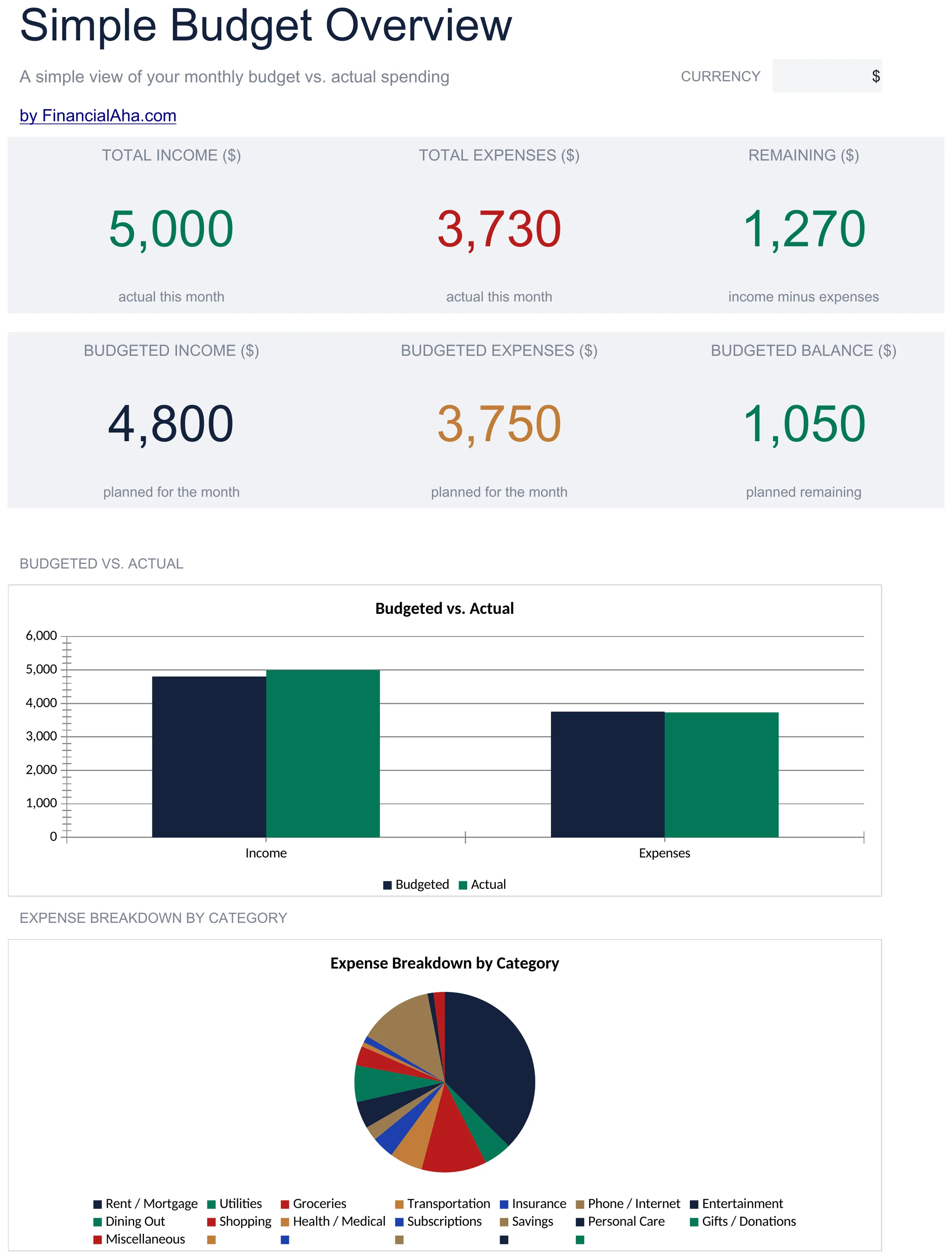
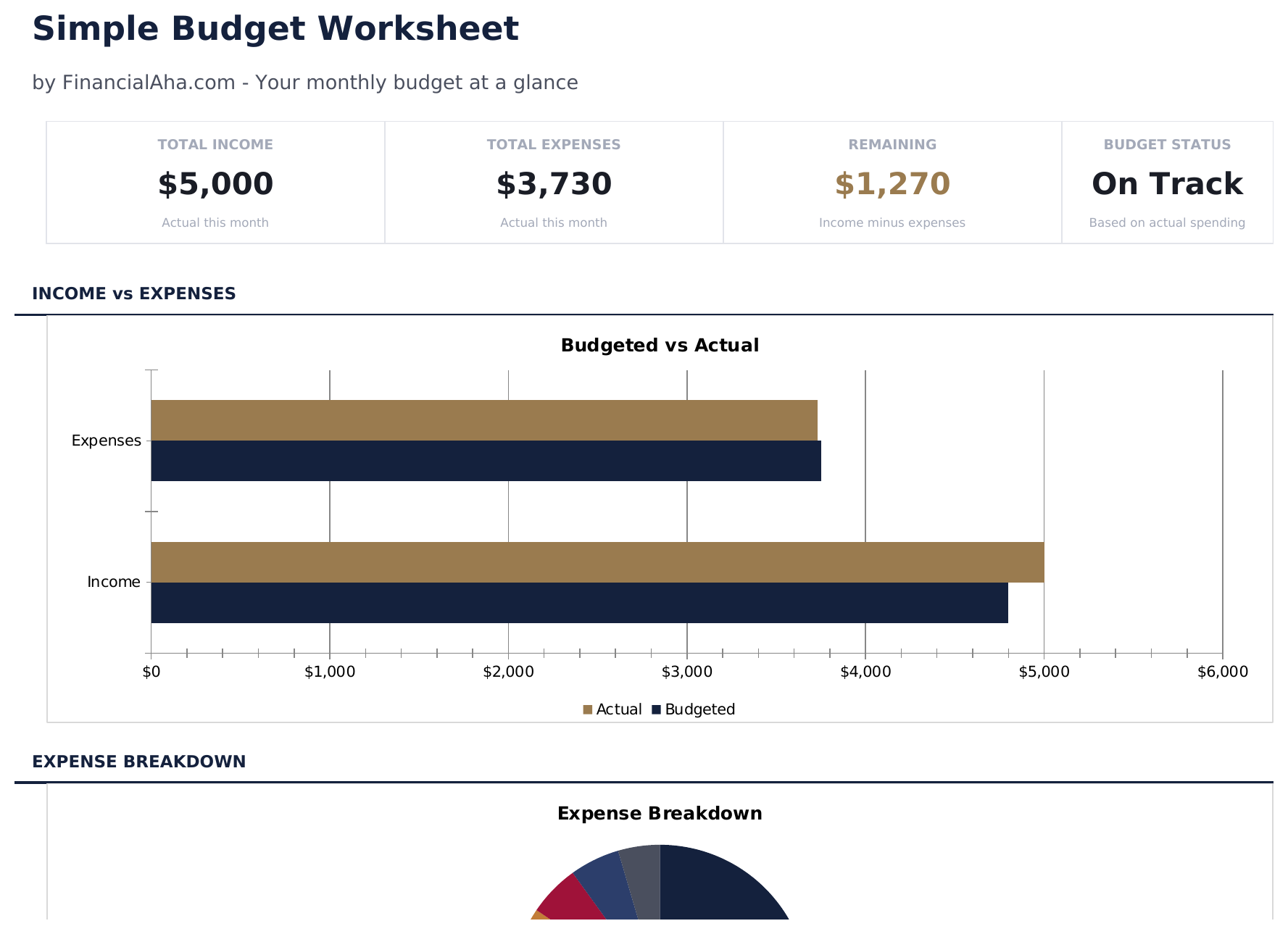
- Dashboard with simple income vs. expense view showing total income, total spending, and net balance
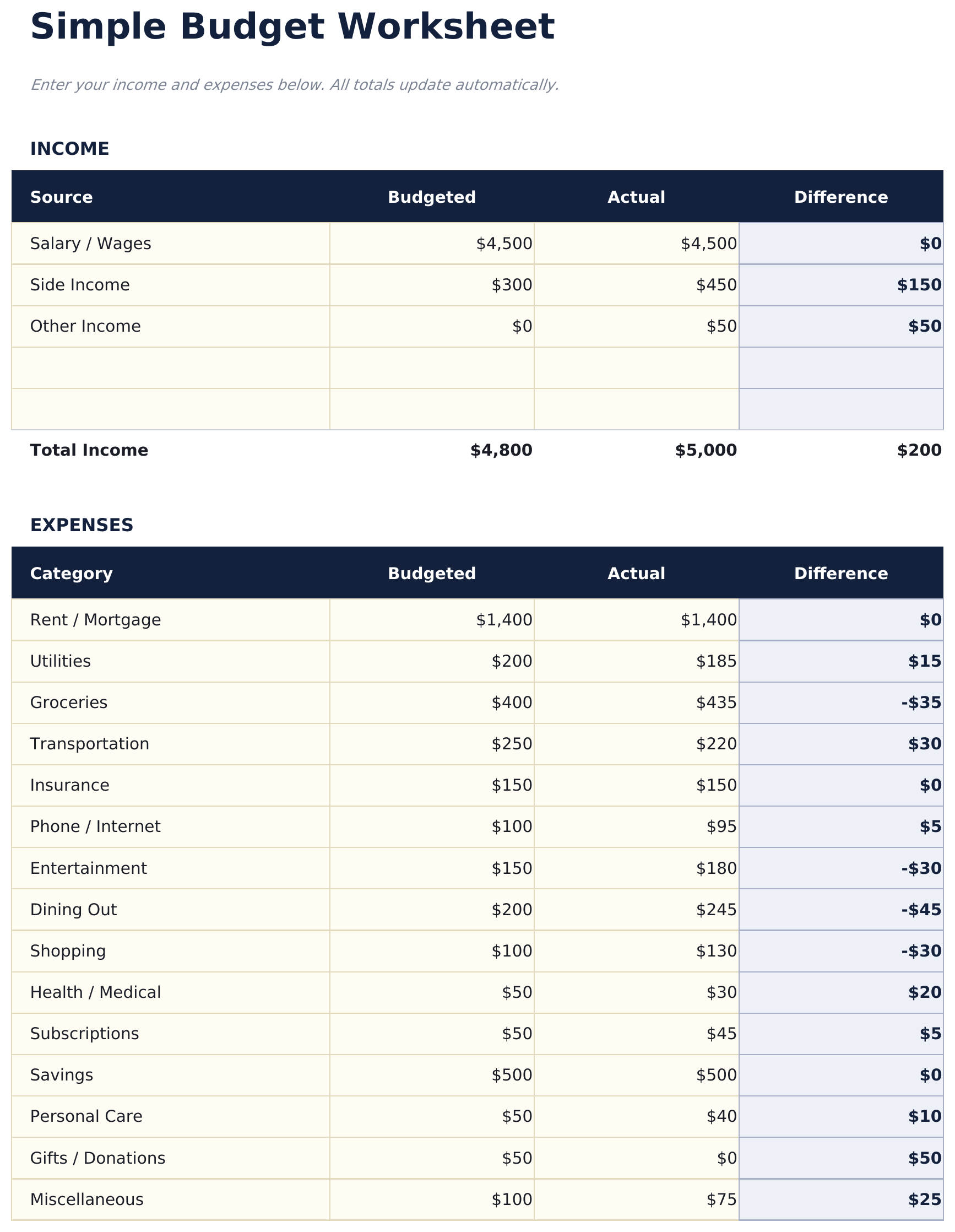
- Minimal budget worksheet with just two sections - income sources and expense categories
- Pre-filled common categories including rent, utilities, groceries, insurance, and transportation
- Automatic balance calculation that shows whether monthly income covers all listed expenses
- Color-coded input cells (yellow) and auto-calculated result cells (blue) for beginner-friendly entry
- Works in Microsoft Excel, Google Sheets, and LibreOffice Calc with no setup required
Voorbeeld
Bekijk wat er in dit sjabloon zit


Hoe gebruik je dit Simple Budget Worksheet sjabloon
List your income
Enter all income sources - salary, side income, or any other earnings. The template keeps it to one simple section.
List your expenses
Fill in the pre-built expense categories with your monthly amounts. Common items like rent, groceries, and utilities are already listed.
Check the balance
The net balance at the bottom shows income minus expenses. A positive number means surplus; negative means overspending.
Adjust as needed
If the balance is negative, review expenses to find areas where spending could be reduced. All totals update automatically.
Gebouwd door Claude AI. Verfijnd door ons.
We gebruiken Claude AI om elk sjabloon te ontwerpen, na uitgebreid onderzoek. Daarna neemt ons team het over. We verfijnen de indeling, testen elke formule grondig, lossen randgevallen op en polijsten het ontwerp totdat het iets is dat we zelf ook echt zouden gebruiken. De AI brengt ons 80% van de weg. De laatste 20% is puur menselijk oordeel.
Veelgestelde vragen
How is this different from other budget templates?
This is the most minimal option - just income, expenses, and a balance. No dashboards, no charts, no percentages. It is a starting point for people who want simplicity.
Can I add more expense categories?
Yes. Insert new rows above the totals row and enter your additional categories. The SUM formulas adjust to include new rows automatically.
Does it track monthly or weekly?
The template is set up for monthly tracking. You can use it weekly by entering weekly amounts - just be consistent with the time period across all entries.
Is there a savings category?
There is a savings row in the expense section. Treating savings as an expense ensures it is accounted for before discretionary spending.
Hoe open ik dit in Google Sheets?
Upload het .xlsx-bestand naar Google Drive en open het vervolgens met Google Sheets. Alle formules en opmaak blijven behouden.
Meer Essentials-sjablonen voor Personal Budgeting
Monthly Budget
Track monthly income and expenses across categories. A straightforward starting point for anyone looking to get a clear picture of where money goes each month.
$1250/30/20 Budget
Organize spending into needs, wants, and savings using the 50/30/20 framework. Useful for those who prefer a percentage-based approach to budgeting.
$12Zero-Based Budget
Assign every dollar of income to a specific category until the balance reaches zero. Designed for people who want full control over each dollar.
$12Household Budget
Track household income and expenses for families or shared living situations. Covers dual incomes, shared bills, and household-specific categories.
$12Op zoek naar premium spreadsheet-sjablonen?
Onze betaalde sjablonen bevatten geavanceerde dashboards met meerdere werkbladen, ingebouwde Excel-grafieken en doorlopende updates.