Mejor valor Paquete Todo-en-Uno de Planificación Financiera
✓ Planificación Financiera✓ Rastreador de Patrimonio Neto✓ Presupuesto Mensual✓ Planificador de Presupuesto de Viaje✓ Planificador de Presupuesto Anual✓ Rastreador de Gastos Mensuales✓ Planificador de Impuestos Anual✓ Planificación de Jubilación
Ver paquete →
Ultimate Versión Ultimate disponible - Rastreador de Facturas Ultimate
Plantilla Essentials - Excel y Google Sheets

Invoice Tracker Plantilla Essentials

Track all outstanding and paid invoices in one place. Monitor payment status, aging, and total receivables across clients.

Ver versión Ultimate →
Invoice Tracker preview

Qué incluye

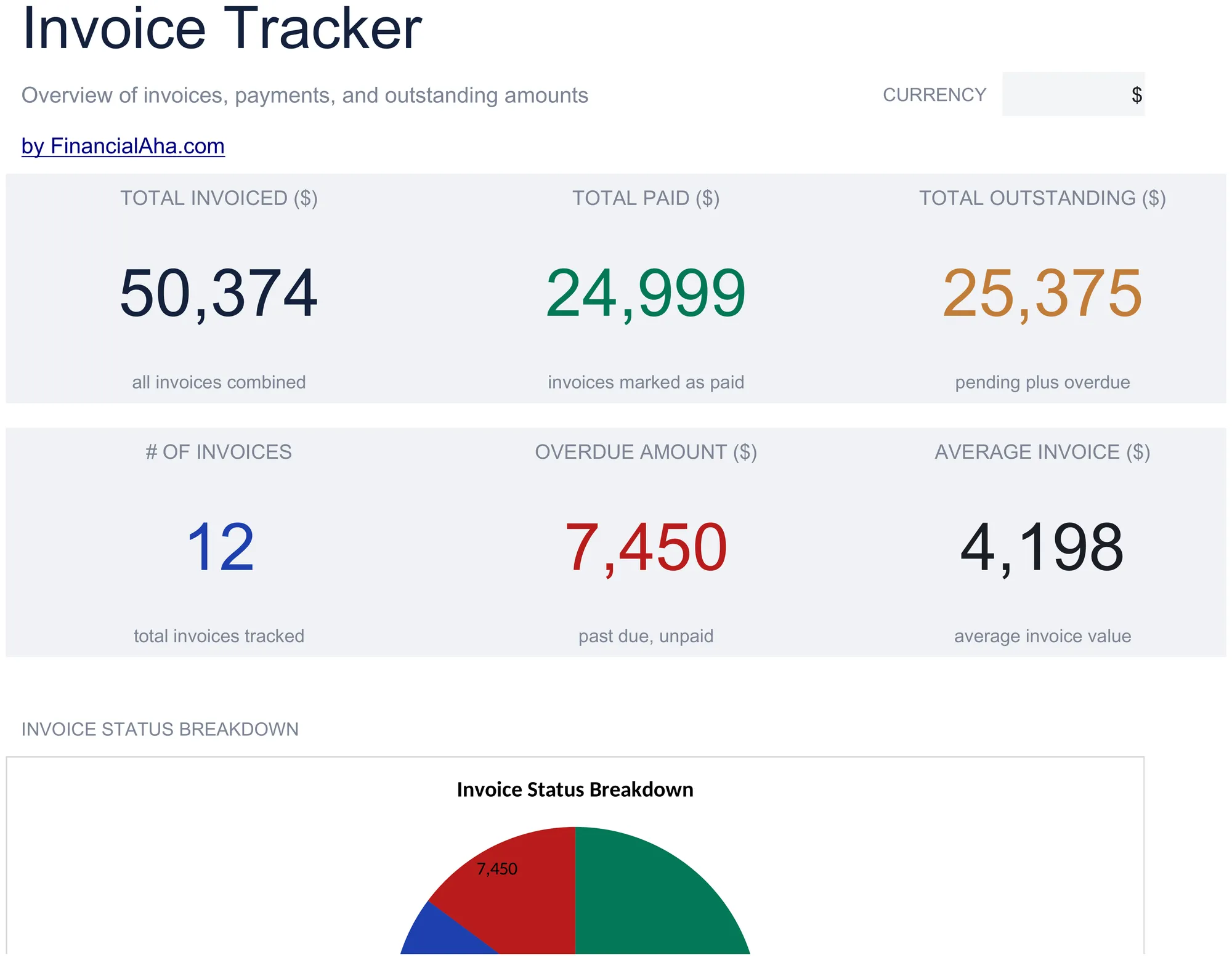
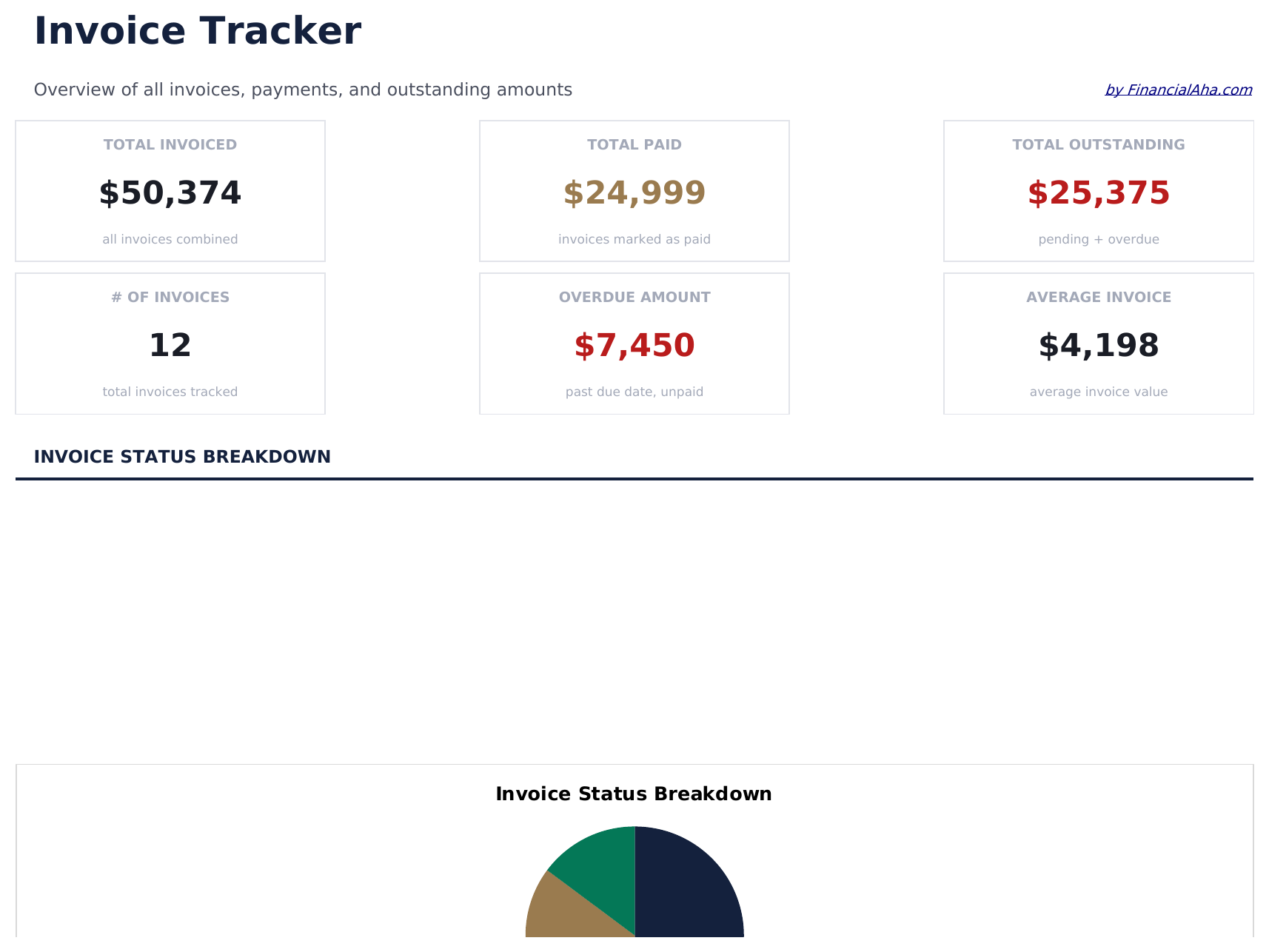
  • Dashboard with receivables overview showing total outstanding, total collected, and overdue invoice count
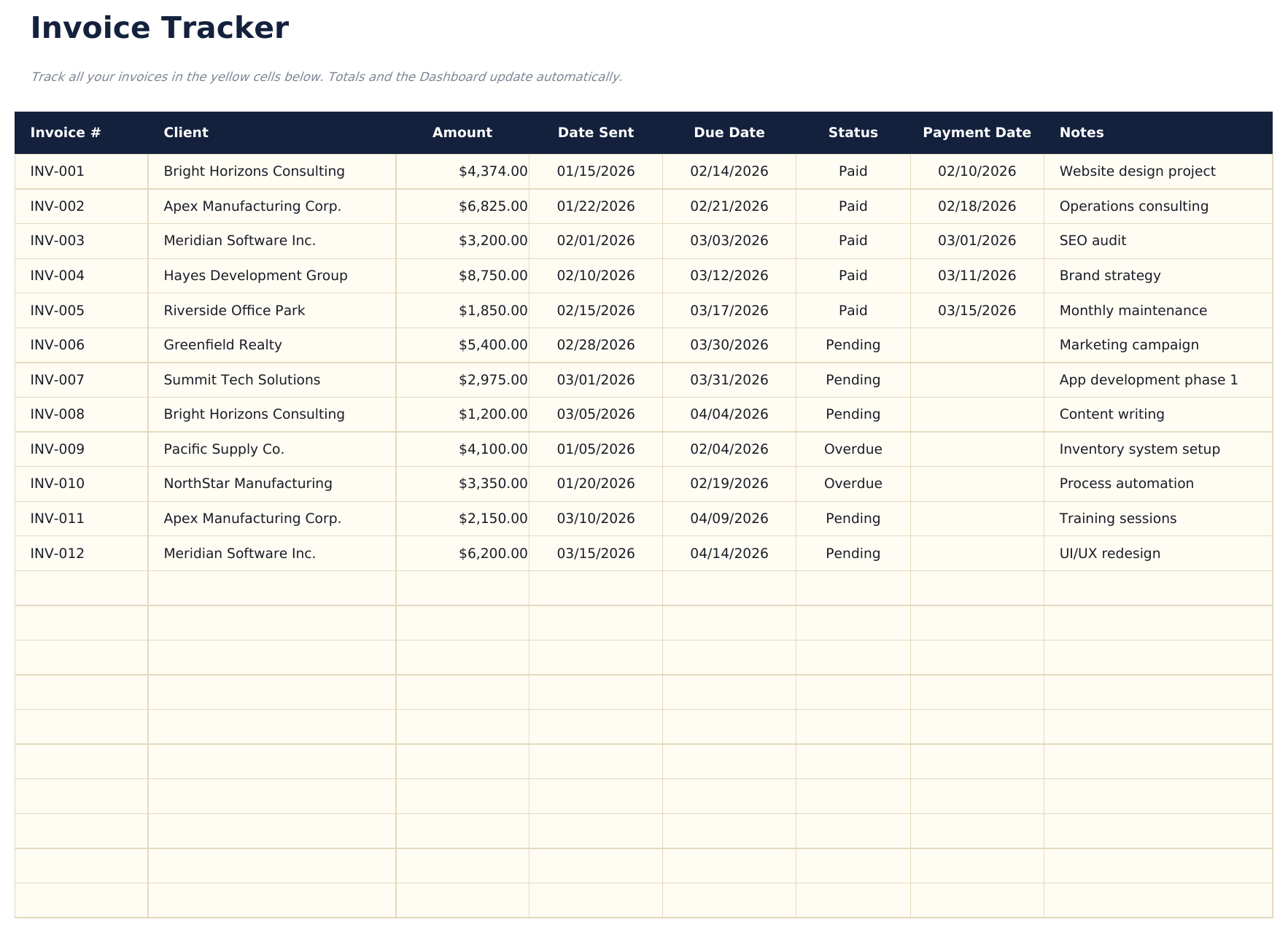
  • Invoice tracker with columns for invoice number, client name, amount, issue date, due date, and status
  • Payment status monitoring with fields to mark each invoice as draft, sent, paid, or overdue
  • Aging report by invoice categorizing outstanding amounts into current, 30-day, 60-day, and 90-plus buckets
  • Client-level totals with color-coded status indicators and automatic outstanding balance calculations
  • Works in Microsoft Excel, Google Sheets, and LibreOffice Calc with no setup required
Ultimate Version Available

Need more from this template?

The Essentials version covers everyday tracking. Ultimate goes further with multi-entity support, scenario analysis, and ultimate-grade reporting.

Essentials - $12
  • Dashboard with receivables overview showing total outstanding, total collected, and overdue invoice count
  • Invoice tracker with columns for invoice number, client name, amount, issue date, due date, and status
  • Payment status monitoring with fields to mark each invoice as draft, sent, paid, or overdue
  • Aging report by invoice categorizing outstanding amounts into current, 30-day, 60-day, and 90-plus buckets
Ultimate - $19
  • Registra hasta 100 facturas con numero de factura, nombre del cliente, fecha de emision, fecha de vencimiento, monto, estado (desplegable) y fecha de pago
  • Panel con 6 tarjetas de indicadores: total facturado, total cobrado, total pendiente, monto vencido, cantidad de facturas y promedio de dias para cobrar
  • Hoja de resumen por cliente que muestra total facturado, total pagado, total pendiente, cantidad de facturas y valor promedio por factura para cada cliente
  • Reporte de antigueedad que clasifica las facturas pendientes en columnas: Vigente, 1-30 dias, 31-60 dias, 61-90 dias y Mas de 90 dias
  • Hoja de ingresos mensuales que muestra montos facturados y cobrados por mes durante 12 meses con totales acumulados
See what's in the Ultimate version One-time purchase. No subscription.

Cómo usar esta plantilla de Invoice Tracker

1

Log each invoice

Enter the invoice number, client name, amount, date sent, and due date for every invoice you issue.

2

Track payment status

Update the status column as invoices move from Pending to Paid or Overdue. The dashboard totals update automatically.

3

Monitor outstanding amounts

Check the dashboard for total receivable, overdue invoices, and average days to payment.

4

Follow up on overdue

Use the overdue amount and days overdue columns to prioritize which clients need a payment reminder.

Creadas por Claude AI. Perfeccionadas por nosotros.

Usamos Claude AI para crear el borrador de cada plantilla, después de una investigación profunda. Luego nuestro equipo interviene. Refinamos el diseño, probamos cada fórmula a fondo, corregimos casos especiales y pulimos el diseño hasta que se siente como algo que realmente usaríamos nosotros mismos. La IA nos lleva al 80%. El último 20% es criterio humano.

Ver versión Ultimate →

Preguntas frecuentes

How does aging work?

The tracker groups outstanding invoices into current, 30-day, 60-day, and 90-plus day aging buckets based on how long past the due date each invoice is.

Can I track invoices for multiple clients?

Yes. Every invoice row has a client name field. Sort or filter by client to see outstanding amounts per customer.

Does it calculate days overdue?

Yes. The template computes the number of days between the due date and today for each unpaid invoice.

Can I mark partial payments?

Record partial payments in the paid amount column. The remaining balance calculates automatically as the invoice amount minus the paid amount.

¿Cómo abro esto en Google Sheets?

Sube el archivo .xlsx a Google Drive y luego ábrelo con Google Sheets. Todas las fórmulas y el formato se conservarán.

Más plantillas Essentials de Invoicing & Billing

¿Buscas plantillas premium?

Nuestras plantillas de pago incluyen paneles avanzados con múltiples hojas, gráficos nativos de Excel y actualizaciones continuas.

Privado y seguro

Sus datos financieros permanecen en su dispositivo. Nunca los vemos.

Saber más →

¿Necesita ayuda?

Consulte nuestras guías o contáctenos con preguntas.

Ver FAQ →