Melhor valor Pacote Completo de Planejamento Financeiro
✓ Planejamento Financeiro✓ Rastreador de Patrimonio Liquido✓ Orcamento Mensal✓ Planejador de Orcamento de Viagem✓ Planejador de Orcamento Anual✓ Rastreador de Despesas Mensais✓ Planejador Anual de Impostos✓ Planejamento de Aposentadoria
Ver pacote →
Ultimate Versão Ultimate disponível - Rastreador de Faturas Ultimate
Planilha Essentials - Excel e Google Sheets

Invoice Tracker Modelo Essentials

Track all outstanding and paid invoices in one place. Monitor payment status, aging, and total receivables across clients.

Ver versão Ultimate →
Invoice Tracker preview

O Que Está Incluído

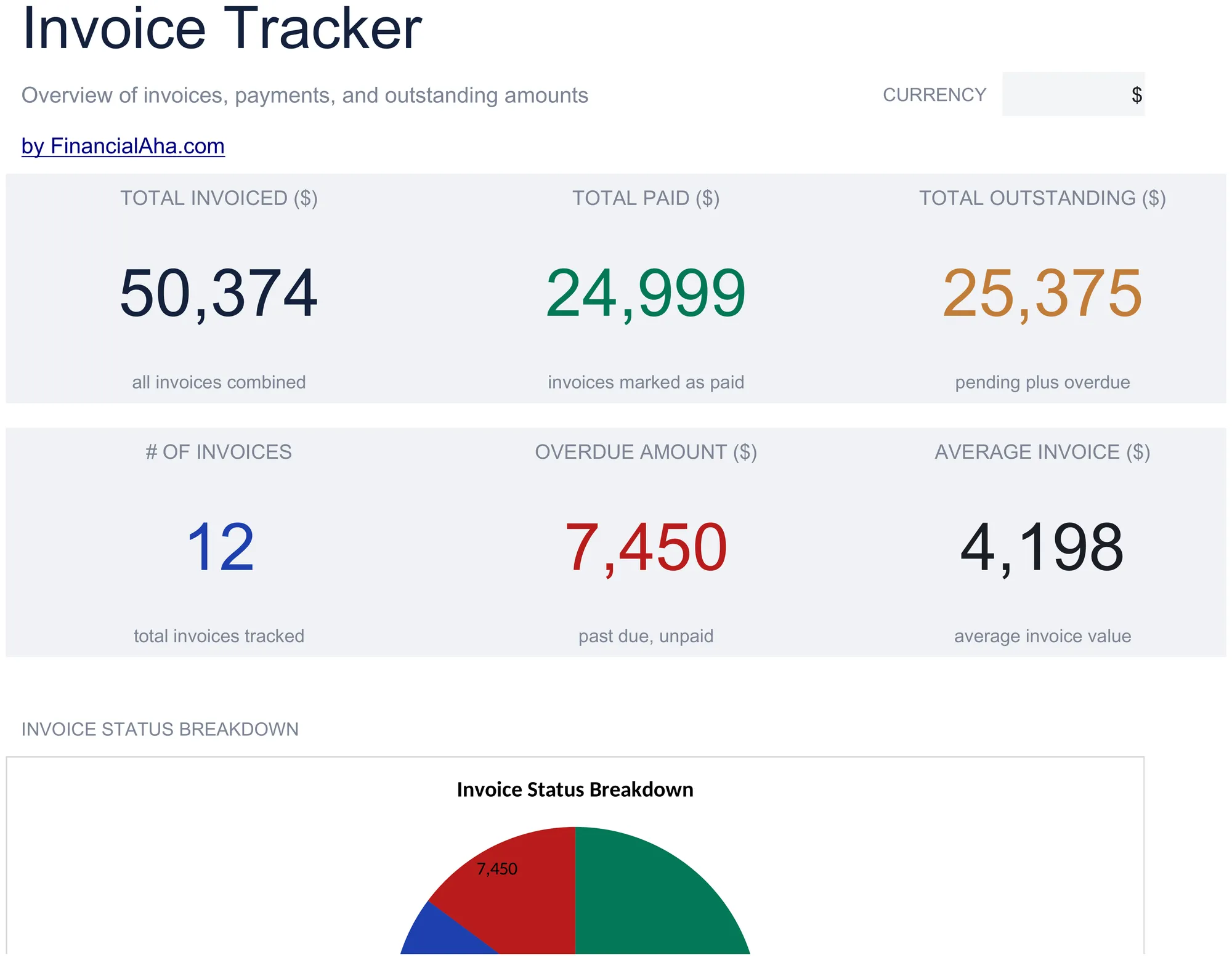
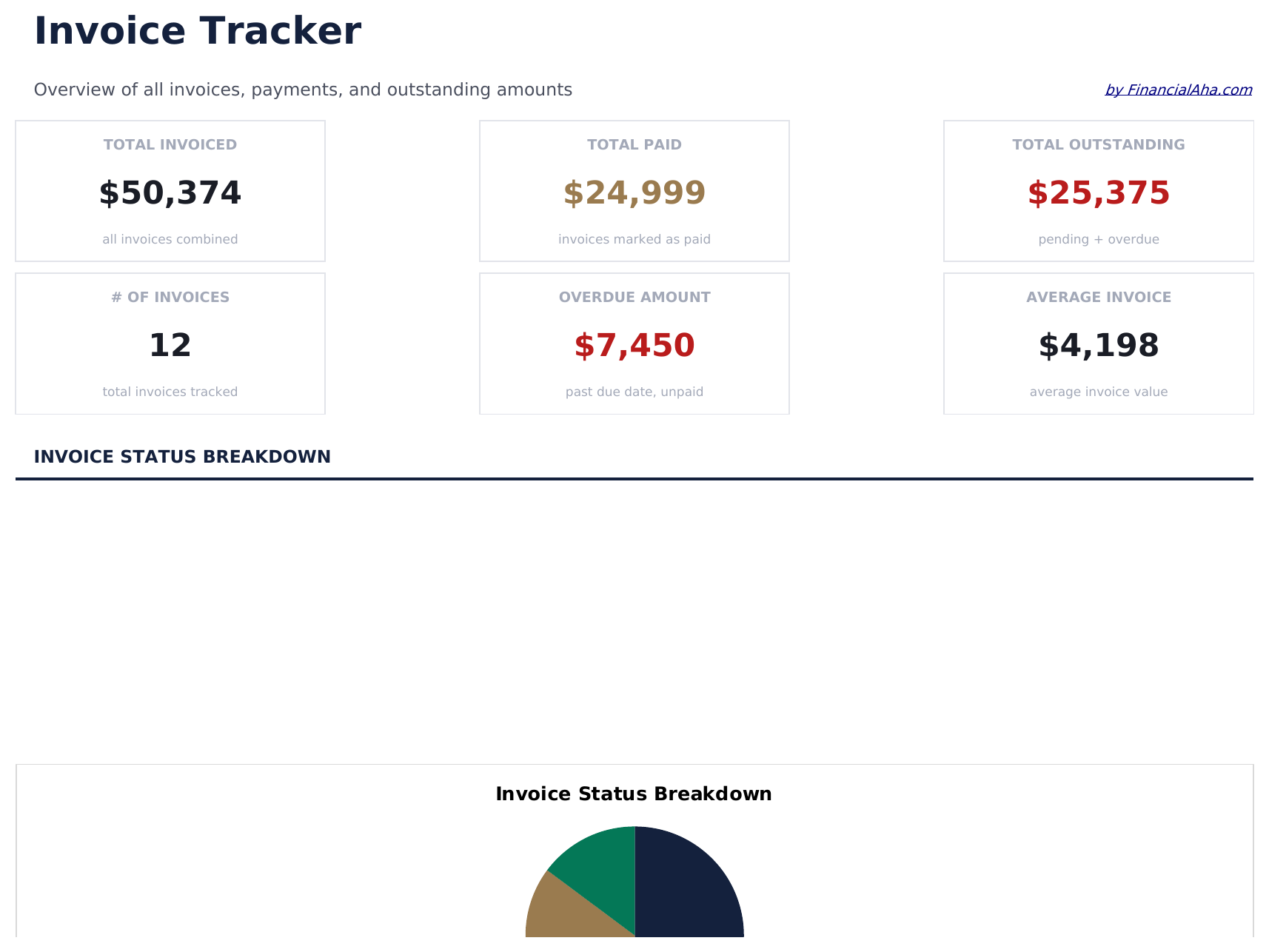
  • Dashboard with receivables overview showing total outstanding, total collected, and overdue invoice count
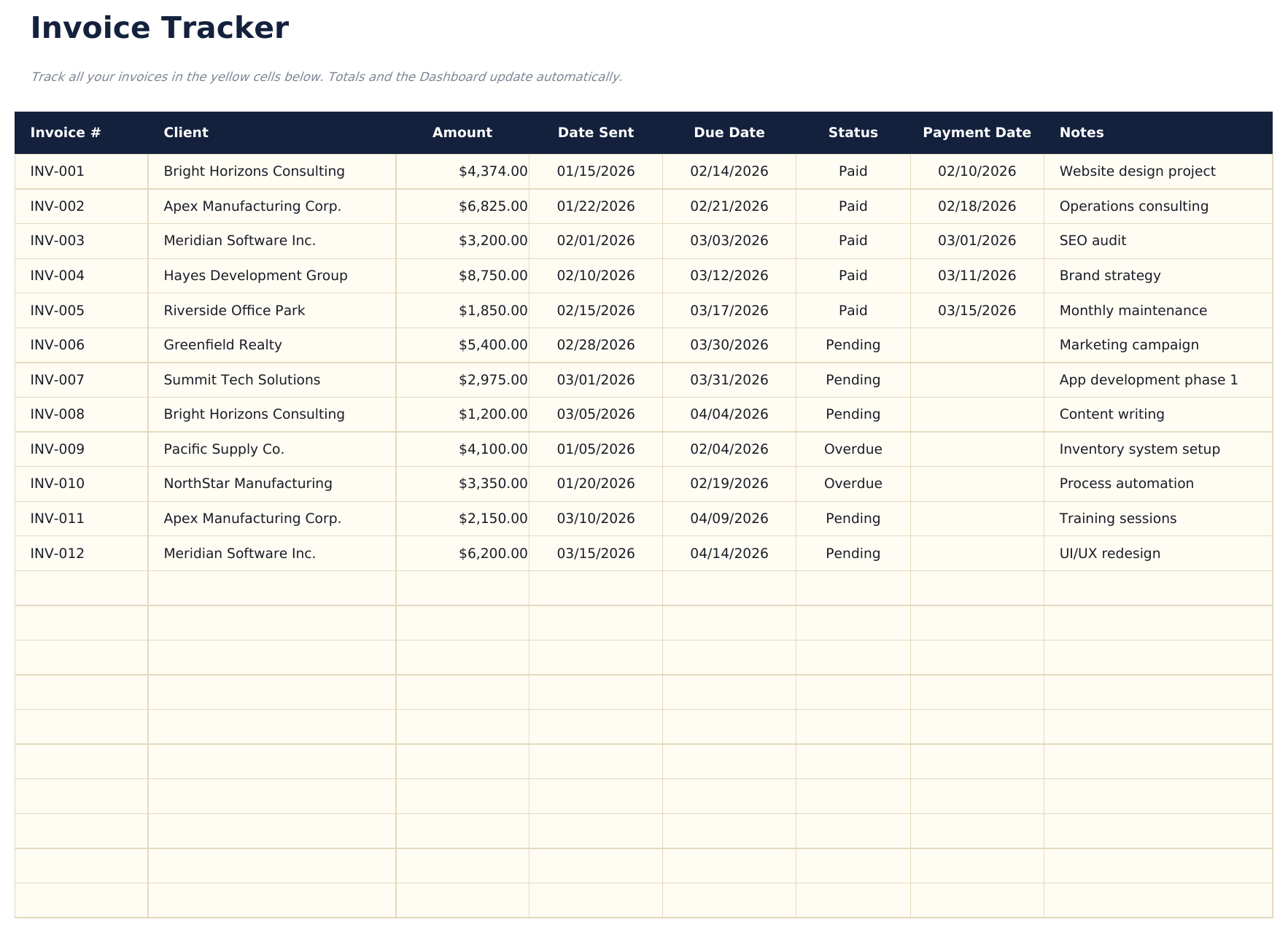
  • Invoice tracker with columns for invoice number, client name, amount, issue date, due date, and status
  • Payment status monitoring with fields to mark each invoice as draft, sent, paid, or overdue
  • Aging report by invoice categorizing outstanding amounts into current, 30-day, 60-day, and 90-plus buckets
  • Client-level totals with color-coded status indicators and automatic outstanding balance calculations
  • Works in Microsoft Excel, Google Sheets, and LibreOffice Calc with no setup required
Ultimate Version Available

Need more from this template?

The Essentials version covers everyday tracking. Ultimate goes further with multi-entity support, scenario analysis, and ultimate-grade reporting.

Essentials - $12
  • Dashboard with receivables overview showing total outstanding, total collected, and overdue invoice count
  • Invoice tracker with columns for invoice number, client name, amount, issue date, due date, and status
  • Payment status monitoring with fields to mark each invoice as draft, sent, paid, or overdue
  • Aging report by invoice categorizing outstanding amounts into current, 30-day, 60-day, and 90-plus buckets
Ultimate - $19
  • Registre ate 100 faturas com numero da fatura, nome do cliente, data de emissao, data de vencimento, valor, status (menu suspenso) e data de pagamento
  • Painel com 6 cartoes de KPI: total faturado, total recebido, total em aberto, valor vencido, quantidade de faturas e media de dias para pagamento
  • Planilha de resumo por cliente mostrando total faturado, total pago, total em aberto, quantidade de faturas e valor medio por fatura de cada cliente
  • Relatorio de vencimento agrupando faturas em aberto em A Vencer, 1-30 dias, 31-60 dias, 61-90 dias e Acima de 90 dias
  • Planilha de receita mensal mostrando valores faturados e recebidos por mes ao longo de 12 meses com totais acumulados
See what's in the Ultimate version One-time purchase. No subscription.

Como Usar Esta Planilha de Invoice Tracker

1

Log each invoice

Enter the invoice number, client name, amount, date sent, and due date for every invoice you issue.

2

Track payment status

Update the status column as invoices move from Pending to Paid or Overdue. The dashboard totals update automatically.

3

Monitor outstanding amounts

Check the dashboard for total receivable, overdue invoices, and average days to payment.

4

Follow up on overdue

Use the overdue amount and days overdue columns to prioritize which clients need a payment reminder.

Criadas com Claude AI. Aperfeiçoadas por nós.

Usamos Claude AI para criar cada planilha, após uma pesquisa aprofundada. Depois, nossa equipe entra em ação. Refinamos o layout, testamos exaustivamente cada fórmula, corrigimos casos extremos e polimos o design até que pareça algo que nós mesmos usaríamos. A IA nos leva 80% do caminho. Os últimos 20% são puro julgamento humano.

Ver versão Ultimate →

Perguntas Frequentes

How does aging work?

The tracker groups outstanding invoices into current, 30-day, 60-day, and 90-plus day aging buckets based on how long past the due date each invoice is.

Can I track invoices for multiple clients?

Yes. Every invoice row has a client name field. Sort or filter by client to see outstanding amounts per customer.

Does it calculate days overdue?

Yes. The template computes the number of days between the due date and today for each unpaid invoice.

Can I mark partial payments?

Record partial payments in the paid amount column. The remaining balance calculates automatically as the invoice amount minus the paid amount.

Como abrir no Google Sheets?

Envie o arquivo .xlsx para o Google Drive e abra com o Google Sheets. Todas as fórmulas e formatações serão preservadas.

Mais modelos Essentials de Invoicing & Billing

Procurando planilhas premium?

Nossas planilhas pagas incluem painéis avançados com várias abas, gráficos nativos do Excel e atualizações contínuas.

Privado e seguro

Seus dados financeiros ficam no seu dispositivo. Nos nunca os vemos.

Saiba mais →

Precisa de ajuda?

Consulte nossos guias ou entre em contato com perguntas.

Ver FAQ →