Invoice Tracker Essentials 模板
Track all outstanding and paid invoices in one place. Monitor payment status, aging, and total receivables across clients.
包含内容
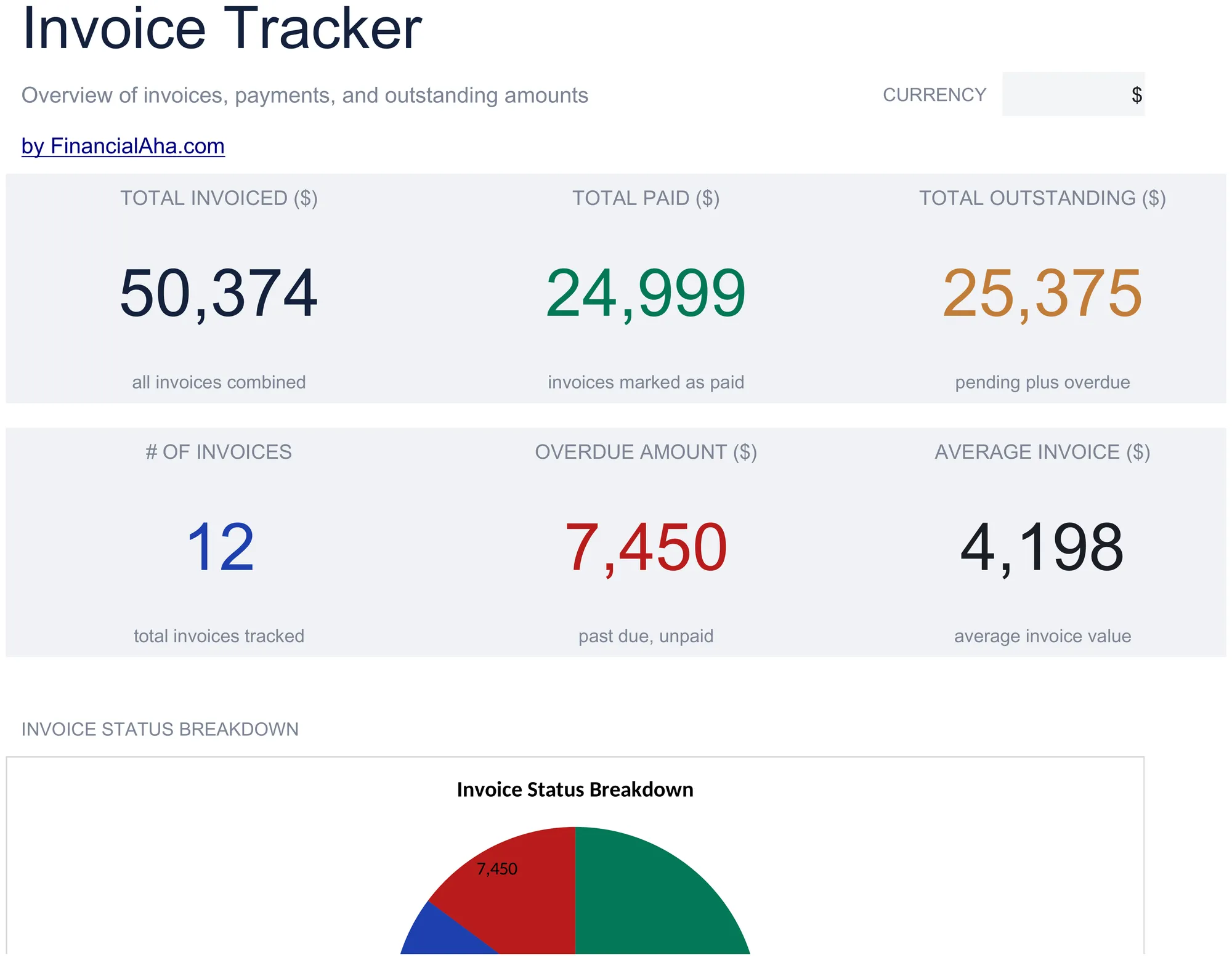
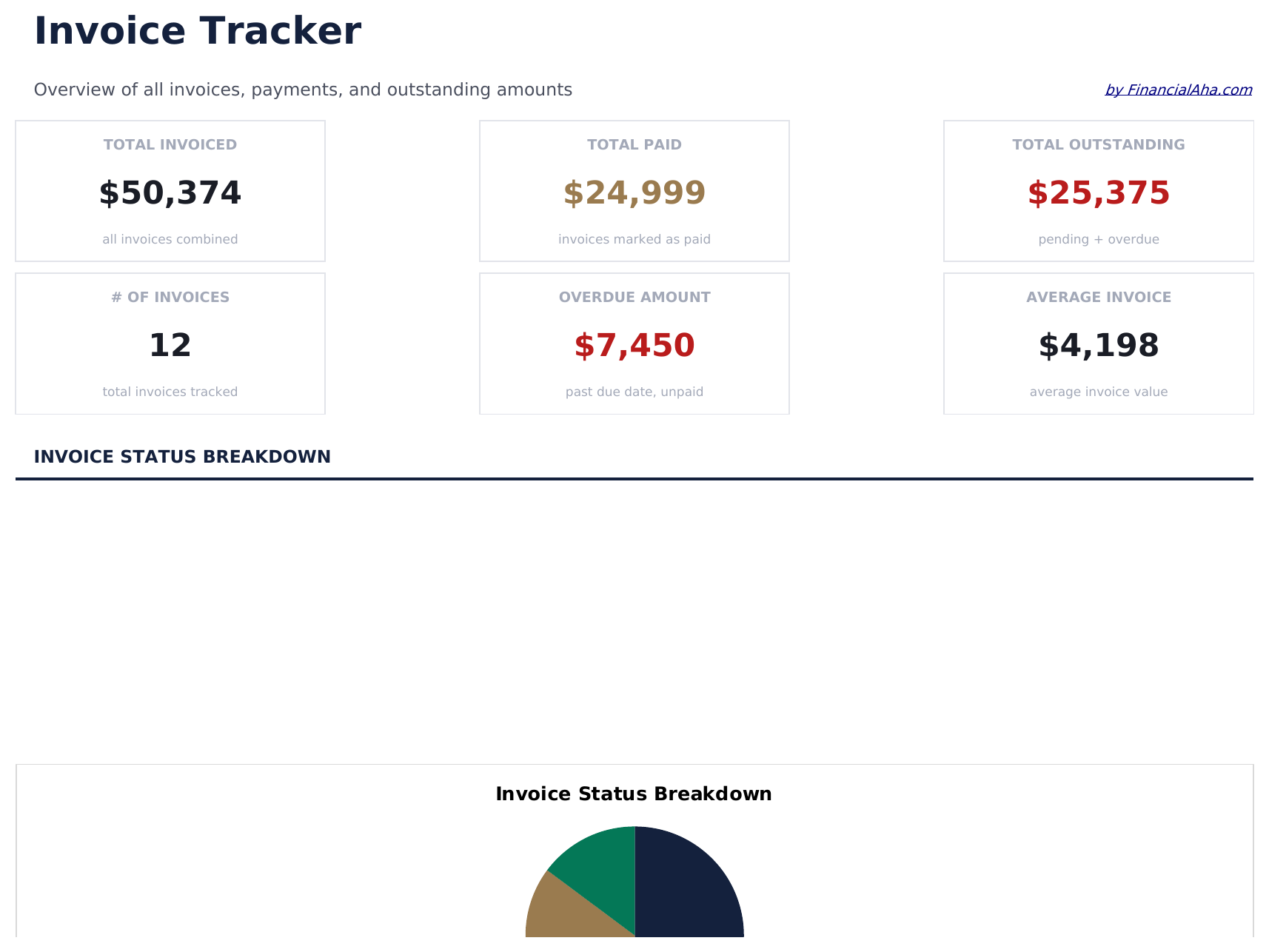
- Dashboard with receivables overview showing total outstanding, total collected, and overdue invoice count
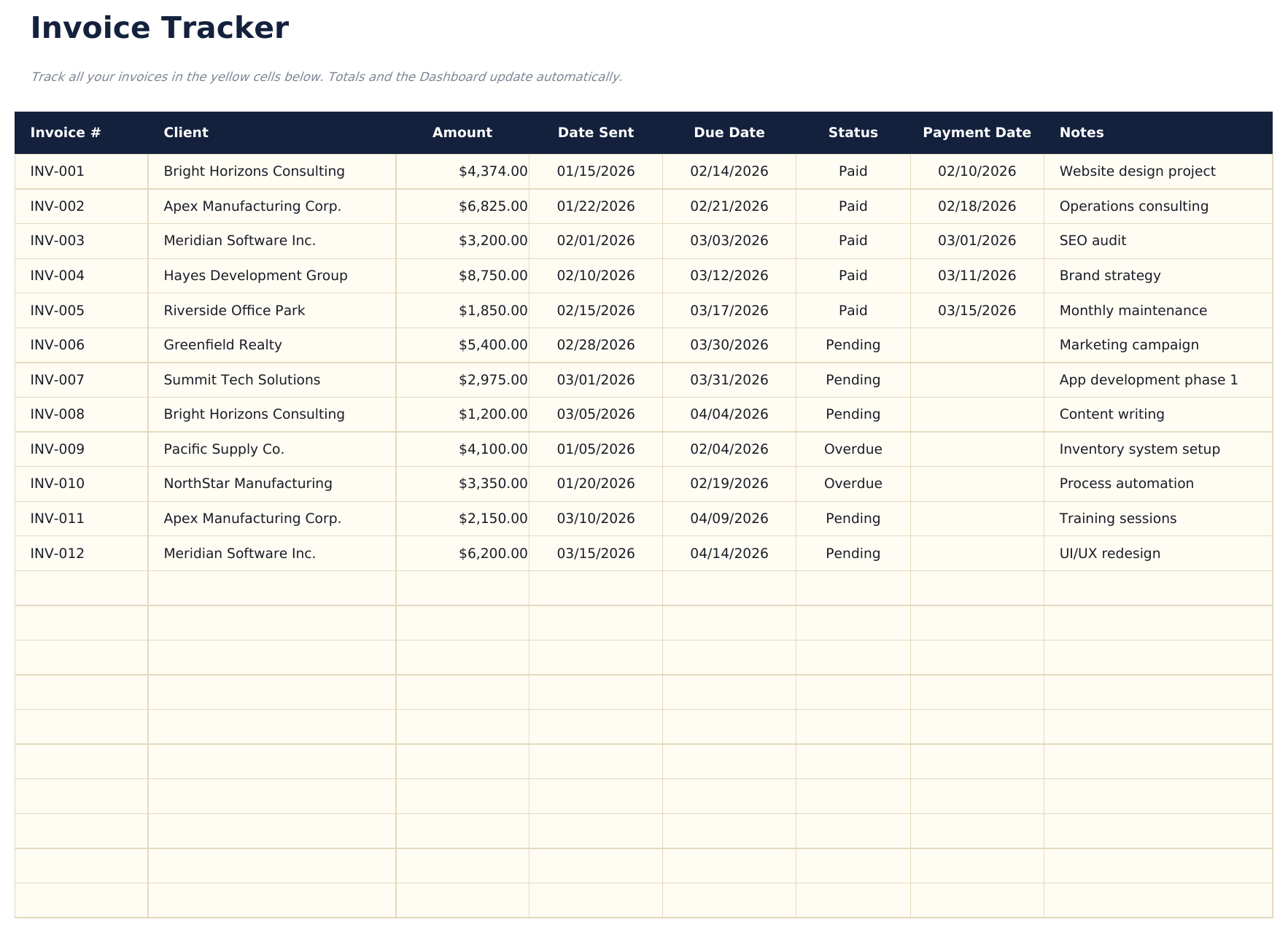
- Invoice tracker with columns for invoice number, client name, amount, issue date, due date, and status
- Payment status monitoring with fields to mark each invoice as draft, sent, paid, or overdue
- Aging report by invoice categorizing outstanding amounts into current, 30-day, 60-day, and 90-plus buckets
- Client-level totals with color-coded status indicators and automatic outstanding balance calculations
- Works in Microsoft Excel, Google Sheets, and LibreOffice Calc with no setup required
Need more from this template?
The Essentials version covers everyday tracking. Ultimate goes further with multi-entity support, scenario analysis, and ultimate-grade reporting.
- Dashboard with receivables overview showing total outstanding, total collected, and overdue invoice count
- Invoice tracker with columns for invoice number, client name, amount, issue date, due date, and status
- Payment status monitoring with fields to mark each invoice as draft, sent, paid, or overdue
- Aging report by invoice categorizing outstanding amounts into current, 30-day, 60-day, and 90-plus buckets
- 记录多达100张发票,包括发票号、客户名称、开具日期、到期日期、金额、状态(下拉菜单)和付款日期
- 仪表盘包含6个KPI卡片:已开票总额、已收款总额、未收款总额、逾期金额、发票数量和平均回款天数
- 客户汇总表,显示每个客户的已开票总额、已付款总额、未收款总额、发票数量和平均发票金额
- 账龄报告,将未收款发票分为当期、1-30天、31-60天、61-90天和90天以上各列
- 月度收入表,显示12个月的已开票和已收款金额,含累计总额
预览
查看此模板的内容


如何使用这个Invoice Tracker模板
Log each invoice
Enter the invoice number, client name, amount, date sent, and due date for every invoice you issue.
Track payment status
Update the status column as invoices move from Pending to Paid or Overdue. The dashboard totals update automatically.
Monitor outstanding amounts
Check the dashboard for total receivable, overdue invoices, and average days to payment.
Follow up on overdue
Use the overdue amount and days overdue columns to prioritize which clients need a payment reminder.
由 Claude AI 构建,经我们精心打磨。
我们使用 Claude AI 在深入研究后起草每个模板。然后由团队接手,优化布局、全面测试每个公式、修复边界情况,并打磨设计,直到达到我们自己愿意使用的标准。AI 完成了 80% 的工作,最后 20% 靠的是人工判断。
常见问题
How does aging work?
The tracker groups outstanding invoices into current, 30-day, 60-day, and 90-plus day aging buckets based on how long past the due date each invoice is.
Can I track invoices for multiple clients?
Yes. Every invoice row has a client name field. Sort or filter by client to see outstanding amounts per customer.
Does it calculate days overdue?
Yes. The template computes the number of days between the due date and today for each unpaid invoice.
Can I mark partial payments?
Record partial payments in the paid amount column. The remaining balance calculates automatically as the invoice amount minus the paid amount.
如何在 Google Sheets 中打开?
将 .xlsx 文件上传到 Google Drive,然后使用 Google Sheets 打开。所有公式和格式都会保留。
更多 Invoicing & Billing Essentials 模板
Simple Invoice
A clean, minimal invoice template with standard fields. Fill in line items, quantities, and rates - totals calculate automatically.
$12Service Invoice
Invoice template designed for service-based billing. List services with hourly rates and hours worked - totals update automatically.
$12Sales Invoice
Invoice template for product-based sales. List items with quantities, unit prices, and descriptions - totals and taxes calculate automatically.
$12Consultant Invoice
Invoice template for consulting work with hourly rates and expense reimbursement. Covers professional services billing with clear breakdowns.
$12