Receipt Template Plantilla Essentials
Generate payment receipts for customers. Confirm payment details including amount, date, method, and items or services paid for.
Qué incluye
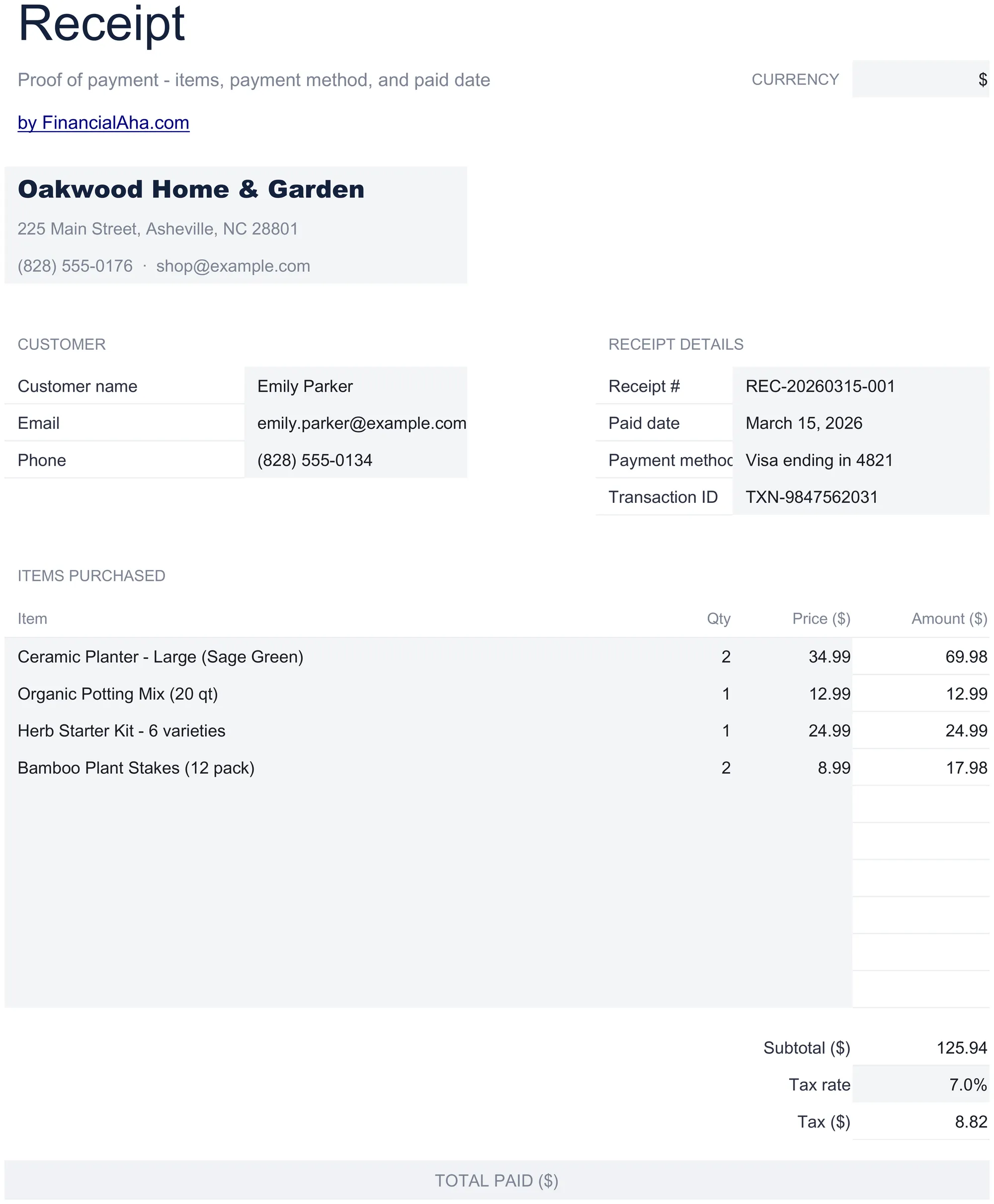
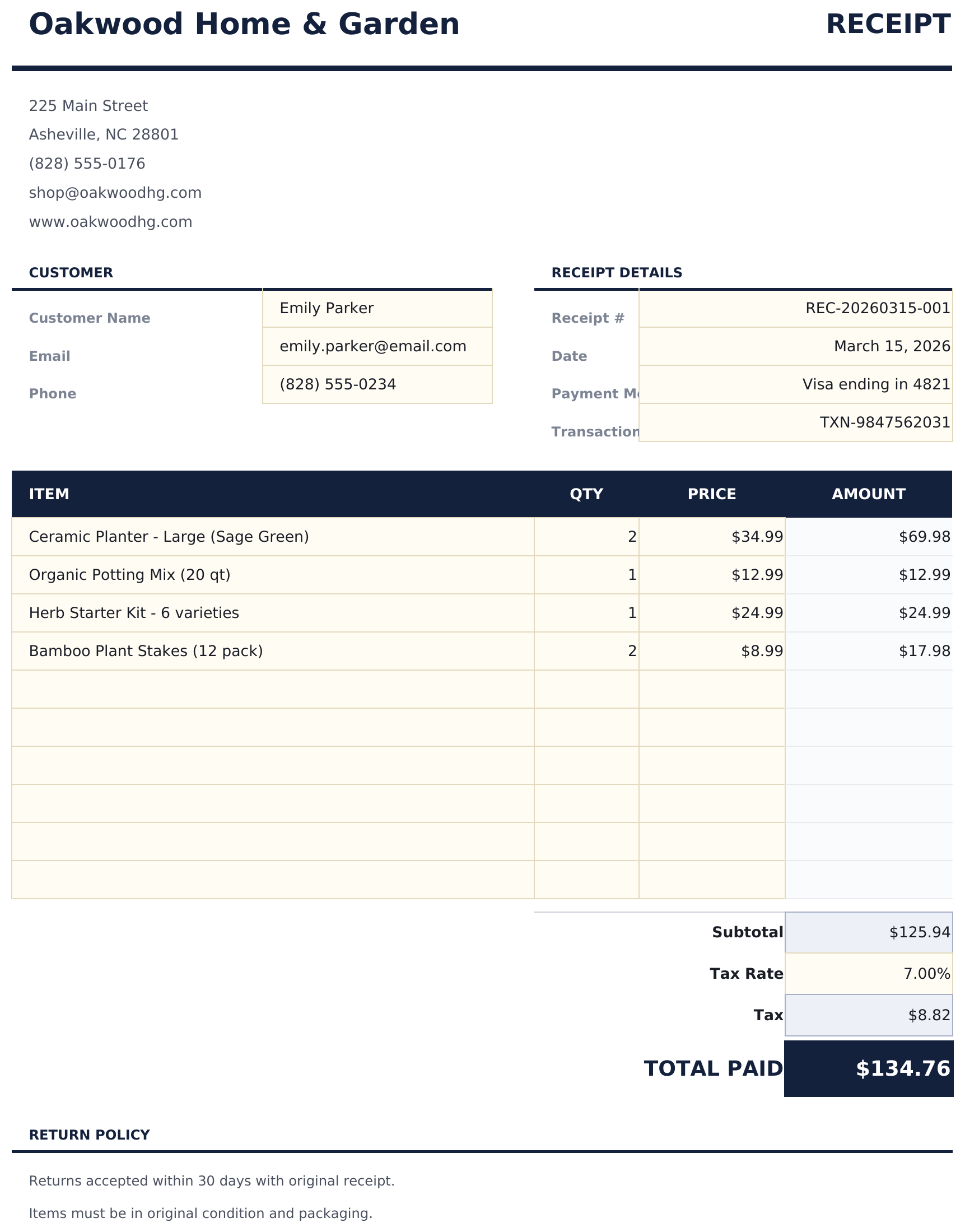
- Clean receipt layout with receipt number, date, and business name prominently displayed at the top
- Payment method and date fields for recording cash, check, credit card, or bank transfer payment details
- Item and amount details with description and line total columns for listing what the payment covers
- Automatic total calculation that sums all line items and displays the grand total paid by the customer
- Business contact information section with address, phone, and email in a print-ready receipt format
- Works in Microsoft Excel, Google Sheets, and LibreOffice Calc with no setup required
Vista previa
Mira qué contiene esta plantilla

Cómo usar esta plantilla de Receipt Template
Enter business details
Fill in your business name, address, and contact information at the top of the receipt.
Add payment details
Enter the receipt number, date, payment method, and customer name for the transaction.
List items paid for
Add each item or service with a description and amount. The total calculates automatically from all line items.
Print or send
Review the grand total and hand the receipt to the customer, or export to PDF for digital delivery.
Creadas por Claude AI. Perfeccionadas por nosotros.
Usamos Claude AI para crear el borrador de cada plantilla, después de una investigación profunda. Luego nuestro equipo interviene. Refinamos el diseño, probamos cada fórmula a fondo, corregimos casos especiales y pulimos el diseño hasta que se siente como algo que realmente usaríamos nosotros mismos. La IA nos lleva al 80%. El último 20% es criterio humano.
Preguntas frecuentes
Can I use this for service payments?
Yes. Enter service descriptions and amounts just like products. The receipt confirms payment regardless of what was purchased.
Does it show the payment method?
Yes. The payment method field records whether the customer paid by cash, check, credit card, or bank transfer.
Can I add a refund policy?
Add a note at the bottom of the receipt with your return or refund policy. The template has space for additional notes below the total.
Is each receipt numbered?
Yes. Enter a unique receipt number for each transaction. This helps both your records and the customer if they need to reference the payment later.
¿Cómo abro esto en Google Sheets?
Sube el archivo .xlsx a Google Drive y luego ábrelo con Google Sheets. Todas las fórmulas y el formato se conservarán.
Más plantillas Essentials de Invoicing & Billing
Simple Invoice
A clean, minimal invoice template with standard fields. Fill in line items, quantities, and rates - totals calculate automatically.
$12Service Invoice
Invoice template designed for service-based billing. List services with hourly rates and hours worked - totals update automatically.
$12Sales Invoice
Invoice template for product-based sales. List items with quantities, unit prices, and descriptions - totals and taxes calculate automatically.
$12Consultant Invoice
Invoice template for consulting work with hourly rates and expense reimbursement. Covers professional services billing with clear breakdowns.
$12¿Buscas plantillas premium?
Nuestras plantillas de pago incluyen paneles avanzados con múltiples hojas, gráficos nativos de Excel y actualizaciones continuas.