Meilleur rapport qualité-prix Pack Complet de Planification Financière
✓ Planification Financière✓ Suivi du Patrimoine Net✓ Budget Mensuel✓ Planificateur de Budget Voyage✓ Planificateur de Budget Annuel✓ Suivi des Dépenses Mensuelles✓ Planificateur Fiscal Annuel✓ Planification de Retraite
Voir le pack →
Modèle Essentials - Excel et Google Sheets

Receipt Template Modèle Essentials

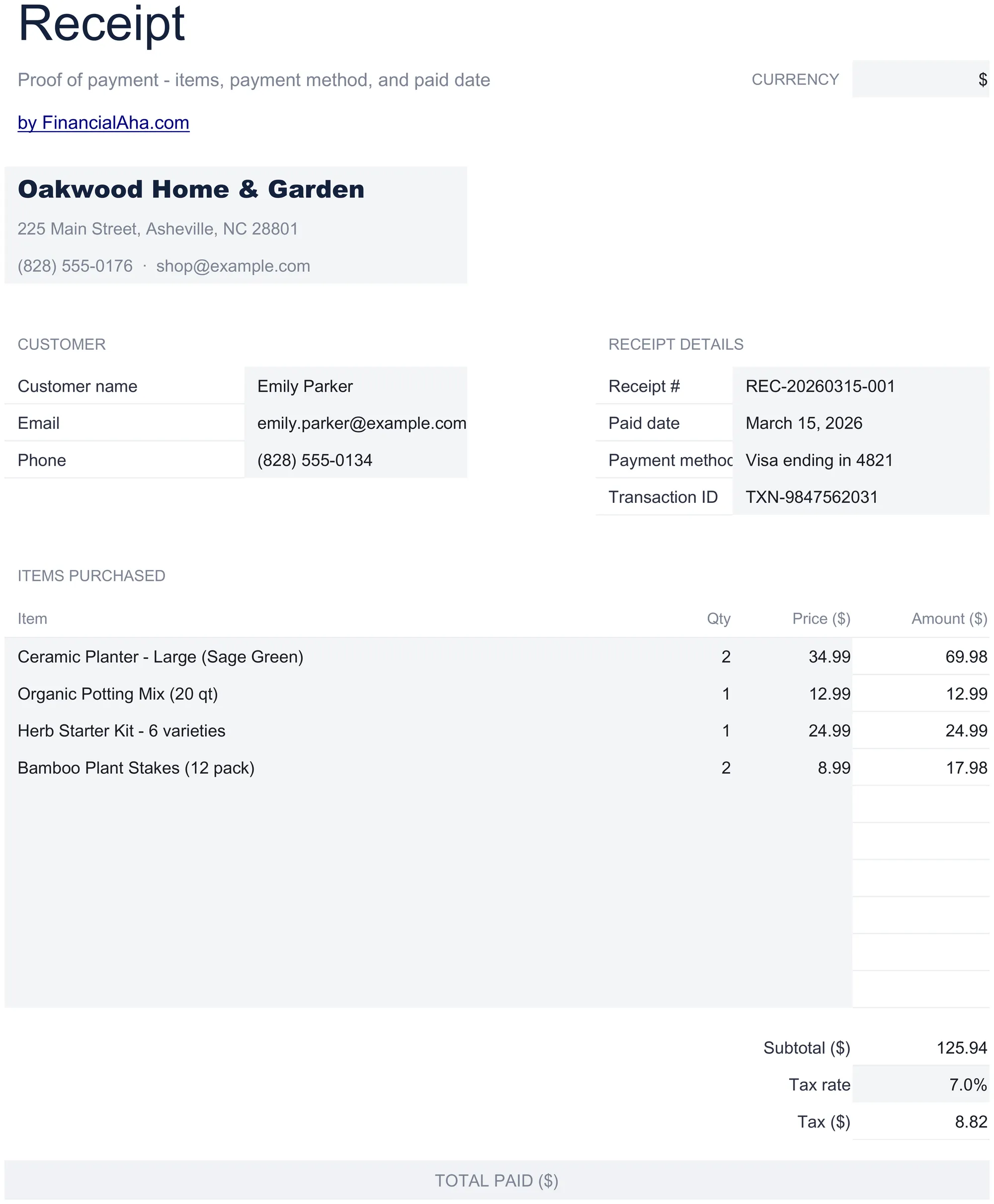
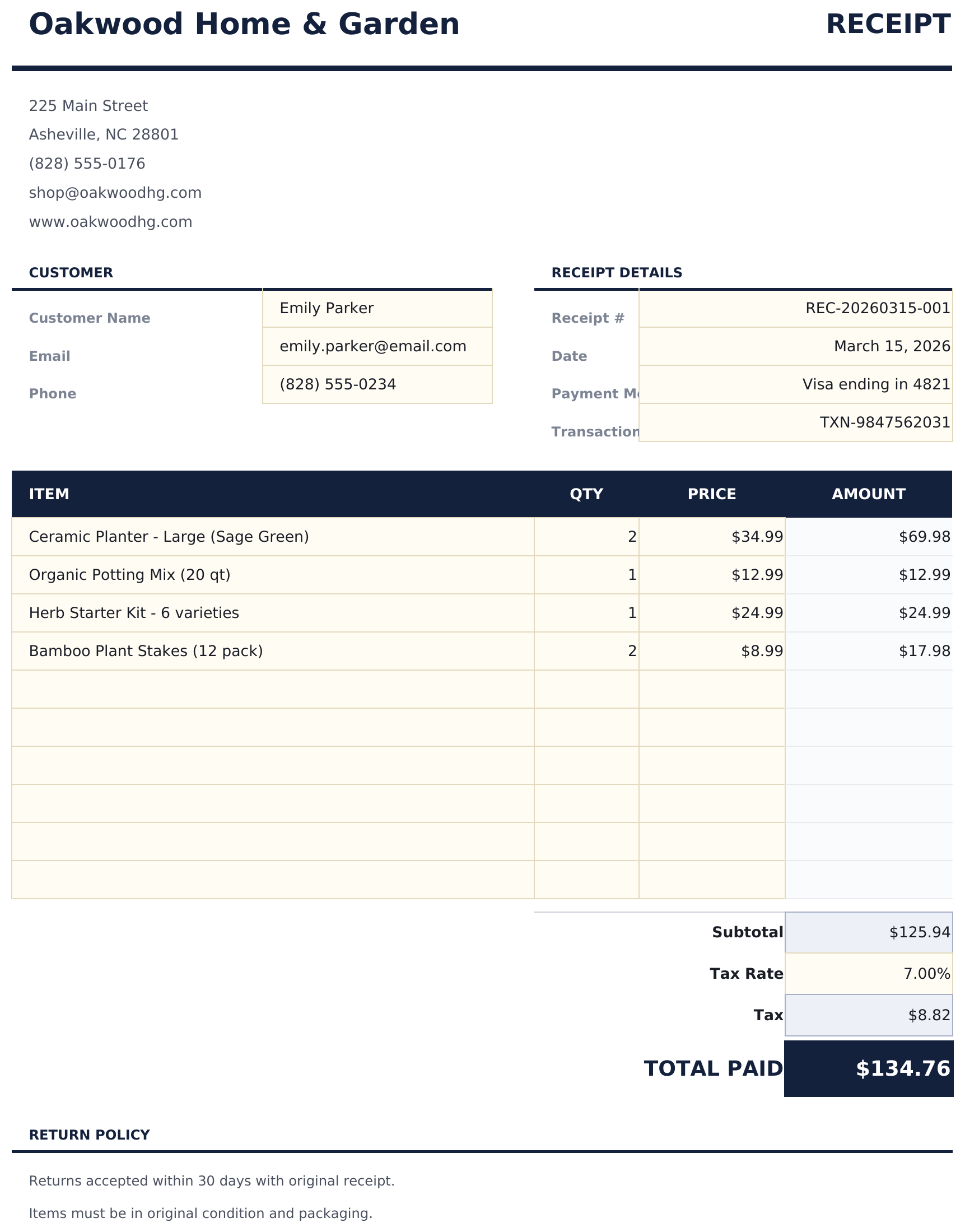
Generate payment receipts for customers. Confirm payment details including amount, date, method, and items or services paid for.

Receipt Template preview

Ce qui est inclus

  • Clean receipt layout with receipt number, date, and business name prominently displayed at the top
  • Payment method and date fields for recording cash, check, credit card, or bank transfer payment details
  • Item and amount details with description and line total columns for listing what the payment covers
  • Automatic total calculation that sums all line items and displays the grand total paid by the customer
  • Business contact information section with address, phone, and email in a print-ready receipt format
  • Works in Microsoft Excel, Google Sheets, and LibreOffice Calc with no setup required

Comment utiliser ce modèle Receipt Template

1

Enter business details

Fill in your business name, address, and contact information at the top of the receipt.

2

Add payment details

Enter the receipt number, date, payment method, and customer name for the transaction.

3

List items paid for

Add each item or service with a description and amount. The total calculates automatically from all line items.

4

Print or send

Review the grand total and hand the receipt to the customer, or export to PDF for digital delivery.

Créés par Claude AI. Perfectionnés par nos soins.

Nous utilisons Claude AI pour rédiger chaque modèle, après une recherche approfondie. Puis notre équipe prend le relais. Nous affinons la mise en page, testons chaque formule en conditions réelles, corrigeons les cas limites et peaufinons le design jusqu'à obtenir un résultat que nous utiliserions nous-mêmes. L'IA nous amène à 80 %. Les 20 % restants, c'est du jugement humain.

Questions fréquentes

Can I use this for service payments?

Yes. Enter service descriptions and amounts just like products. The receipt confirms payment regardless of what was purchased.

Does it show the payment method?

Yes. The payment method field records whether the customer paid by cash, check, credit card, or bank transfer.

Can I add a refund policy?

Add a note at the bottom of the receipt with your return or refund policy. The template has space for additional notes below the total.

Is each receipt numbered?

Yes. Enter a unique receipt number for each transaction. This helps both your records and the customer if they need to reference the payment later.

Comment ouvrir ce fichier dans Google Sheets ?

Importez le fichier .xlsx dans Google Drive, puis ouvrez-le avec Google Sheets. Toutes les formules et la mise en forme seront conservées.

Plus de modèles Essentials Invoicing & Billing

Vous recherchez des modèles de tableurs premium ?

Nos modèles payants incluent des tableaux de bord multi-feuilles avancés, des graphiques Excel natifs et des mises à jour régulières.

Privé et sécurisé

Vos données financières restent sur votre appareil. Nous ne les voyons jamais.

En savoir plus →

Besoin d'aide?

Consultez nos guides ou contactez-nous pour toute question.

Voir FAQ →