超值优惠 一站式财务规划套餐
✓ 财务规划✓ 净资产追踪器✓ 月度预算✓ 旅行预算规划器✓ 年度预算规划器✓ 月度支出追踪器✓ 年度税务规划器✓ 退休规划
查看套餐 →
Essentials 模板 - Excel 和 Google Sheets

Receipt Template Essentials 模板

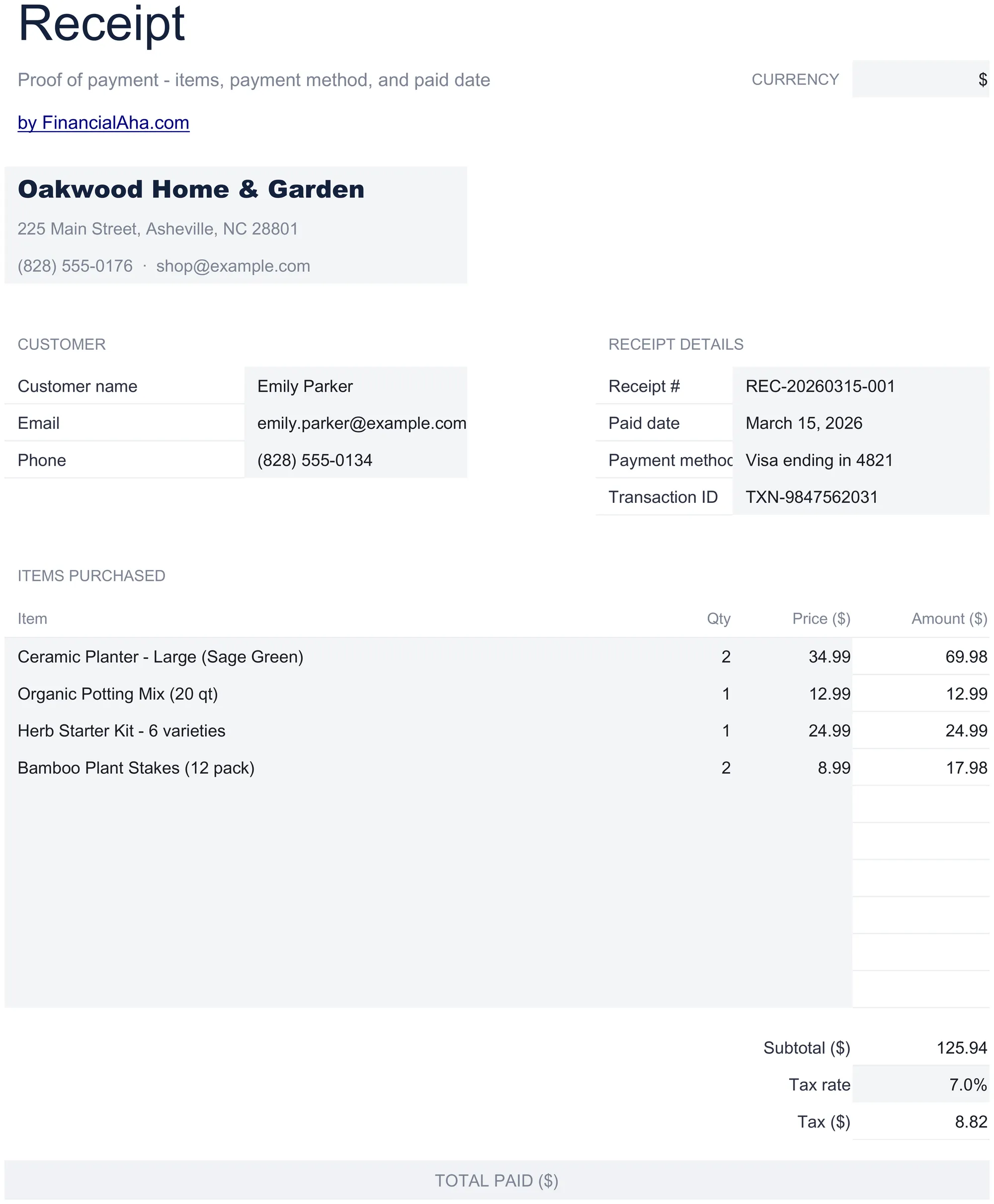
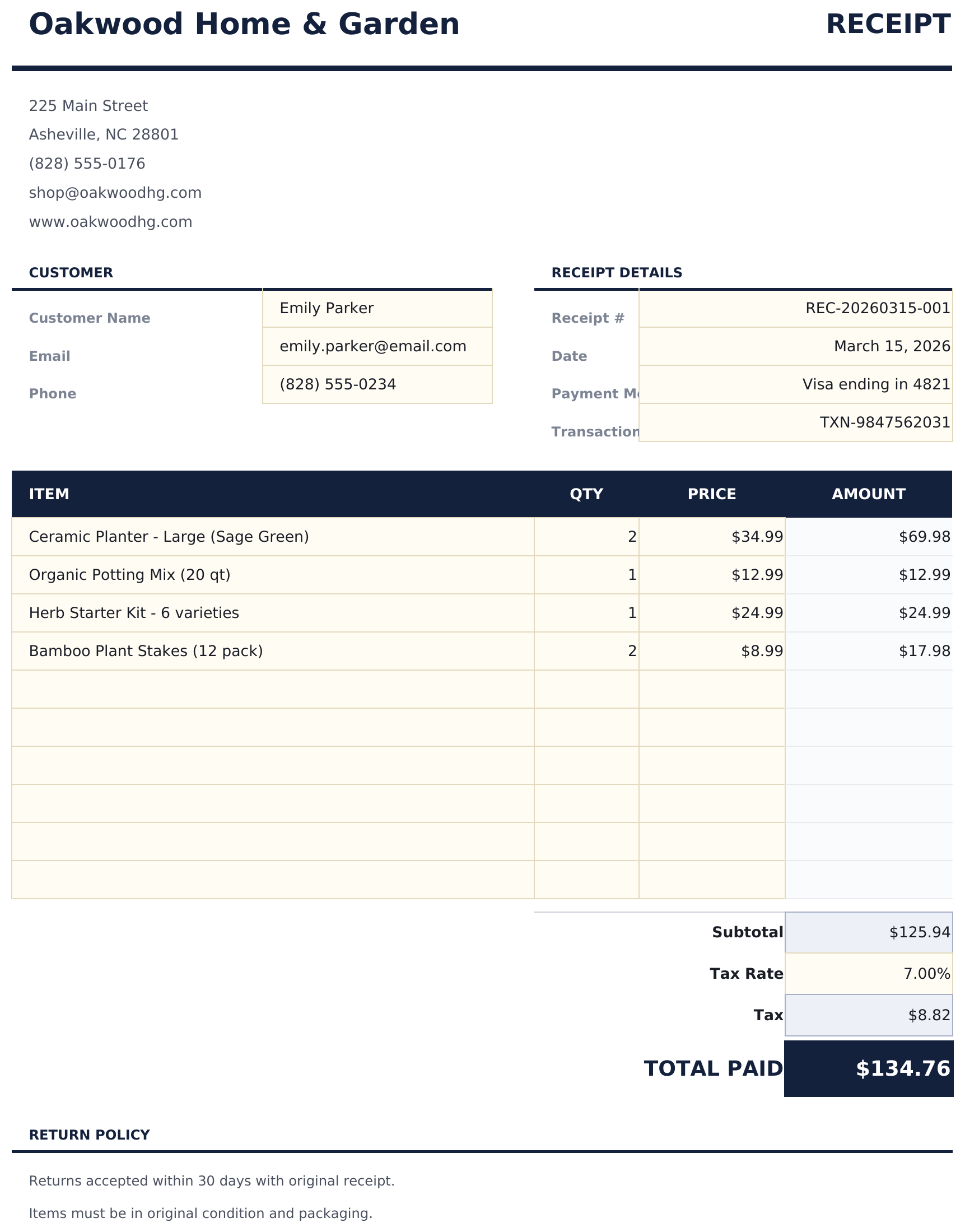
Generate payment receipts for customers. Confirm payment details including amount, date, method, and items or services paid for.

Receipt Template preview

包含内容

  • Clean receipt layout with receipt number, date, and business name prominently displayed at the top
  • Payment method and date fields for recording cash, check, credit card, or bank transfer payment details
  • Item and amount details with description and line total columns for listing what the payment covers
  • Automatic total calculation that sums all line items and displays the grand total paid by the customer
  • Business contact information section with address, phone, and email in a print-ready receipt format
  • Works in Microsoft Excel, Google Sheets, and LibreOffice Calc with no setup required

如何使用这个Receipt Template模板

1

Enter business details

Fill in your business name, address, and contact information at the top of the receipt.

2

Add payment details

Enter the receipt number, date, payment method, and customer name for the transaction.

3

List items paid for

Add each item or service with a description and amount. The total calculates automatically from all line items.

4

Print or send

Review the grand total and hand the receipt to the customer, or export to PDF for digital delivery.

由 Claude AI 构建,经我们精心打磨。

我们使用 Claude AI 在深入研究后起草每个模板。然后由团队接手,优化布局、全面测试每个公式、修复边界情况,并打磨设计,直到达到我们自己愿意使用的标准。AI 完成了 80% 的工作,最后 20% 靠的是人工判断。

常见问题

Can I use this for service payments?

Yes. Enter service descriptions and amounts just like products. The receipt confirms payment regardless of what was purchased.

Does it show the payment method?

Yes. The payment method field records whether the customer paid by cash, check, credit card, or bank transfer.

Can I add a refund policy?

Add a note at the bottom of the receipt with your return or refund policy. The template has space for additional notes below the total.

Is each receipt numbered?

Yes. Enter a unique receipt number for each transaction. This helps both your records and the customer if they need to reference the payment later.

如何在 Google Sheets 中打开?

将 .xlsx 文件上传到 Google Drive,然后使用 Google Sheets 打开。所有公式和格式都会保留。

更多 Invoicing & Billing Essentials 模板

在寻找付费电子表格模板?

我们的付费模板包含高级多工作表仪表盘、原生 Excel 图表,并持续更新。

私密且安全

您的财务数据保留在您的设备上。我们永远看不到。

了解更多 →

需要帮助?

查看我们的指南或提出问题。

查看常见问题 →