Best Value All-in-One Financial Planning Bundle
✓ Financial Planning✓ Net Worth Tracker✓ Monthly Budgeting✓ Travel Budget Planner✓ Annual Budgeting Planner✓ Monthly Expense Tracker✓ Annual Tax Planner✓ Retirement Planning
View Bundle →
Ultimate Ultimate version available - Retirement Calculator Ultimate
Essentials Template - Excel & Google Sheets

Retirement Calculator Essentials Template

Project retirement savings growth based on current age, savings rate, and expected returns. See whether current contributions align with retirement timeline goals.

See Ultimate version →
Retirement Calculator preview

What's Included

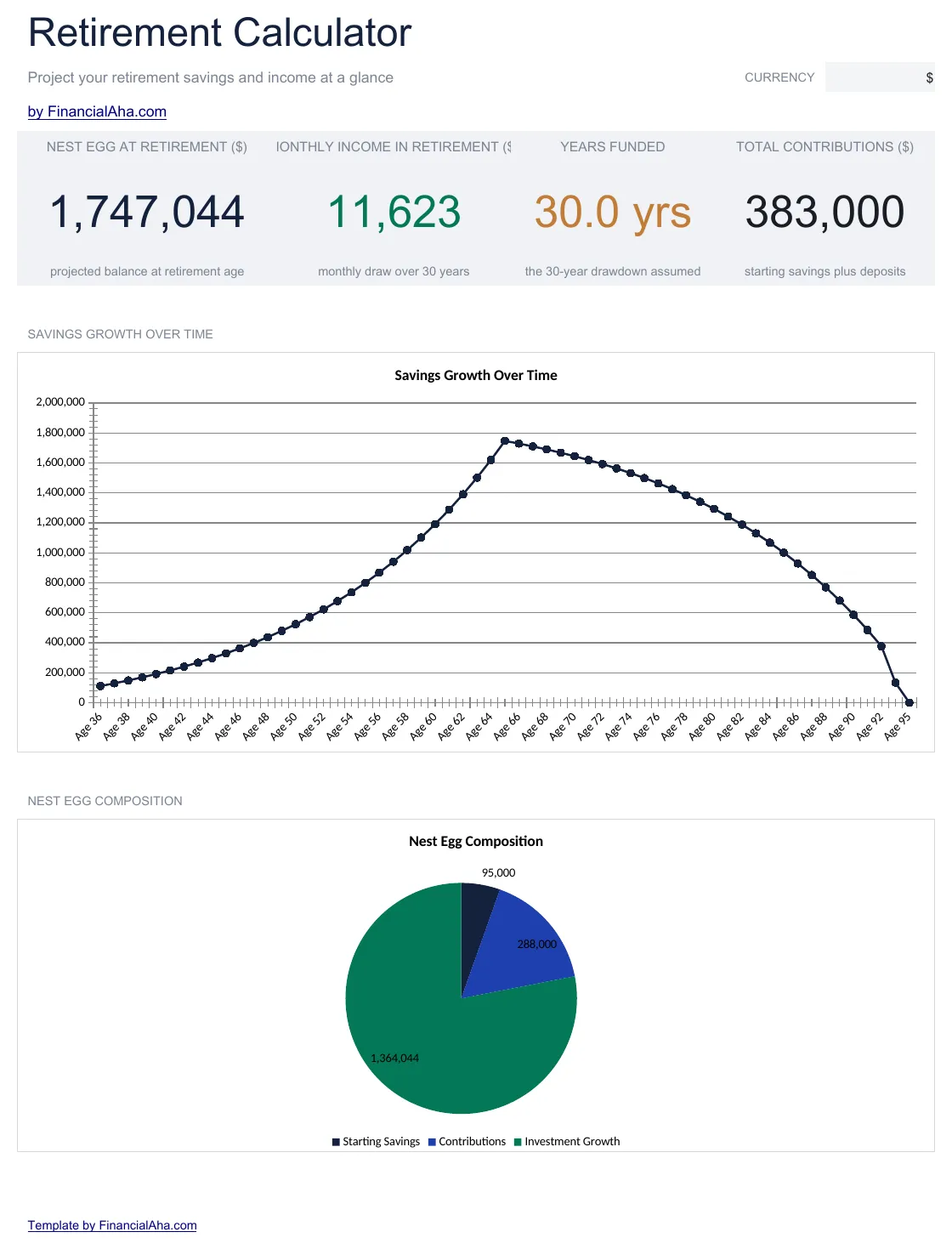
  • Dashboard with retirement projections showing estimated portfolio value at target retirement age
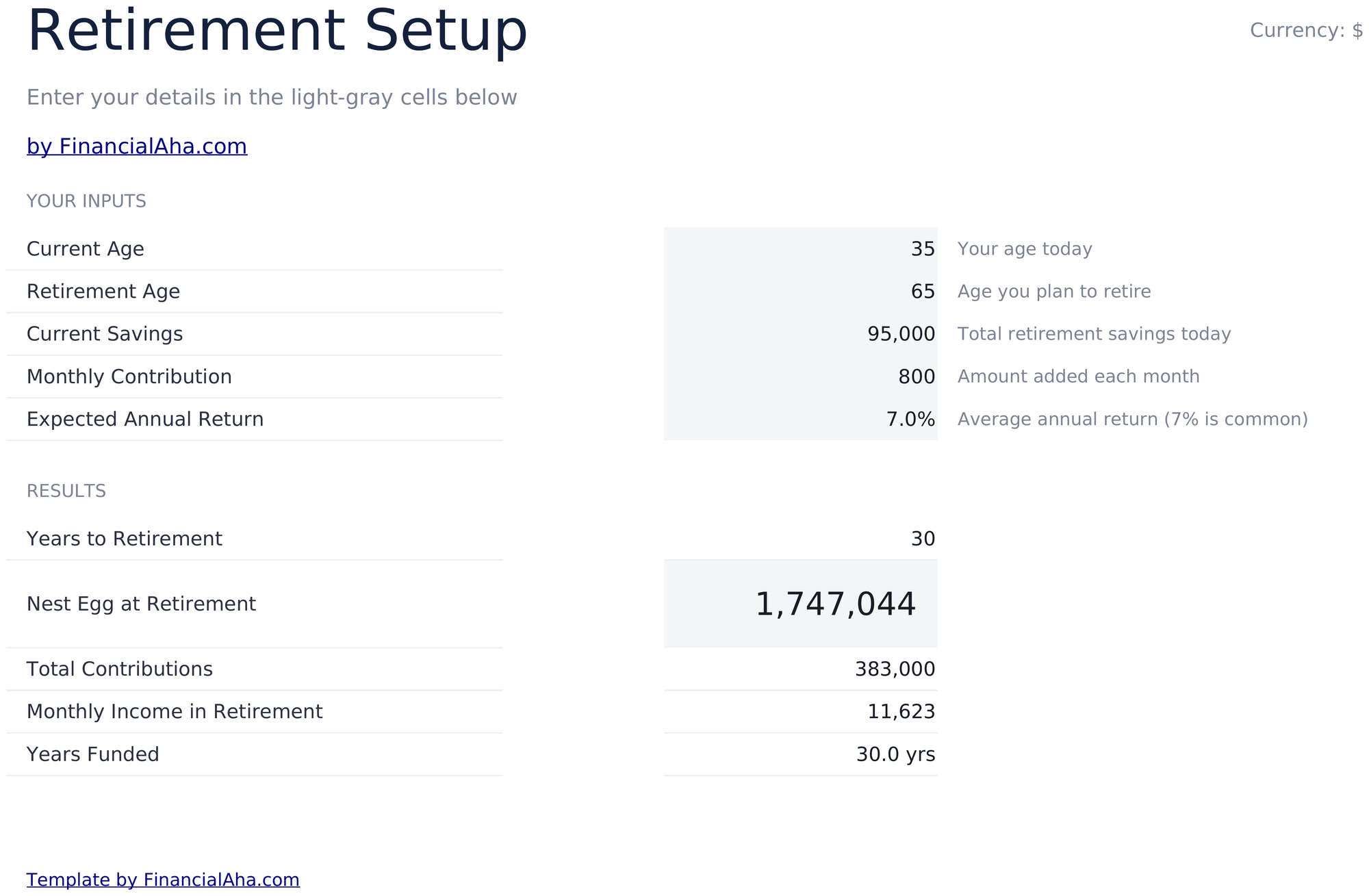
  • Retirement setup with inputs for current age, retirement age, current savings, and annual contribution
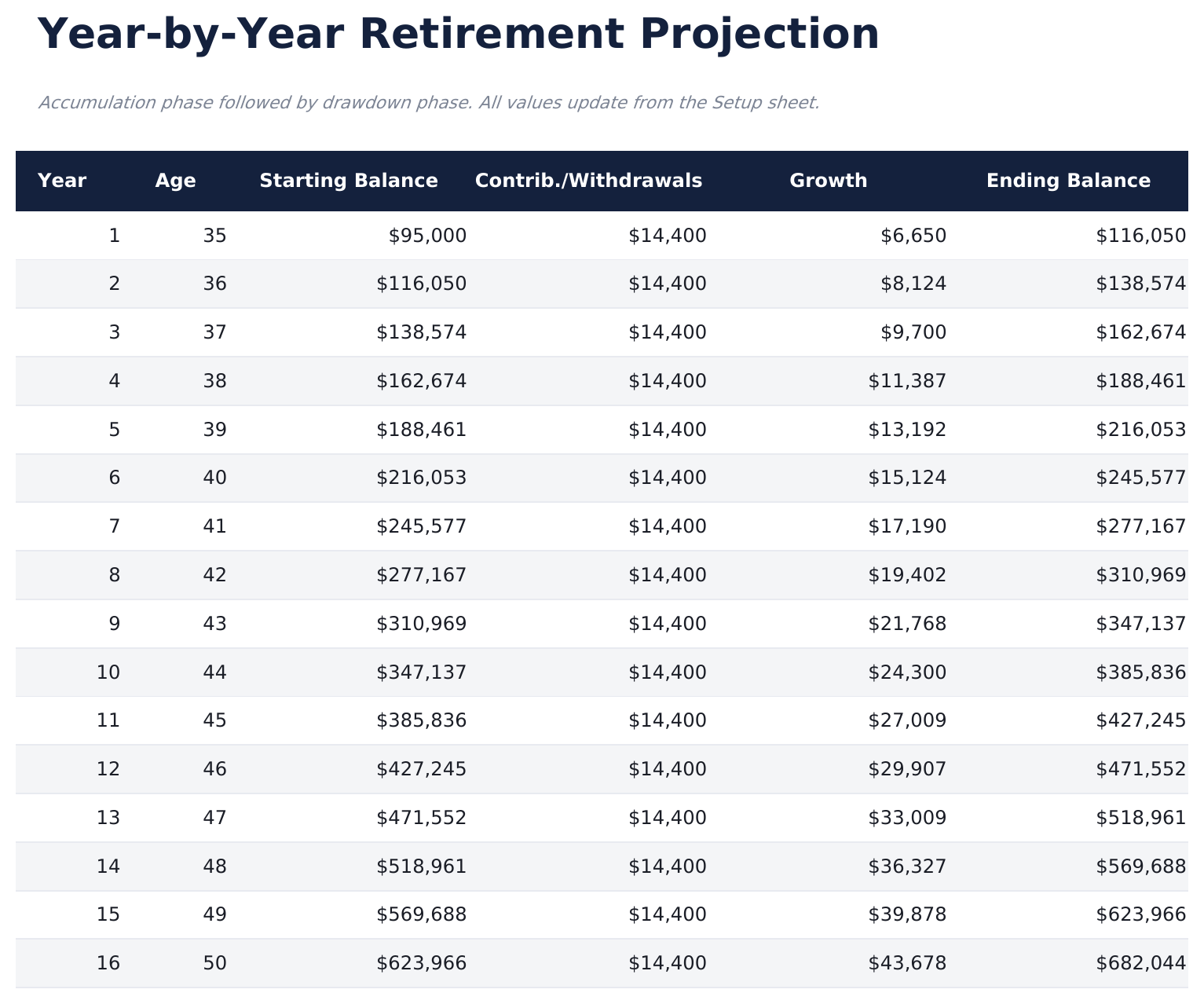
  • Year-by-year projection table displaying annual contributions, investment growth, and ending balance
  • Growth rate assumptions with adjustable expected return percentage for conservative or aggressive modeling
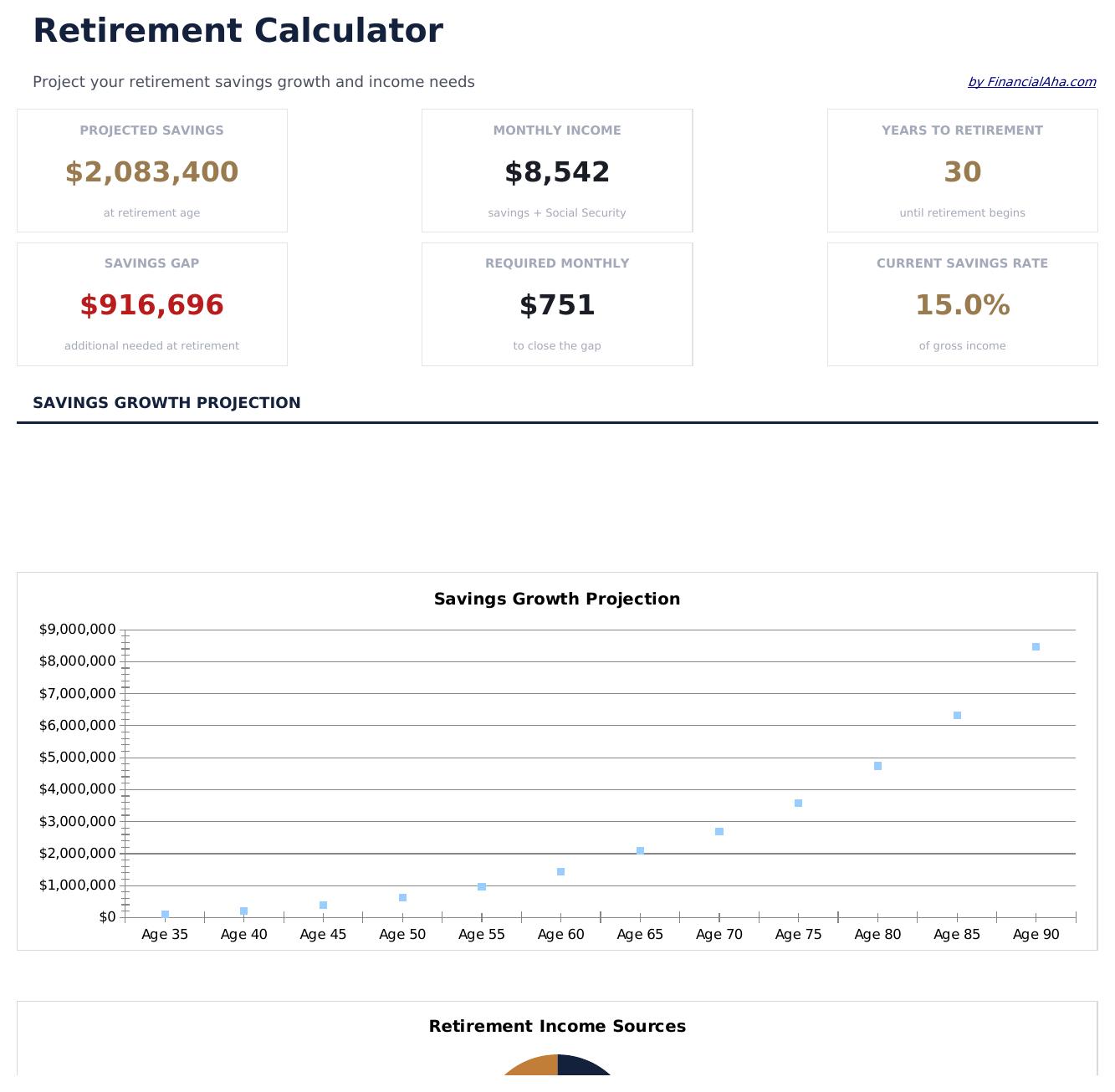
  • Savings gap analysis showing the difference between projected balance and estimated retirement needs
  • Works in Microsoft Excel, Google Sheets, and LibreOffice Calc with no setup required
Ultimate Version Available

Need more from this template?

The Essentials version covers everyday tracking. Ultimate goes further with multi-entity support, scenario analysis, and ultimate-grade reporting.

Essentials - $12
  • Dashboard with retirement projections showing estimated portfolio value at target retirement age
  • Retirement setup with inputs for current age, retirement age, current savings, and annual contribution
  • Year-by-year projection table displaying annual contributions, investment growth, and ending balance
  • Growth rate assumptions with adjustable expected return percentage for conservative or aggressive modeling
Ultimate - $19
  • Multi-account tracking for 401k, IRA, Roth, brokerage, and pension with individual growth projections
  • Dashboard with 6 KPIs: total projected balance, savings gap, years to retirement, annual contribution total, projected annual income in retirement, and portfolio growth rate
  • 3-scenario comparison modeling conservative (5%), moderate (7%), and aggressive (9%) return assumptions side by side
  • Year-by-year projection table with contributions, employer match, growth, and ending balance per account
  • Withdrawal phase modeling showing how long the portfolio lasts at different annual withdrawal rates
See what's in the Ultimate version One-time purchase. No subscription.

How to Use This Retirement Calculator Template

1

Enter your details

Input current age, target retirement age, current savings balance, and annual contribution amount on the setup sheet.

2

Set growth assumptions

Enter an expected annual return rate. The template uses this to project investment growth over your remaining working years.

3

Review the projection

The year-by-year table shows contributions, growth, and ending balance for each year from now until retirement.

4

Check the savings gap

The dashboard compares your projected balance to an estimated retirement need, highlighting any shortfall.

Built by Claude AI. Perfected by us.

We use Claude AI to draft each template, after a deep research. Then our team steps in. We refine the layout, stress-test every formula, fix edge cases, and polish the design until it feels like something we would actually use ourselves. The AI gets us 80% there. The last 20% is all human judgment.

See Ultimate version →

Frequently Asked Questions

What return rate should I use?

Historical stock market averages are often in the 7% to 10% range before inflation. The template lets you enter any rate - use a conservative figure for more cautious estimates.

Does it account for inflation?

The template shows nominal (not inflation-adjusted) projections. For real purchasing power estimates, use a return rate reduced by expected inflation.

Can I model catch-up contributions?

Increase the annual contribution amount in the setup to reflect catch-up contributions. The projection recalculates with the higher amount.

How is the retirement need estimated?

The savings gap analysis uses a target based on your inputs. Adjust the target field to match your own retirement spending estimate.

How do I open this in Google Sheets?

Upload the .xlsx file to Google Drive, then open it with Google Sheets. All formulas and formatting will be preserved.

More Essentials Savings & Retirement Templates

Looking for premium spreadsheet templates?

Our paid templates include advanced multi-sheet dashboards, native Excel charts, and ongoing updates.

Private & secure

Your financial data stays on your device. We never see it.

Learn more →

Need help?

Check our guides or reach out with questions.

View FAQ →