Meilleur rapport qualité-prix Pack Complet de Planification Financière
✓ Planification Financière✓ Suivi du Patrimoine Net✓ Budget Mensuel✓ Planificateur de Budget Voyage✓ Planificateur de Budget Annuel✓ Suivi des Dépenses Mensuelles✓ Planificateur Fiscal Annuel✓ Planification de Retraite
Voir le pack →
Ultimate Version Ultimate disponible - Suivi financier freelance Ultimate
Modèle Essentials - Excel et Google Sheets

Freelancer Finance Tracker Modèle Essentials

Track freelance projects, client payments, and business expenses in one spreadsheet. See total income, outstanding invoices, and profit margins.

Voir la version Ultimate →
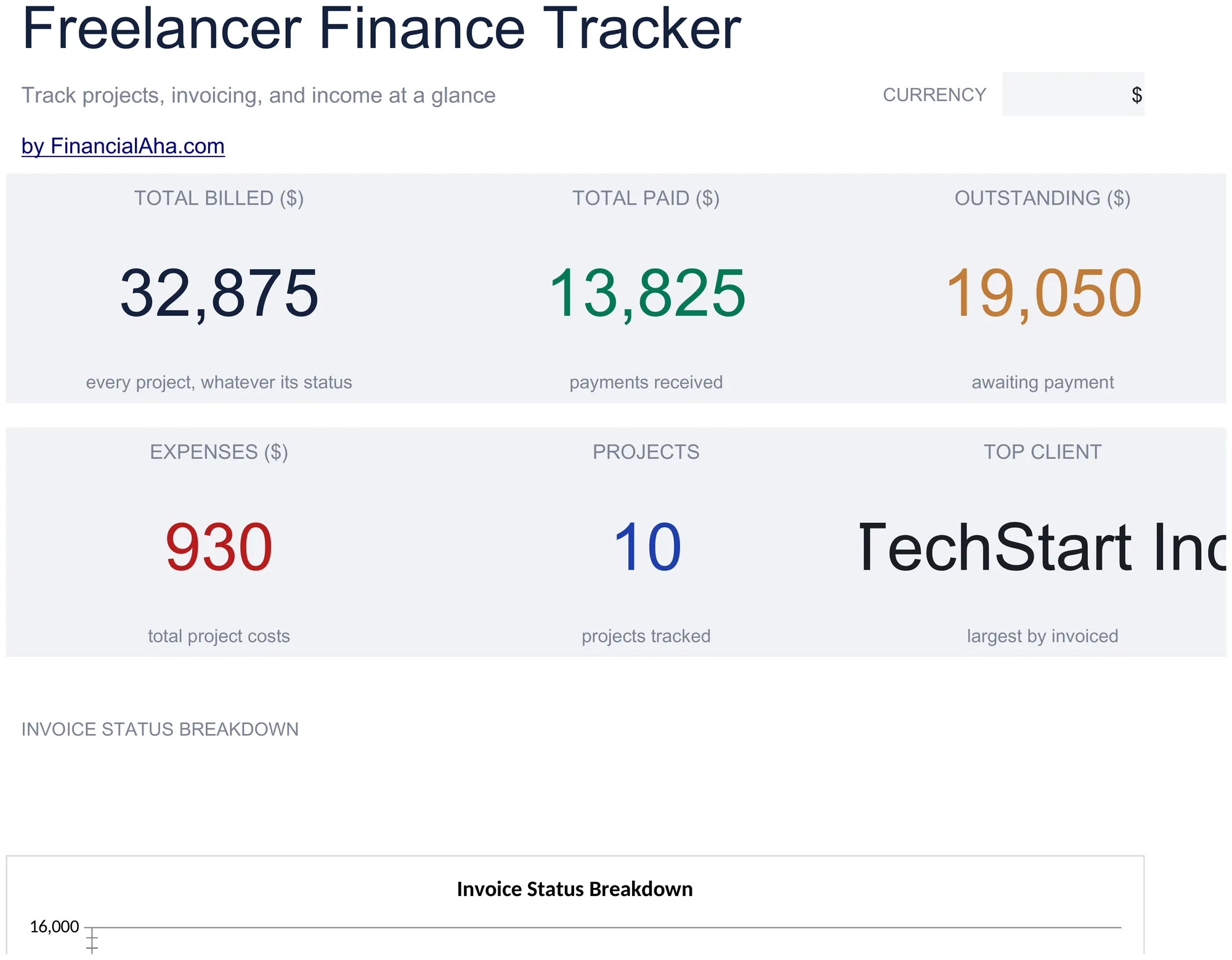
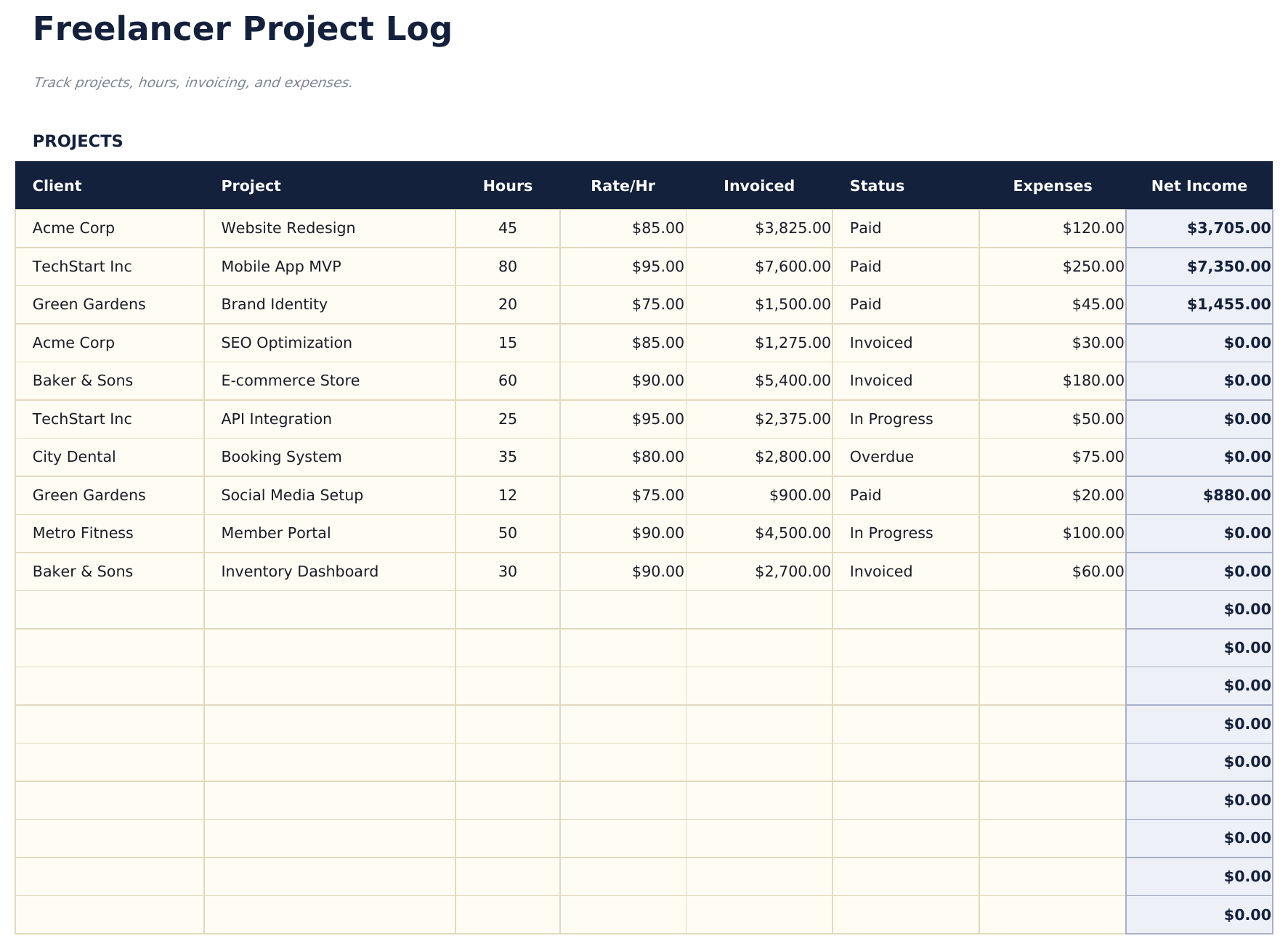
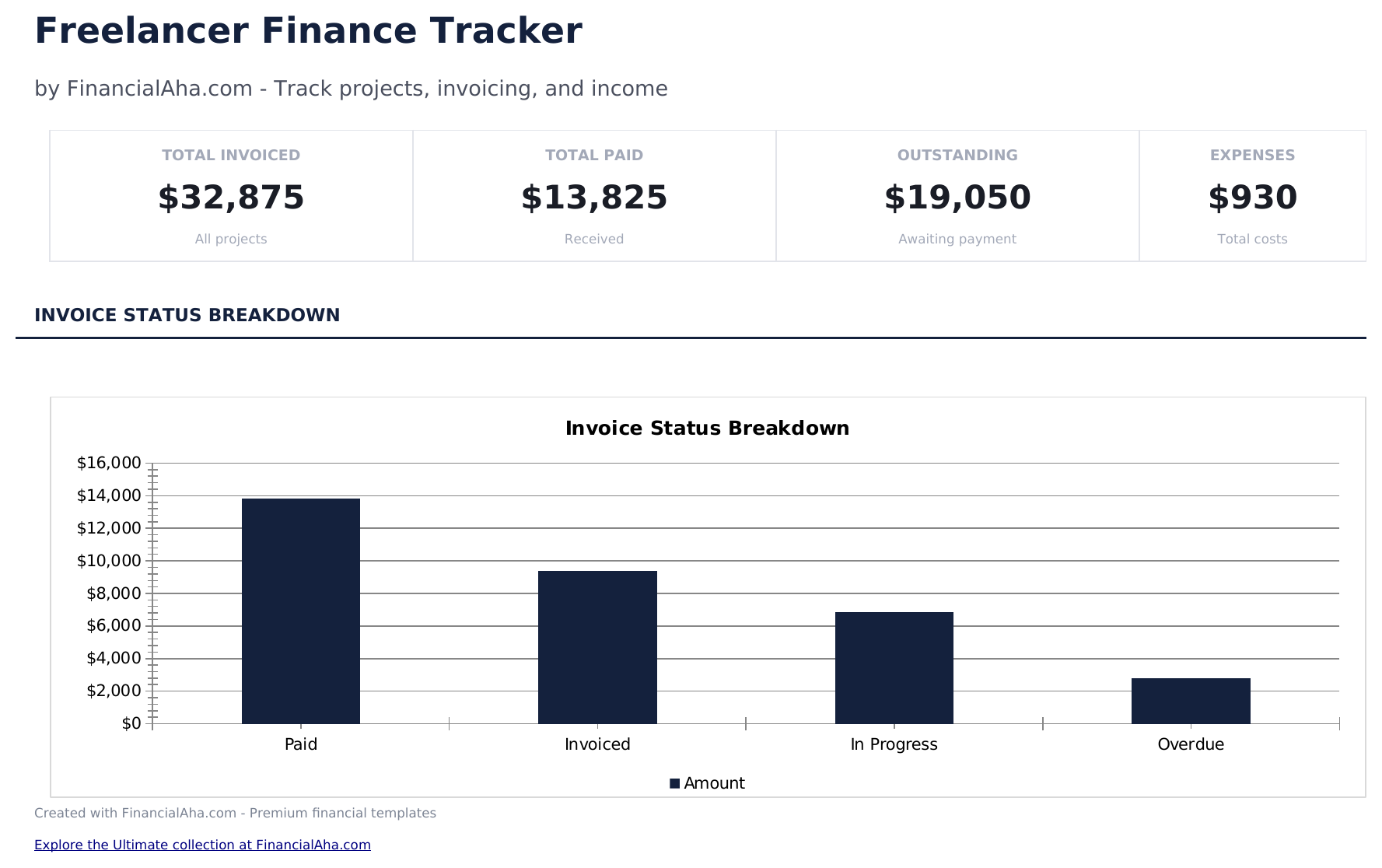
Freelancer Finance Tracker preview

Ce qui est inclus

  • Dashboard with freelance income overview showing total earned, outstanding invoices, expenses, and net profit
  • Project log with client name, project description, invoice amount, date sent, date paid, and payment status columns
  • Income and expense tracking with categories for software, equipment, marketing, travel, and other business costs
  • Outstanding payment monitoring that highlights unpaid invoices and calculates total amount still owed by clients
  • Monthly profit summaries with color-coded input cells (yellow) and auto-calculated income vs. expense totals (blue)
  • Works in Microsoft Excel, Google Sheets, and LibreOffice Calc with no setup required
Ultimate Version Available

Need more from this template?

The Essentials version covers everyday tracking. Ultimate goes further with multi-entity support, scenario analysis, and ultimate-grade reporting.

Essentials - $12
  • Dashboard with freelance income overview showing total earned, outstanding invoices, expenses, and net profit
  • Project log with client name, project description, invoice amount, date sent, date paid, and payment status columns
  • Income and expense tracking with categories for software, equipment, marketing, travel, and other business costs
  • Outstanding payment monitoring that highlights unpaid invoices and calculates total amount still owed by clients
Ultimate - $19
  • Enregistrez un nombre illimité de revenus avec date, client, projet, numéro de facture, montant et statut de paiement
  • Enregistrez un nombre illimité de dépenses avec date, fournisseur, catégorie, montant, mode de paiement et indicateur de déductibilité fiscale
  • Tableau de bord avec 6 indicateurs clés : chiffre d'affaires total, dépenses totales, bénéfice net, marge bénéficiaire, factures en attente et estimation d'impôt cumulée
  • Feuille de rentabilité par client classant les clients par chiffre d'affaires, heures facturées et taux horaire effectif avec pourcentage de contribution au bénéfice
  • Estimateur d'impôts trimestriels calculant l'impôt sur le travail indépendant et l'impôt sur le revenu basés sur le bénéfice net et des taux d'imposition modifiables
See what's in the Ultimate version One-time purchase. No subscription.

Comment utiliser ce modèle Freelancer Finance Tracker

1

Log projects and invoices

Enter each project with the client name, invoice amount, date sent, and payment status in the project log.

2

Track business expenses

Record expenses like software, equipment, marketing, and travel with dates and amounts in the expense section.

3

Monitor outstanding payments

The template highlights unpaid invoices and totals the amount clients still owe. Follow up on overdue payments.

4

Review profit summary

The dashboard shows total income, total expenses, outstanding invoices, and net profit for your freelance business.

Créés par Claude AI. Perfectionnés par nos soins.

Nous utilisons Claude AI pour rédiger chaque modèle, après une recherche approfondie. Puis notre équipe prend le relais. Nous affinons la mise en page, testons chaque formule en conditions réelles, corrigeons les cas limites et peaufinons le design jusqu'à obtenir un résultat que nous utiliserions nous-mêmes. L'IA nous amène à 80 %. Les 20 % restants, c'est du jugement humain.

Voir la version Ultimate →

Questions fréquentes

Can I track multiple clients?

Yes. Each project row has a client name field. The dashboard can show totals per client or across all clients.

Does it track time spent?

The template focuses on financial tracking - invoices, payments, and expenses. For time tracking, use a separate timesheet template.

How do I handle partial payments?

Enter the amount received and mark the status as partially paid. The outstanding balance calculates from the invoice total minus payments received.

Can I use this for taxes?

Yes. The income and expense totals organize freelance finances for tax reporting. Export the data or reference it when preparing Schedule C.

Comment ouvrir ce fichier dans Google Sheets ?

Importez le fichier .xlsx dans Google Drive, puis ouvrez-le avec Google Sheets. Toutes les formules et la mise en forme seront conservées.

Plus de modèles Essentials Business Finance

Vous recherchez des modèles de tableurs premium ?

Nos modèles payants incluent des tableaux de bord multi-feuilles avancés, des graphiques Excel natifs et des mises à jour régulières.

Privé et sécurisé

Vos données financières restent sur votre appareil. Nous ne les voyons jamais.

En savoir plus →

Besoin d'aide?

Consultez nos guides ou contactez-nous pour toute question.

Voir FAQ →