Miglior valore Pacchetto Completo di Pianificazione Finanziaria
✓ Pianificazione Finanziaria✓ Tracker Patrimonio Netto✓ Budget Mensile✓ Pianificatore Budget Viaggio✓ Pianificatore Budget Annuale✓ Tracker Spese Mensili✓ Pianificatore Fiscale Annuale✓ Pianificazione Pensione
Vedi pacchetto →
Modello Essentials - Excel e Google Sheets

Expense Reimbursement Form Modello Essentials

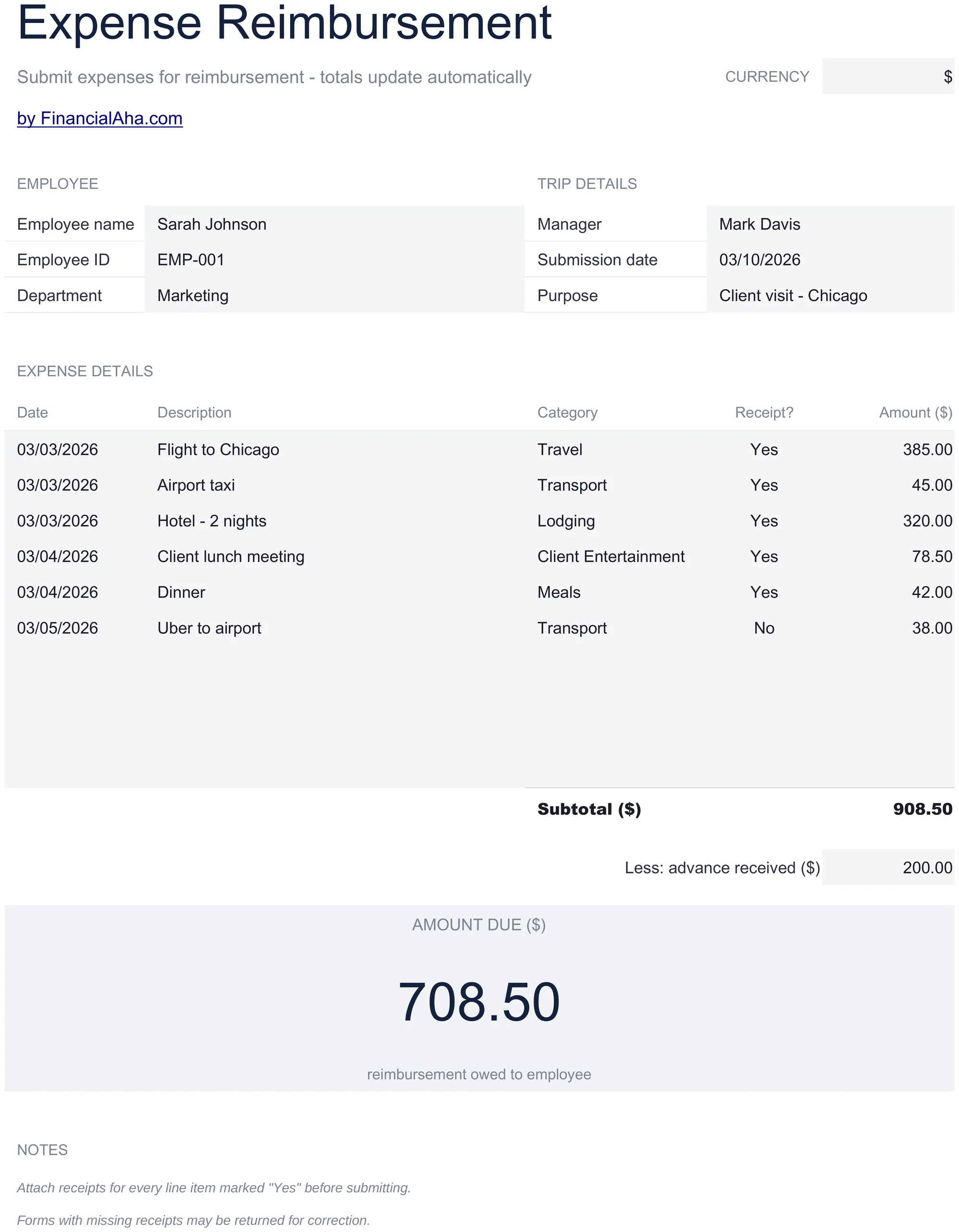
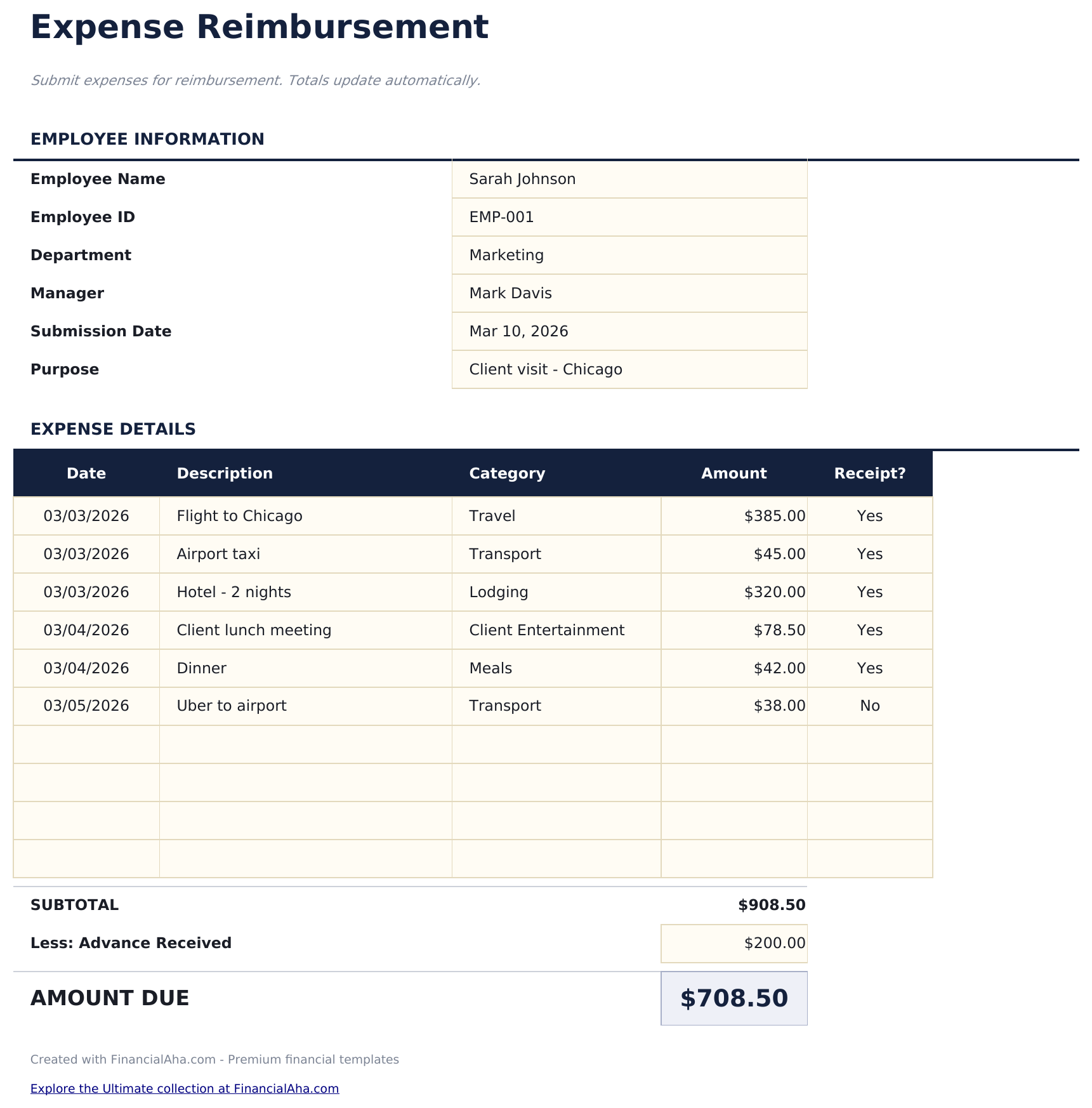
Submit employee expense claims with itemized entries. Standard reimbursement form with approval fields and automatic totals.

Expense Reimbursement Form preview

Cosa include

  • Expense reimbursement form layout with employee name, department, submission date, and manager approval fields
  • Itemized expense entries with columns for date, vendor, description, category, and amount for each claim
  • Category options including meals, travel, lodging, office supplies, mileage, and professional development
  • Receipt reference fields for attaching or noting receipt numbers alongside each expense line item
  • Automatic total calculation with approval and signature section in a print-ready professional format
  • Works in Microsoft Excel, Google Sheets, and LibreOffice Calc with no setup required

Come usare questo modello Expense Reimbursement Form

1

Enter employee details

Fill in your name, department, submission date, and manager name at the top of the form.

2

Itemize expenses

Add each expense with the date, vendor, description, category, and amount. Attach or note receipt references.

3

Review the total

The form totals all expense line items automatically. Check that every entry has supporting documentation.

4

Submit for approval

Print the form and submit with receipts. The approval section at the bottom includes manager signature fields.

Creati da Claude AI. Perfezionati da noi.

Utilizziamo Claude AI per creare ogni modello, dopo una ricerca approfondita. Poi interviene il nostro team. Miglioriamo il layout, testiamo ogni formula, correggiamo i casi limite e rifiniamo il design fino a ottenere qualcosa che useremmo noi stessi. L'AI ci porta all'80%. L'ultimo 20% è tutto giudizio umano.

Domande frequenti

What categories can I use?

Standard categories include meals, travel, lodging, office supplies, mileage, and professional development. Use the categories your company policy requires.

Do I need a receipt for every expense?

Most companies require receipts above a minimum threshold. The receipt reference field links each expense to its documentation.

Can I submit digitally?

Fill out the form electronically and email the file along with digital copies of receipts. Export to PDF for a clean submission.

How is this different from an expense report?

They serve the same purpose. This template is formatted as a single-page reimbursement form, while the expense report template has more room for detailed entries.

Come posso aprirlo in Google Sheets?

Carica il file .xlsx su Google Drive, poi aprilo con Google Sheets. Tutte le formule e la formattazione saranno conservate.

Altri modelli Essentials Payroll & HR

Cerchi modelli di fogli di calcolo premium?

I nostri modelli a pagamento includono dashboard multi-foglio avanzate, grafici nativi Excel e aggiornamenti continui.

Privato e sicuro

I tuoi dati finanziari restano sul tuo dispositivo. Non li vediamo mai.

Scopri di piu →

Hai bisogno di aiuto?

Consulta le nostre guide o contattaci per domande.

Vedi FAQ →