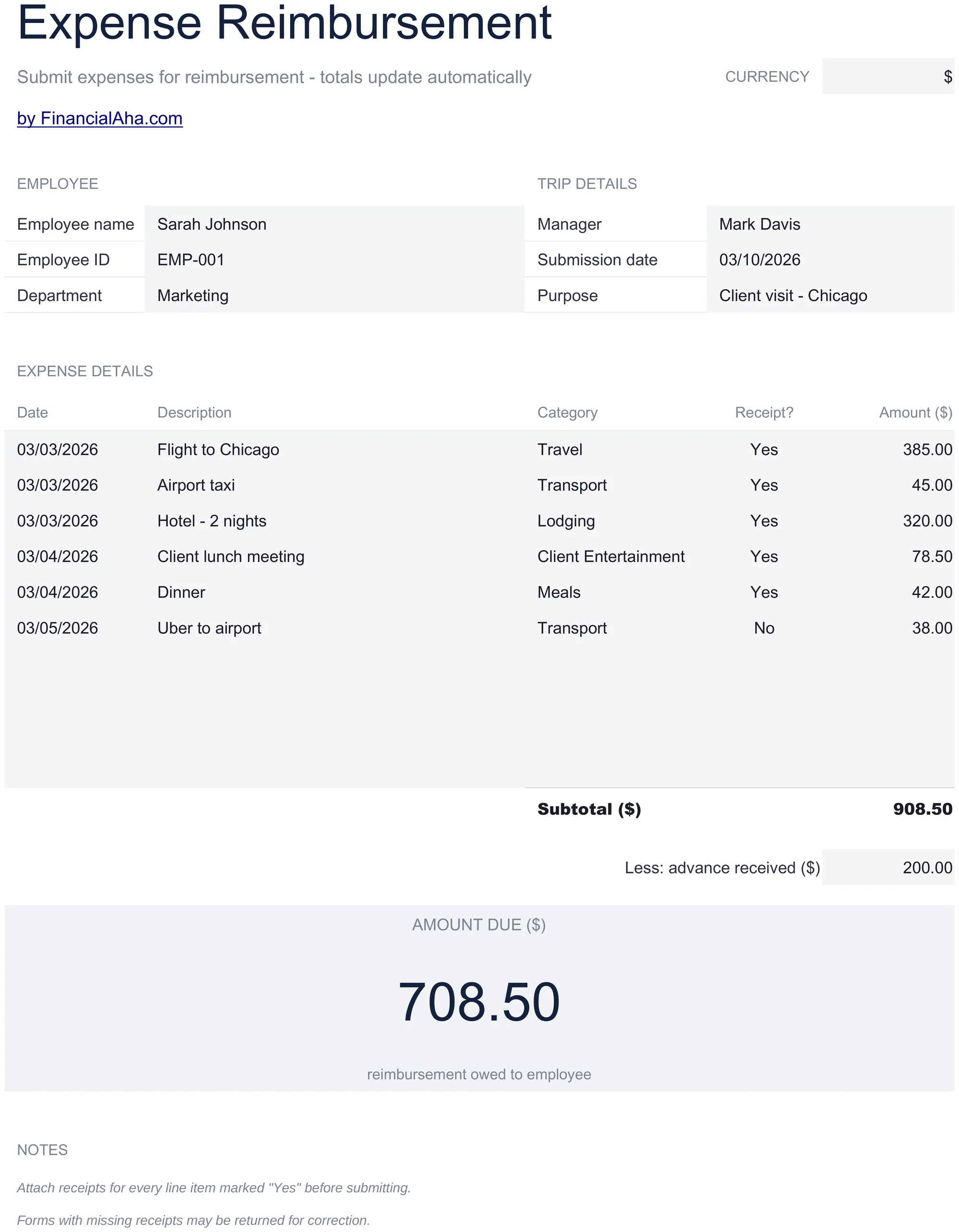
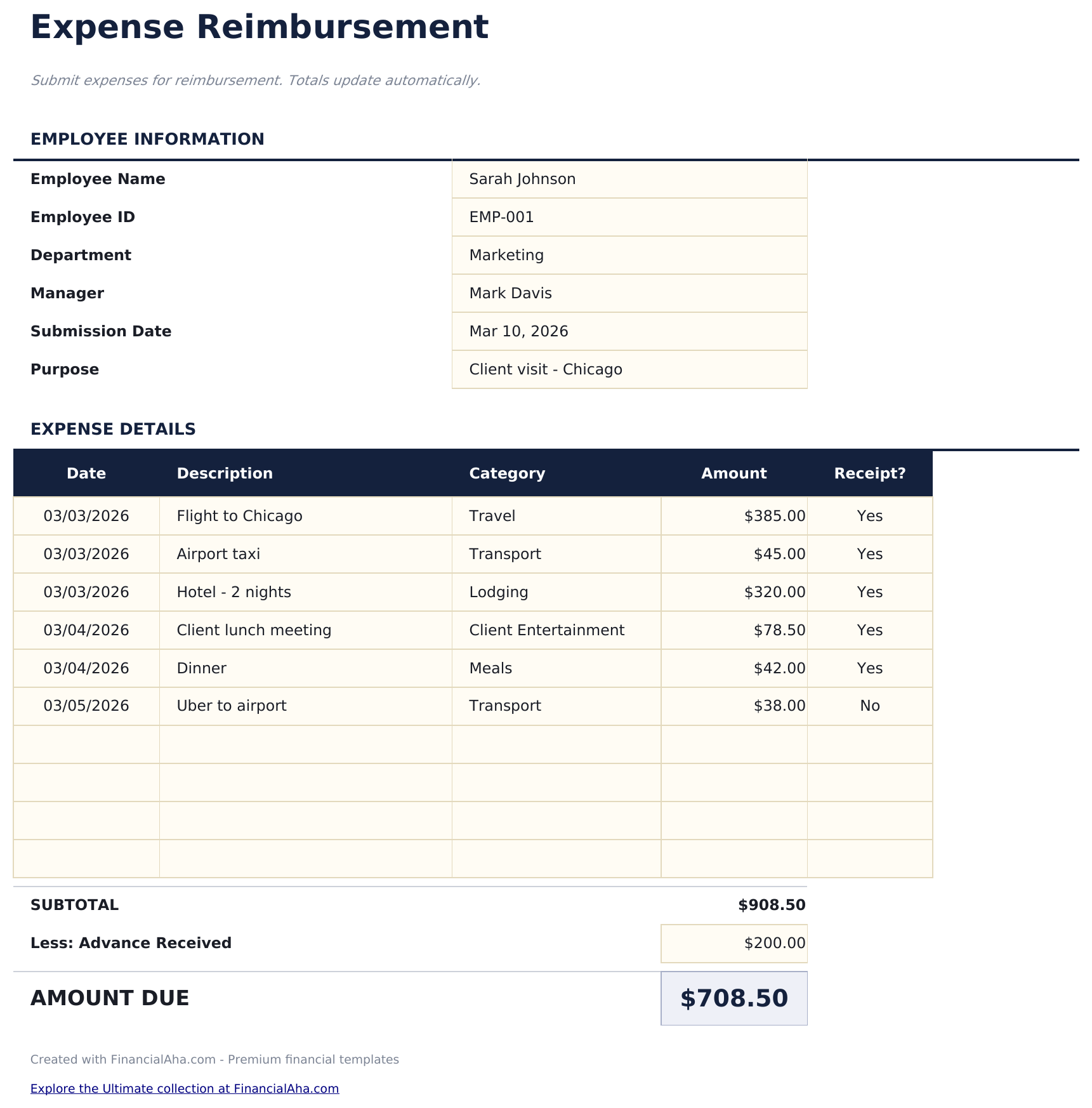
Expense Reimbursement Form Essentials 模板
Submit employee expense claims with itemized entries. Standard reimbursement form with approval fields and automatic totals.
包含内容
- Expense reimbursement form layout with employee name, department, submission date, and manager approval fields
- Itemized expense entries with columns for date, vendor, description, category, and amount for each claim
- Category options including meals, travel, lodging, office supplies, mileage, and professional development
- Receipt reference fields for attaching or noting receipt numbers alongside each expense line item
- Automatic total calculation with approval and signature section in a print-ready professional format
- Works in Microsoft Excel, Google Sheets, and LibreOffice Calc with no setup required
预览
查看此模板的内容

如何使用这个Expense Reimbursement Form模板
Enter employee details
Fill in your name, department, submission date, and manager name at the top of the form.
Itemize expenses
Add each expense with the date, vendor, description, category, and amount. Attach or note receipt references.
Review the total
The form totals all expense line items automatically. Check that every entry has supporting documentation.
Submit for approval
Print the form and submit with receipts. The approval section at the bottom includes manager signature fields.
由 Claude AI 构建,经我们精心打磨。
我们使用 Claude AI 在深入研究后起草每个模板。然后由团队接手,优化布局、全面测试每个公式、修复边界情况,并打磨设计,直到达到我们自己愿意使用的标准。AI 完成了 80% 的工作,最后 20% 靠的是人工判断。
常见问题
What categories can I use?
Standard categories include meals, travel, lodging, office supplies, mileage, and professional development. Use the categories your company policy requires.
Do I need a receipt for every expense?
Most companies require receipts above a minimum threshold. The receipt reference field links each expense to its documentation.
Can I submit digitally?
Fill out the form electronically and email the file along with digital copies of receipts. Export to PDF for a clean submission.
How is this different from an expense report?
They serve the same purpose. This template is formatted as a single-page reimbursement form, while the expense report template has more room for detailed entries.
如何在 Google Sheets 中打开?
将 .xlsx 文件上传到 Google Drive,然后使用 Google Sheets 打开。所有公式和格式都会保留。
更多 Payroll & HR Essentials 模板
Employee Payroll
Calculate employee pay with deductions, taxes, and net pay. Process payroll for multiple employees with automatic calculations.
$12Payslip Template
Generate individual pay stubs showing earnings, deductions, and net pay. Standard payslip format for employee pay documentation.
$12Timesheet - Weekly
Track employee hours worked on a weekly basis. Log daily start and end times with automatic total hour calculations.
$12Time Card Calculator
Calculate work hours from clock-in and clock-out times. Handles breaks, overtime, and weekly totals with automatic pay calculations.
$12