Beste waarde All-in-One Financieel Planningspakket
✓ Financiële Planning✓ Vermogenstracker✓ Maandelijks Budgetteren✓ Reisbudget Planner✓ Jaarlijkse Budgetplanner✓ Maandelijkse Uitgaventracker✓ Jaarlijkse Belastingplanner✓ Pensioenplanning
Bekijk bundel →
Essentials-sjabloon - Excel & Google Sheets

Accounts Receivable Tracker Essentials-sjabloon

Track money owed to the business by clients. Monitor invoice status, aging, and total outstanding receivables.

Accounts Receivable Tracker preview

Wat zit erin

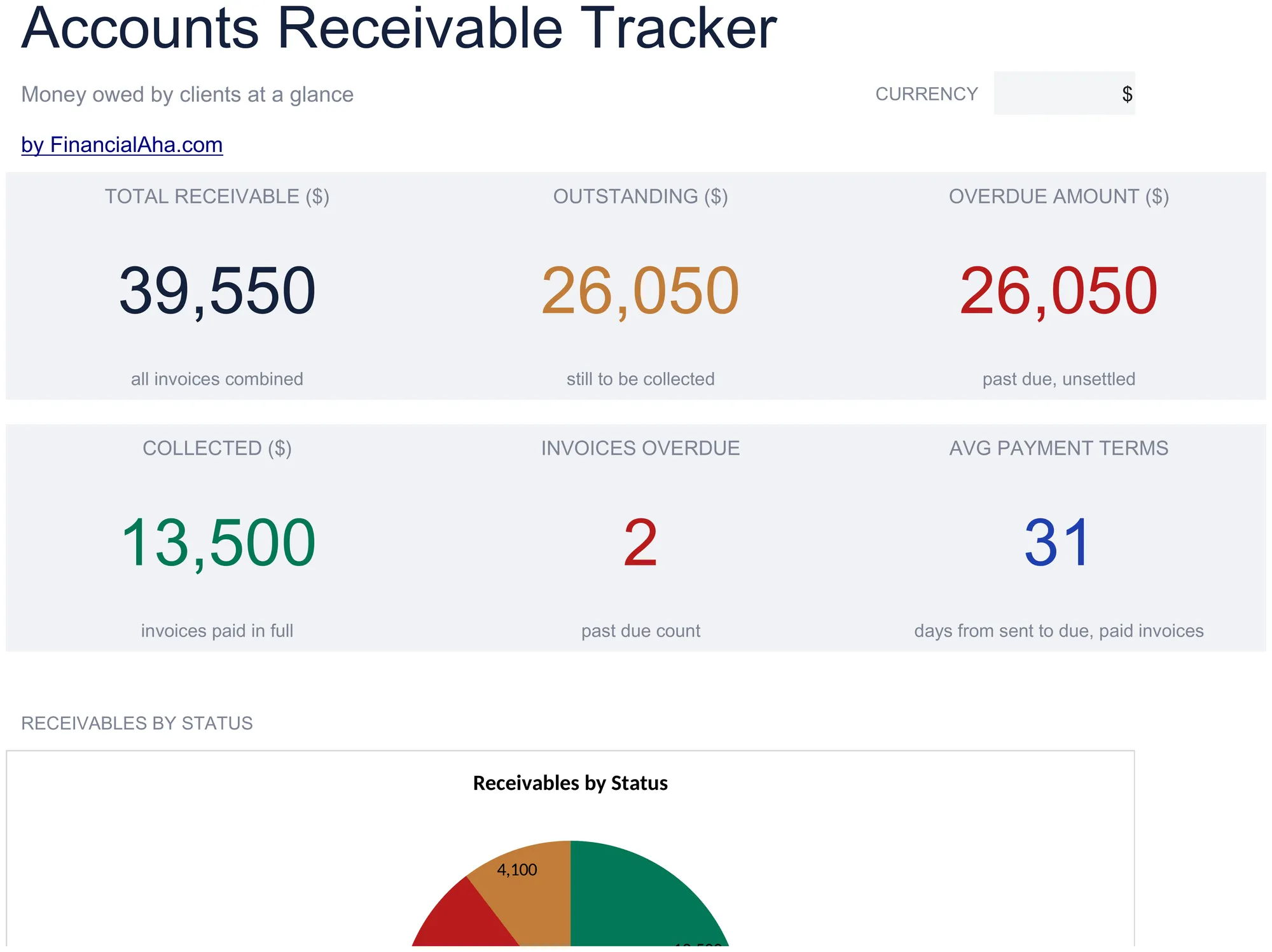
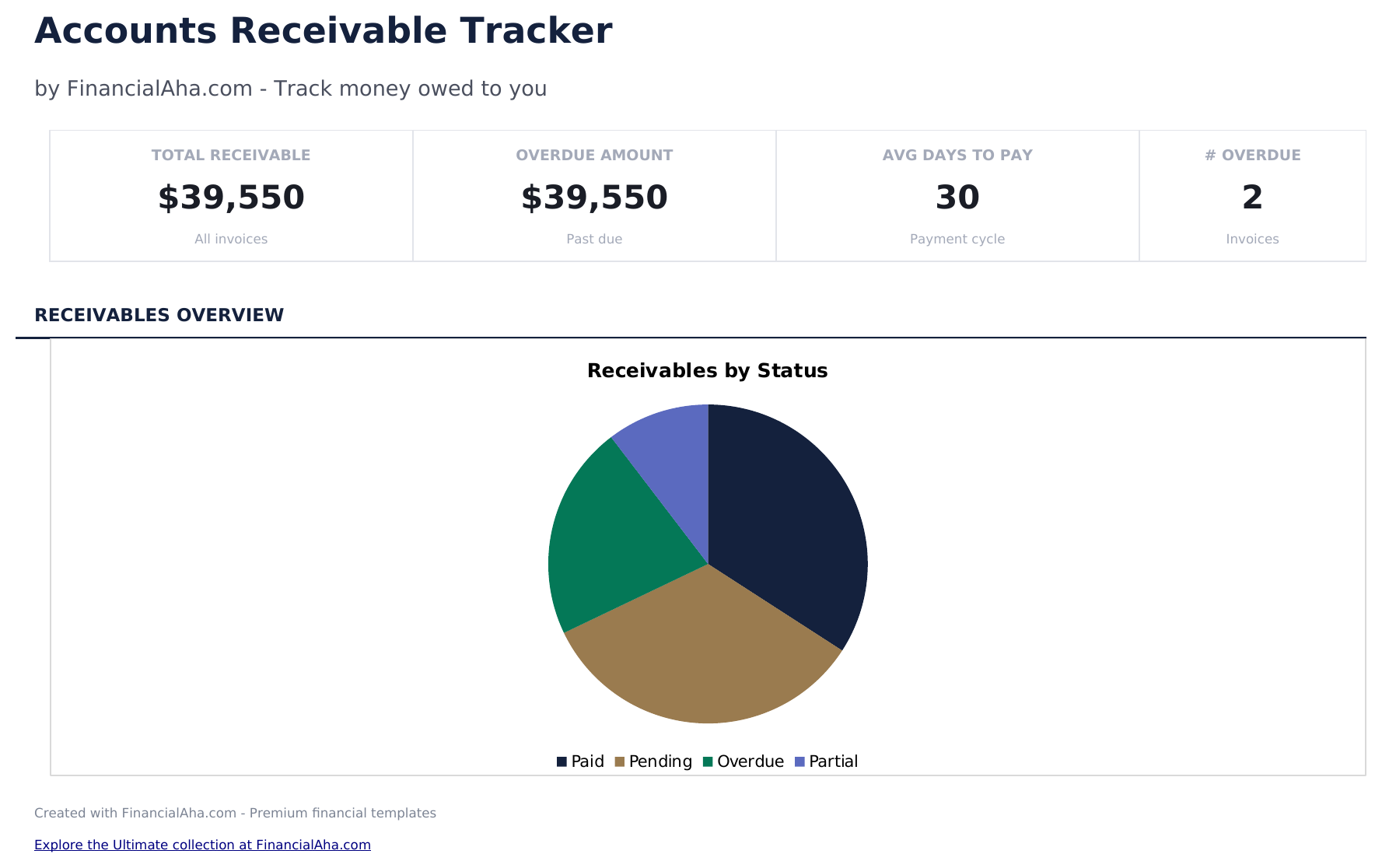
  • Dashboard with receivables summary showing total outstanding, total collected, overdue amount, and client count
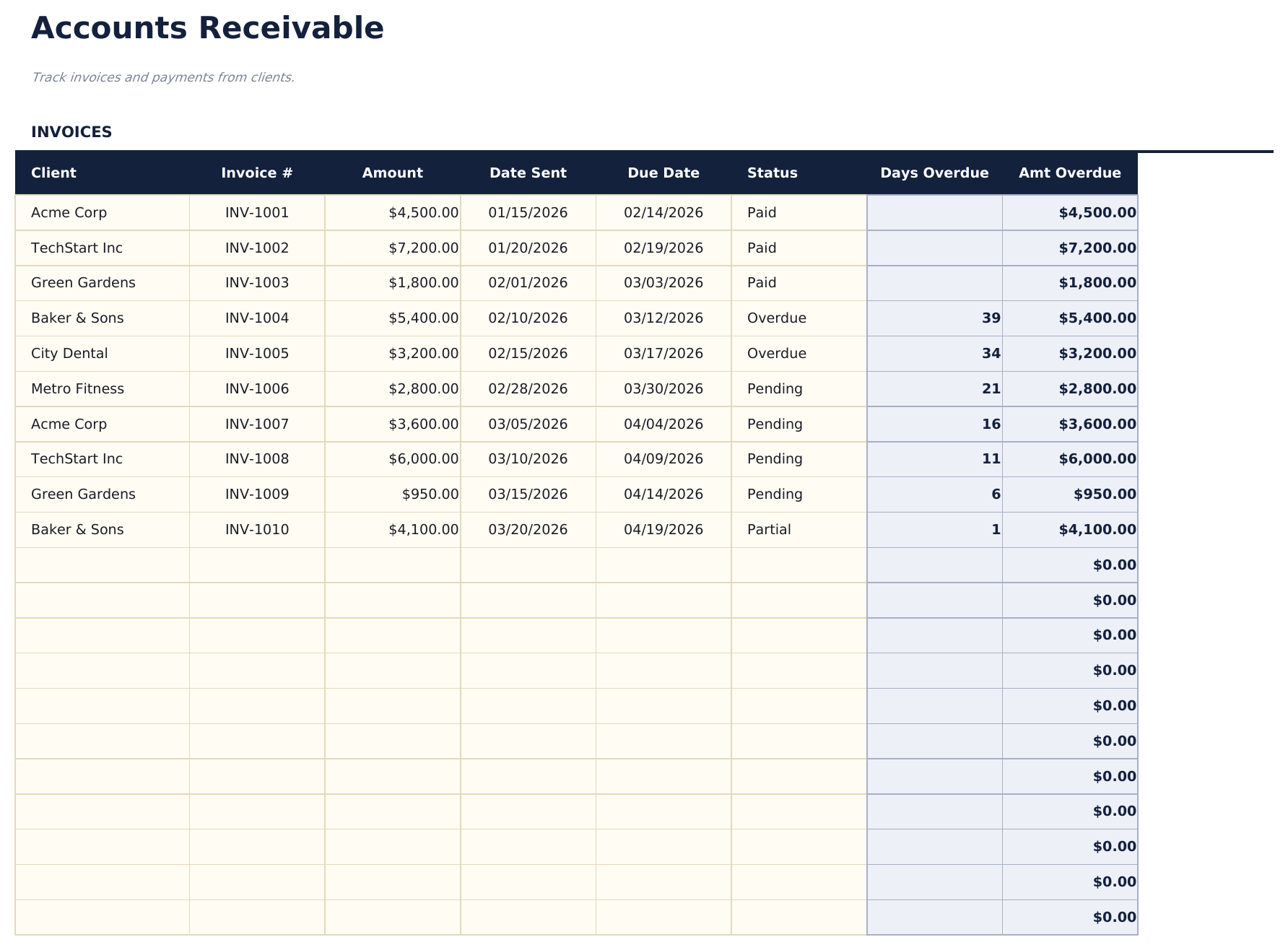
  • Receivables log with client name, invoice number, amount, issue date, due date, and payment status columns
  • Aging categories for overdue accounts grouping outstanding invoices into current, 30, 60, and 90-plus day buckets
  • Payment status tracking with fields to mark each receivable as pending, partial, paid, or written off
  • Automatic outstanding balance totals with color-coded aging indicators for quick overdue identification
  • Works in Microsoft Excel, Google Sheets, and LibreOffice Calc with no setup required

Hoe gebruik je dit Accounts Receivable Tracker sjabloon

1

Enter each receivable

Add client name, invoice number, amount, issue date, and due date for every outstanding invoice or payment owed.

2

Update payment status

Mark each entry as pending, partial, paid, or written off as payments come in. The totals update automatically.

3

Monitor aging buckets

The aging categories show how long invoices have been outstanding - current, 30 days, 60 days, and 90-plus days.

4

Review the dashboard

Check total outstanding, total collected, overdue amount, and client count on the dashboard for a receivables overview.

Gebouwd door Claude AI. Verfijnd door ons.

We gebruiken Claude AI om elk sjabloon te ontwerpen, na uitgebreid onderzoek. Daarna neemt ons team het over. We verfijnen de indeling, testen elke formule grondig, lossen randgevallen op en polijsten het ontwerp totdat het iets is dat we zelf ook echt zouden gebruiken. De AI brengt ons 80% van de weg. De laatste 20% is puur menselijk oordeel.

Veelgestelde vragen

How does aging work?

The template groups unpaid invoices by how many days past due they are. This helps prioritize collection efforts on the oldest outstanding amounts.

Can I track partial payments?

Yes. Enter the amount received and mark the status as partial. The remaining balance is the original amount minus payments received.

Does it show totals per client?

Yes. Filter or sort by client name to see each client total outstanding amount. The dashboard also shows total receivables across all clients.

When should I write off a receivable?

The template lets you mark items as written off. This is an accounting decision based on your business policies and how long the amount has been outstanding.

Hoe open ik dit in Google Sheets?

Upload het .xlsx-bestand naar Google Drive en open het vervolgens met Google Sheets. Alle formules en opmaak blijven behouden.

Meer Essentials-sjablonen voor Business Finance

Op zoek naar premium spreadsheet-sjablonen?

Onze betaalde sjablonen bevatten geavanceerde dashboards met meerdere werkbladen, ingebouwde Excel-grafieken en doorlopende updates.

Privé & veilig

Uw financiële gegevens blijven op uw apparaat. Wij zien ze nooit.

Meer informatie →

Hulp nodig?

Bekijk onze handleidingen of neem contact op met vragen.

Bekijk FAQ →