Beste waarde All-in-One Financieel Planningspakket
✓ Financiële Planning✓ Vermogenstracker✓ Maandelijks Budgetteren✓ Reisbudget Planner✓ Jaarlijkse Budgetplanner✓ Maandelijkse Uitgaventracker✓ Jaarlijkse Belastingplanner✓ Pensioenplanning
Bekijk bundel →
Ultimate Ultimate-versie beschikbaar - Kasstroomoverzicht Ultimate
Essentials-sjabloon - Excel & Google Sheets

Cash Flow Statement Essentials-sjabloon

Prepare a cash flow statement with operating, investing, and financing activities. Track cash inflows and outflows to see net cash position.

Bekijk de Ultimate-versie →
Cash Flow Statement preview

Wat zit erin

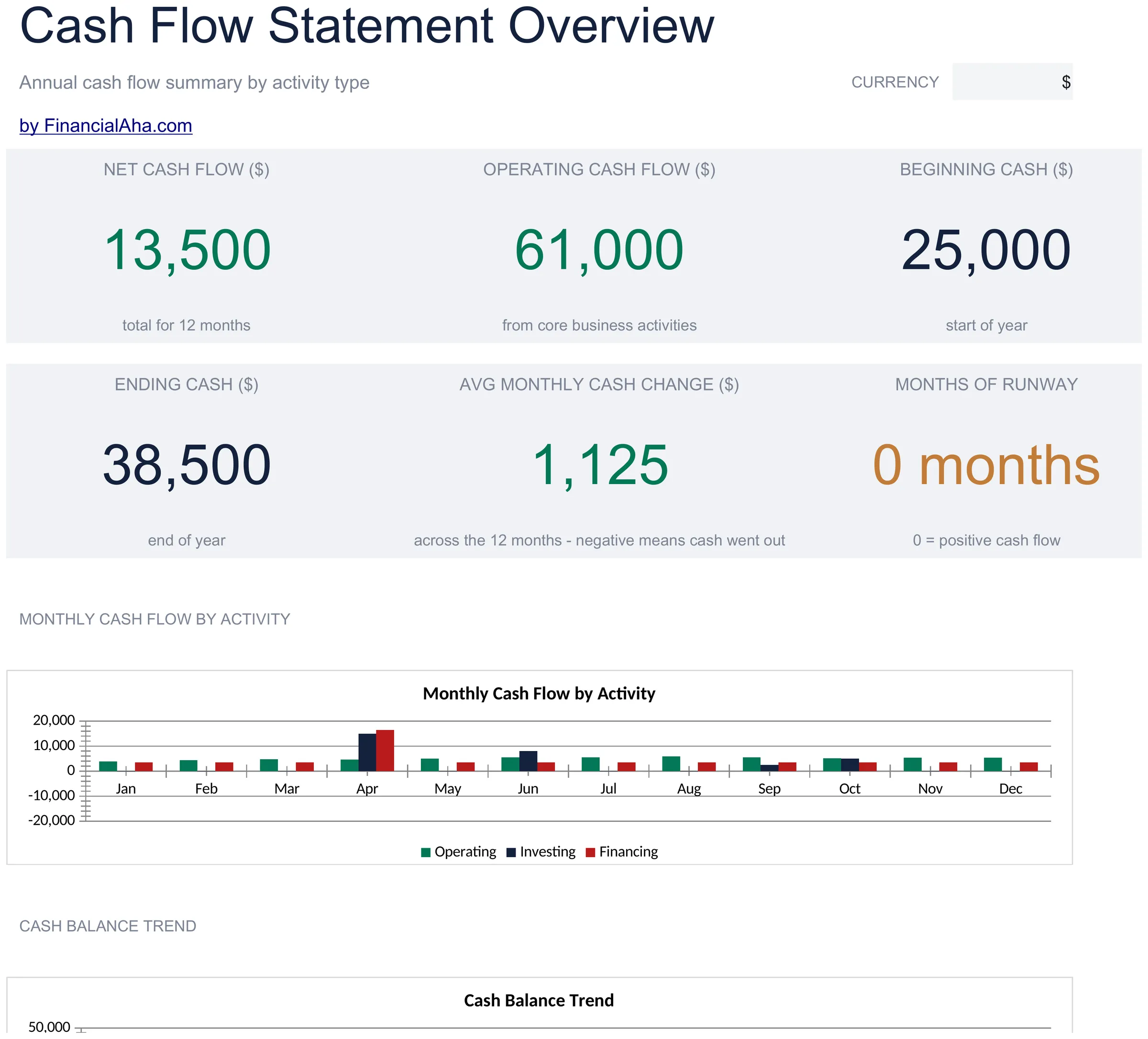
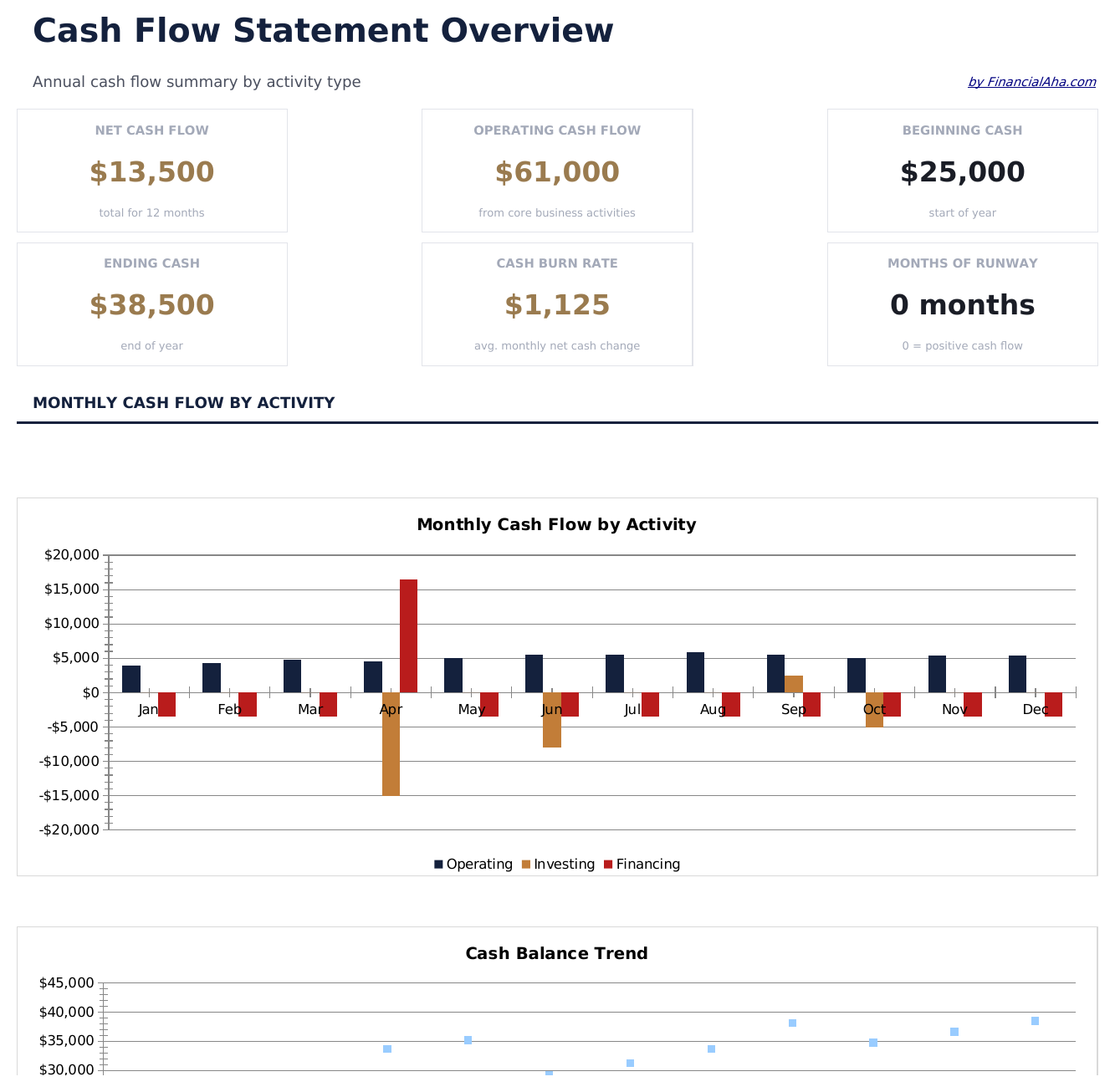
  • Dashboard with cash flow summary showing net cash from operations, investing, financing, and total change
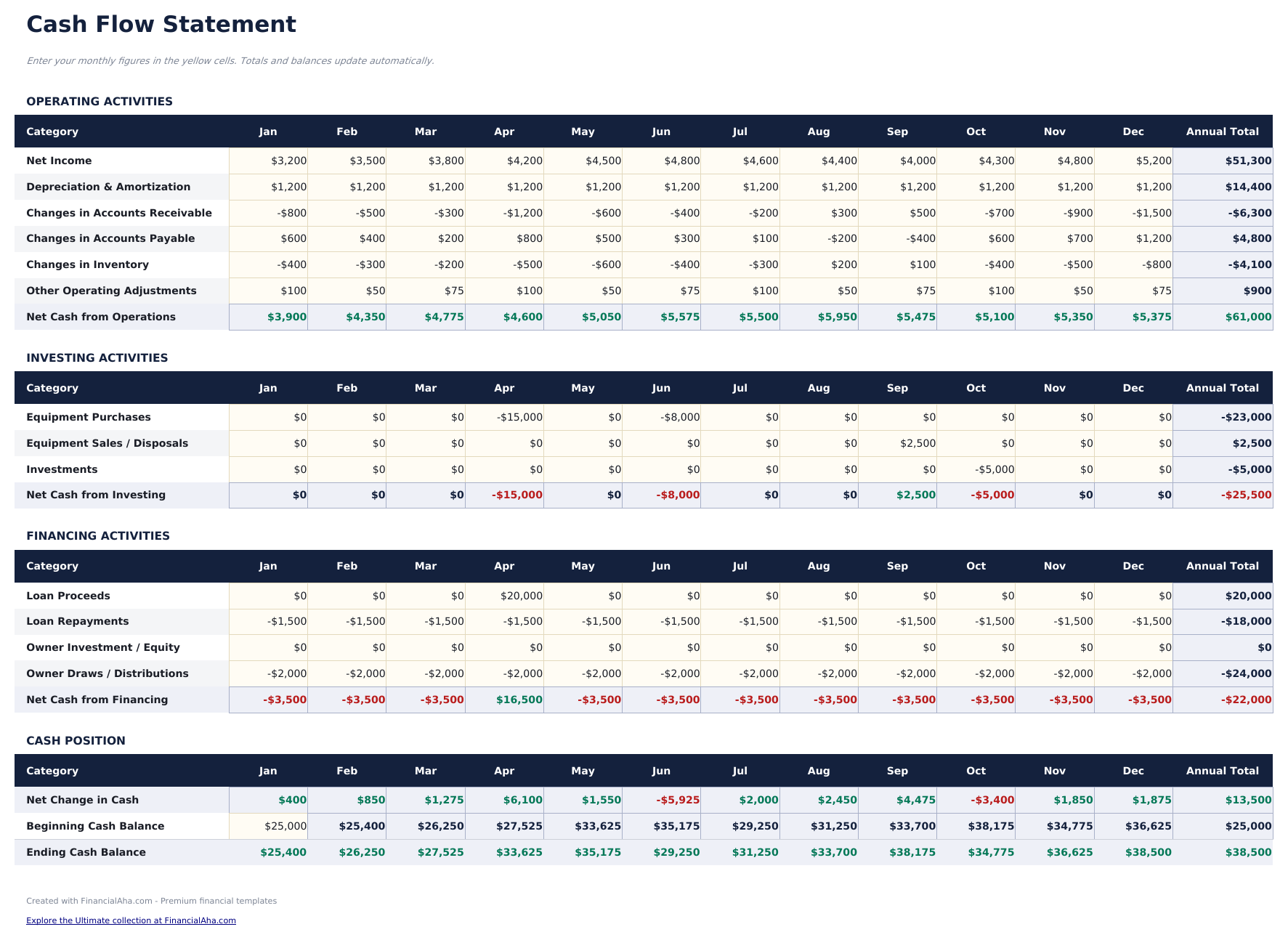
  • Cash flow statement in standard accounting format following the indirect method with three activity sections
  • Operating, investing, and financing activity sections with pre-built line items for common cash flow entries
  • Automatic net cash flow calculation that sums all three sections to show total increase or decrease in cash
  • Period-over-period comparison with color-coded input cells (yellow) and auto-calculated totals (blue)
  • Works in Microsoft Excel, Google Sheets, and LibreOffice Calc with no setup required
Ultimate Version Available

Need more from this template?

The Essentials version covers everyday tracking. Ultimate goes further with multi-entity support, scenario analysis, and ultimate-grade reporting.

Essentials - $12
  • Dashboard with cash flow summary showing net cash from operations, investing, financing, and total change
  • Cash flow statement in standard accounting format following the indirect method with three activity sections
  • Operating, investing, and financing activity sections with pre-built line items for common cash flow entries
  • Automatic net cash flow calculation that sums all three sections to show total increase or decrease in cash
Ultimate - $19
  • Werkblad Operationele Activiteiten met kasontvangsten, kasbetalingen aan leveranciers en werknemers en overige operationele posten met maandkolommen
  • Werkblad Investeringsactiviteiten dat kapitaaluitgaven, aanschaf van activa, verkoop van activa en investeringstransacties per maand bijhoudt
  • Werkblad Financieringsactiviteiten dat leningopbrengsten, leningaflossingen, kapitaalinvesteringen en dividendbetalingen per maand registreert
  • Dashboard met 6 KPI-kaarten: netto operationele cashflow, netto investeringscashflow, netto financieringscashflow, totale nettocash, eindsaldo kas en maanden runway
  • Cashflowoverzicht dat alle drie activiteitssecties consolideert in een enkel overzicht met beginsaldo, nettoverandering en eindsaldo per maand
See what's in the Ultimate version One-time purchase. No subscription.

Hoe gebruik je dit Cash Flow Statement sjabloon

1

Enter operating activities

Fill in cash from operations - net income, depreciation, and changes in working capital items like receivables and payables.

2

Add investing activities

Record cash used for or received from investments - equipment purchases, property sales, or investment transactions.

3

Add financing activities

Enter loan proceeds, loan repayments, equity issued, and dividends paid in the financing section.

4

Review net cash flow

The dashboard sums all three sections to show the net change in cash for the period, plus beginning and ending cash balances.

Gebouwd door Claude AI. Verfijnd door ons.

We gebruiken Claude AI om elk sjabloon te ontwerpen, na uitgebreid onderzoek. Daarna neemt ons team het over. We verfijnen de indeling, testen elke formule grondig, lossen randgevallen op en polijsten het ontwerp totdat het iets is dat we zelf ook echt zouden gebruiken. De AI brengt ons 80% van de weg. De laatste 20% is puur menselijk oordeel.

Bekijk de Ultimate-versie →

Veelgestelde vragen

What method does this use?

The template follows the indirect method, starting with net income and adjusting for non-cash items and working capital changes to arrive at cash from operations.

What goes in operating vs investing?

Operating covers day-to-day business - revenue, expenses, receivables, and payables. Investing covers asset purchases and sales. Financing covers debt and equity transactions.

Can I compare multiple periods?

Yes. The template supports period-over-period comparison with columns for the current and prior period side by side.

Is depreciation added back?

Yes. Under the indirect method, depreciation is a non-cash expense added back to net income in the operating activities section.

Hoe open ik dit in Google Sheets?

Upload het .xlsx-bestand naar Google Drive en open het vervolgens met Google Sheets. Alle formules en opmaak blijven behouden.

Meer Essentials-sjablonen voor Business Finance

Op zoek naar premium spreadsheet-sjablonen?

Onze betaalde sjablonen bevatten geavanceerde dashboards met meerdere werkbladen, ingebouwde Excel-grafieken en doorlopende updates.

Privé & veilig

Uw financiële gegevens blijven op uw apparaat. Wij zien ze nooit.

Meer informatie →

Hulp nodig?

Bekijk onze handleidingen of neem contact op met vragen.

Bekijk FAQ →