أفضل قيمة حزمة التخطيط المالي الشاملة
✓ التخطيط المالي✓ متتبع صافي الثروة✓ الميزانية الشهرية✓ مخطط ميزانية السفر✓ مخطط الميزانية السنوية✓ متتبع النفقات الشهرية✓ مخطط الضرائب السنوي✓ تخطيط التقاعد
عرض الحزمة →
احترافي النسخة الاحترافية متوفرة - توقعات الأرباح والخسائر Ultimate
قالب احترافي - Excel و Google Sheets

Profit and Loss Projection قالب Essentials

Project revenue, costs, and profit over a specified period. Useful for business planning, forecasting, and evaluating financial scenarios.

عرض نسخة Ultimate ←
Profit and Loss Projection preview

ماذا يتضمن

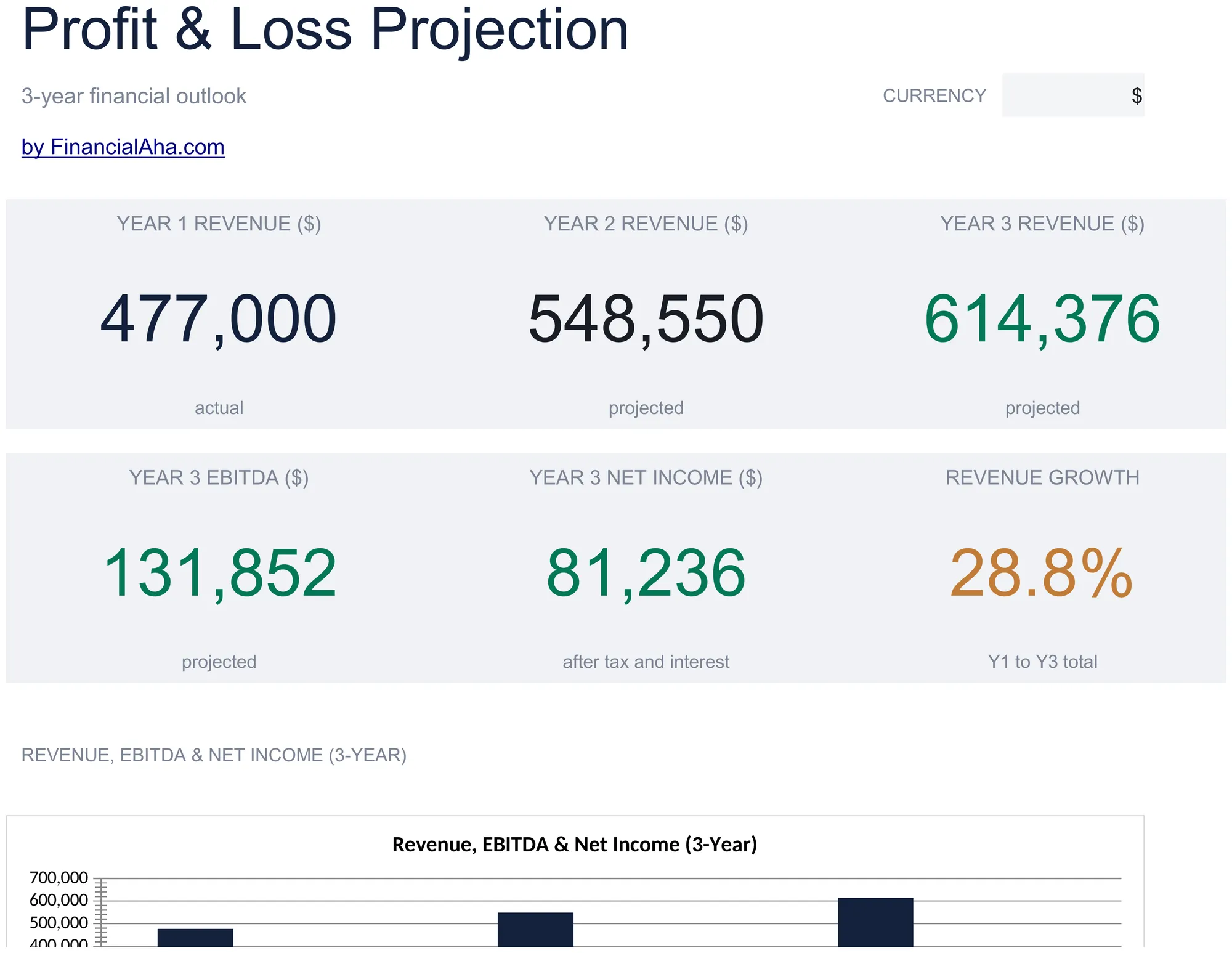
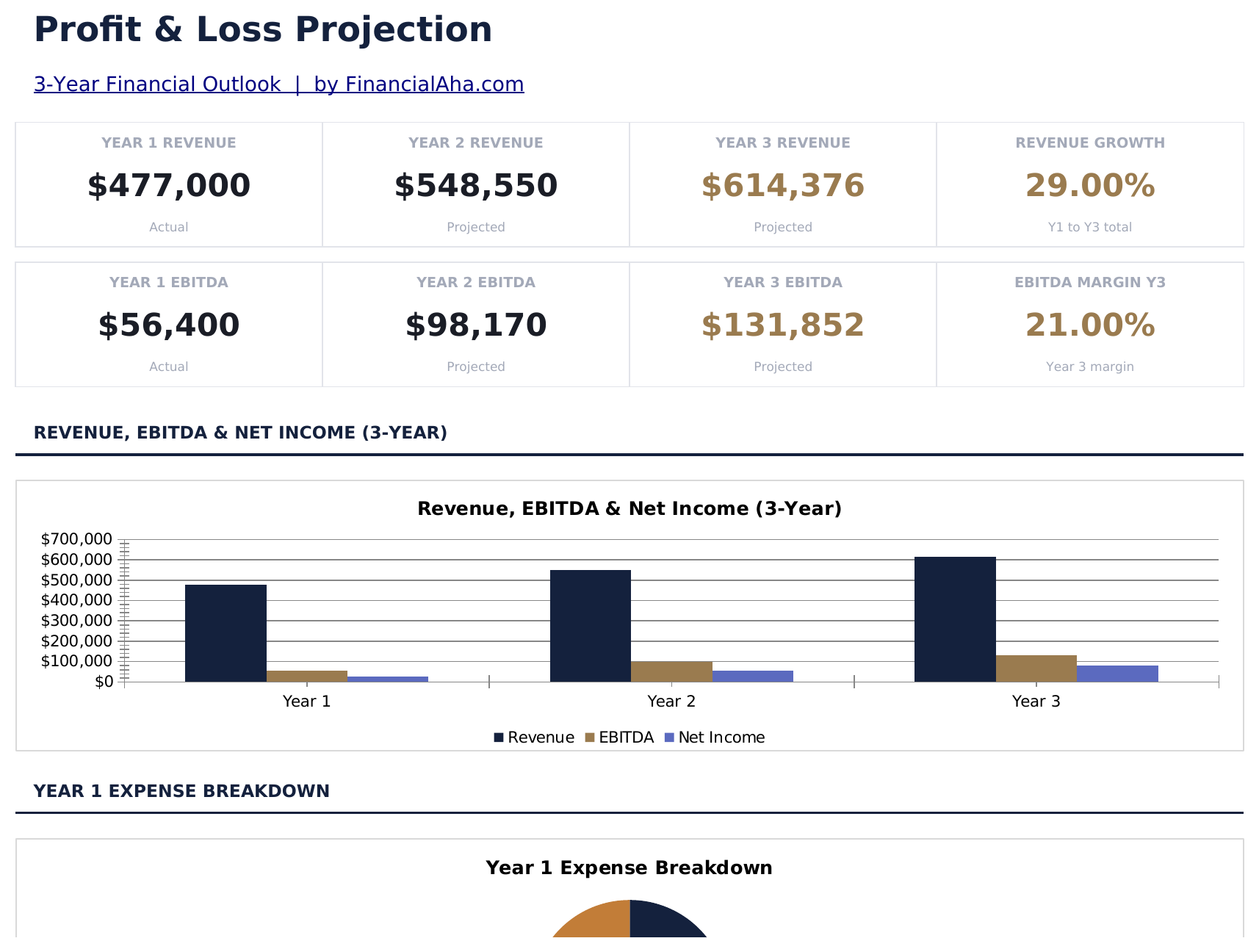
  • Dashboard with P&L overview showing total revenue, cost of goods sold, gross profit, and net profit
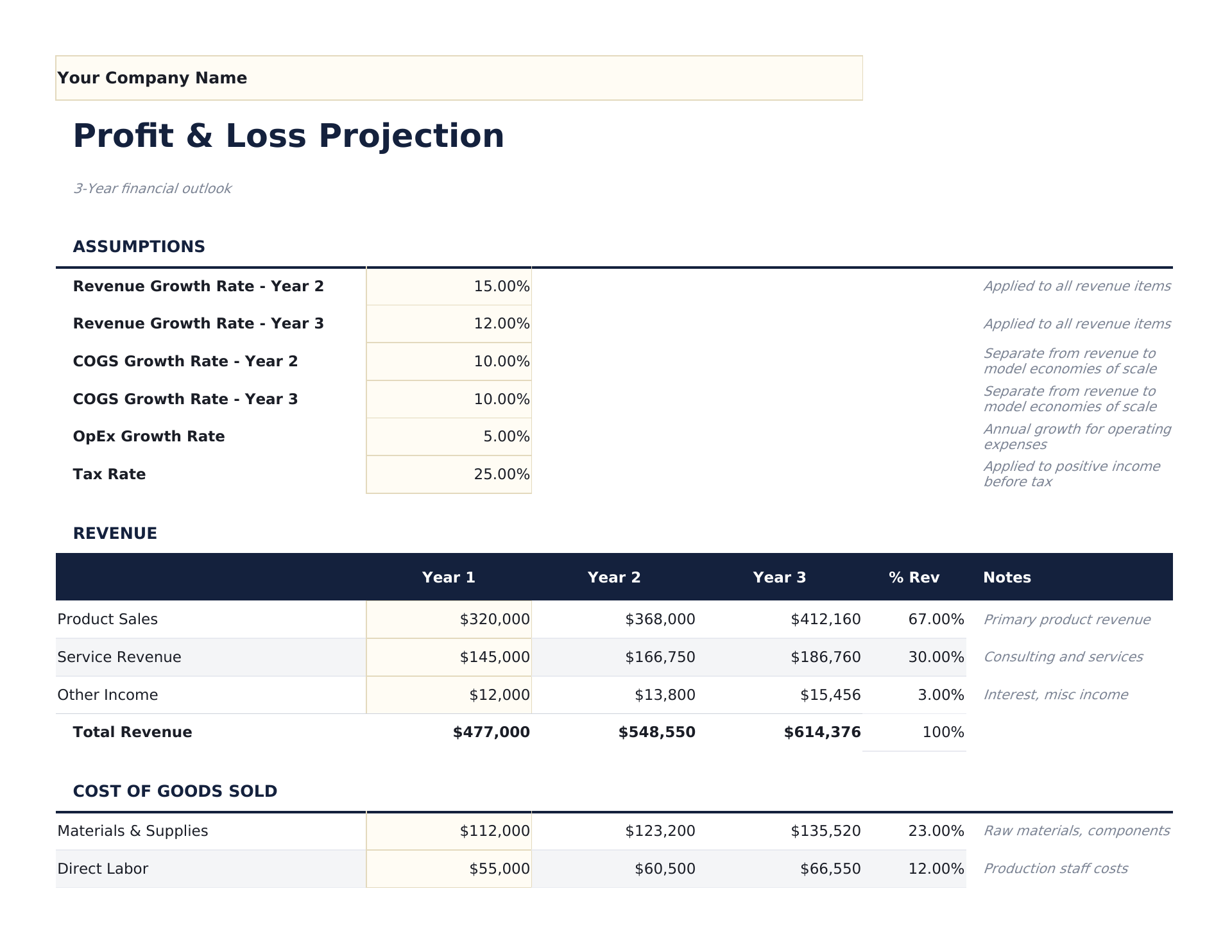
  • P&L statement with revenue lines, direct costs, operating expenses, and net income with automatic subtotals
  • Gross profit and net profit calculations with automatic margin percentages displayed alongside dollar amounts
  • Monthly or quarterly projection columns spanning up to 12 months with automatic annual totals at the end
  • Margin percentage display with color-coded input cells (yellow) and formula-driven projections (blue)
  • Works in Microsoft Excel, Google Sheets, and LibreOffice Calc with no setup required
Ultimate Version Available

Need more from this template?

The Essentials version covers everyday tracking. Ultimate goes further with multi-entity support, scenario analysis, and ultimate-grade reporting.

Essentials - $12
  • Dashboard with P&L overview showing total revenue, cost of goods sold, gross profit, and net profit
  • P&L statement with revenue lines, direct costs, operating expenses, and net income with automatic subtotals
  • Gross profit and net profit calculations with automatic margin percentages displayed alongside dollar amounts
  • Monthly or quarterly projection columns spanning up to 12 months with automatic annual totals at the end
Ultimate - $19
  • ورقة تنبؤ بالإيرادات مع حتى 10 خطوط منتجات أو خدمات وتوقعات شهرية وإجماليات سنوية مع تتبع معدل النمو
  • ورقة تكاليف الإنتاج مع تفصيل المواد المباشرة والعمالة المباشرة والتكاليف العامة لكل خط إيرادات مع حسابات هامش الربح الإجمالي
  • ورقة المصروفات التشغيلية مع 12 فئة مصروفات عبر 12 عموداً شهرياً وتتبع الميزانية مقابل الفعلي السنوي
  • قائمة أرباح وخسائر موحدة تسحب من جميع أوراق الإدخال: الإيرادات وتكاليف الإنتاج والربح الإجمالي والمصروفات التشغيلية والدخل التشغيلي وصافي الدخل
  • لوحة معلومات مع 6 بطاقات KPI: الإيرادات السنوية وتكاليف الإنتاج السنوية وهامش الربح الإجمالي% والدخل التشغيلي وصافي الدخل وشهر نقطة التعادل
See what's in the Ultimate version One-time purchase. No subscription.

كيفية استخدام قالب Profit and Loss Projection هذا

1

Enter revenue projections

List each revenue stream with projected monthly or quarterly amounts across the projection period.

2

Add cost of goods sold

Enter direct costs associated with delivering your product or service. Gross profit calculates automatically.

3

Fill in operating expenses

Add monthly estimates for payroll, rent, marketing, utilities, insurance, and other operating costs.

4

Review net profit

The dashboard shows projected revenue, gross margin, operating expenses, and net profit with margin percentages.

صُممت بواسطة Claude AI. أتقنّاها نحن.

نستخدم Claude AI لصياغة كل قالب بعد بحث معمّق. ثم يتدخل فريقنا. نحسّن التصميم، ونختبر كل صيغة، ونعالج الحالات الاستثنائية، وننقّح التصميم حتى يصبح شيئاً نستخدمه نحن فعلاً. الذكاء الاصطناعي يوصلنا إلى 80%. الـ 20% المتبقية هي حكم بشري بالكامل.

عرض نسخة Ultimate ←

الأسئلة الشائعة

How many months can I project?

The template supports up to 12 monthly columns with an annual total. Adjust the date headers for your projection period.

What is gross profit vs net profit?

Gross profit is revenue minus direct costs (COGS). Net profit subtracts all operating expenses from gross profit. Both are shown with margin percentages.

Can I use quarterly instead of monthly?

Yes. Change the column headers from months to quarters and enter quarterly figures. The annual total still sums all columns.

Is this good for startup planning?

Yes. P&L projections are a core part of business plans. Combine this with the Startup Costs template for a complete financial picture.

كيف أفتح هذا في Google Sheets؟

ارفع ملف .xlsx إلى Google Drive، ثم افتحه باستخدام Google Sheets. جميع الصيغ والتنسيقات ستبقى محفوظة.

المزيد من قوالب Essentials في Business Finance

تبحث عن قوالب جداول بيانات احترافية؟

القوالب المدفوعة تشمل لوحات معلومات متعددة الأوراق متقدمة، ورسوم بيانية أصلية في Excel، وتحديثات مستمرة.

خاص وآمن

بياناتك المالية تبقى على جهازك. نحن لا نراها أبداً.

تعرف على المزيد →

هل تحتاج مساعدة؟

راجع أدلتنا أو تواصل معنا لأي أسئلة.

عرض الأسئلة الشائعة →