超值优惠 一站式财务规划套餐
✓ 财务规划✓ 净资产追踪器✓ 月度预算✓ 旅行预算规划器✓ 年度预算规划器✓ 月度支出追踪器✓ 年度税务规划器✓ 退休规划
查看套餐 →
Ultimate Ultimate 版本可用 - 专业版 Airbnb 租赁追踪器
Essentials 模板 - Excel 和 Google Sheets

Airbnb Rental Tracker Essentials 模板

Track short-term rental bookings, income, and expenses. Monitor occupancy rates and net income per property.

查看 Ultimate 版本 →
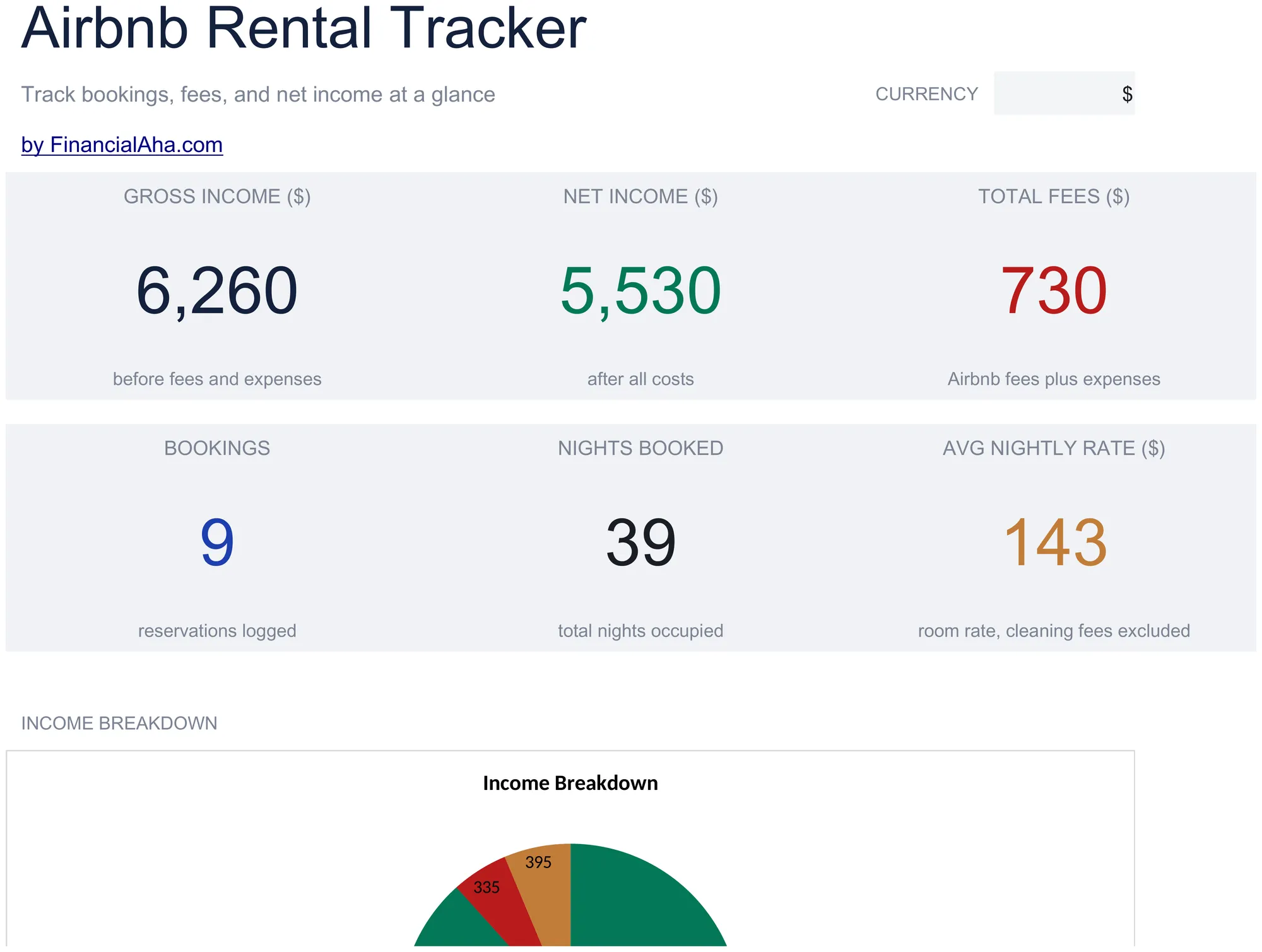
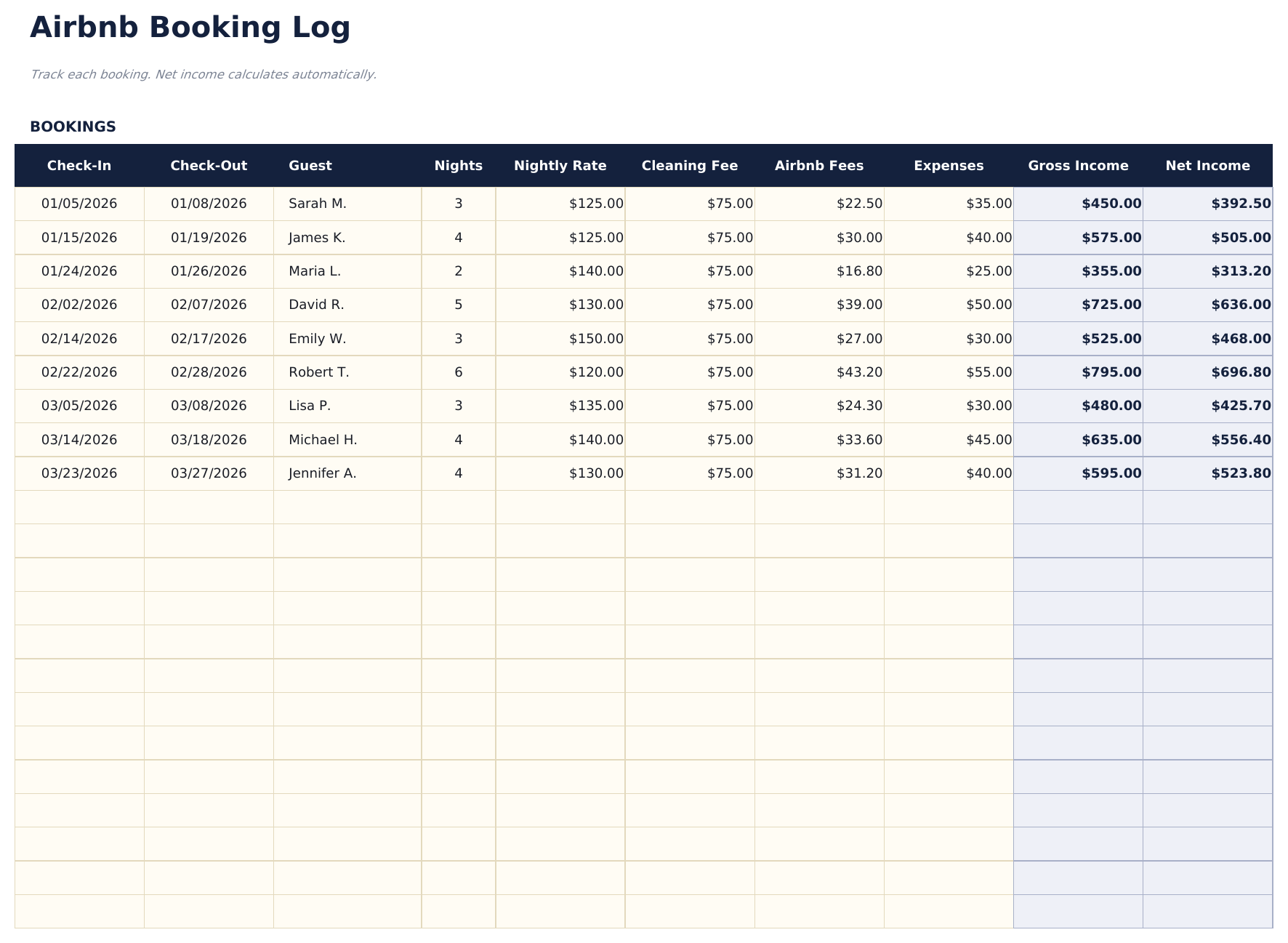
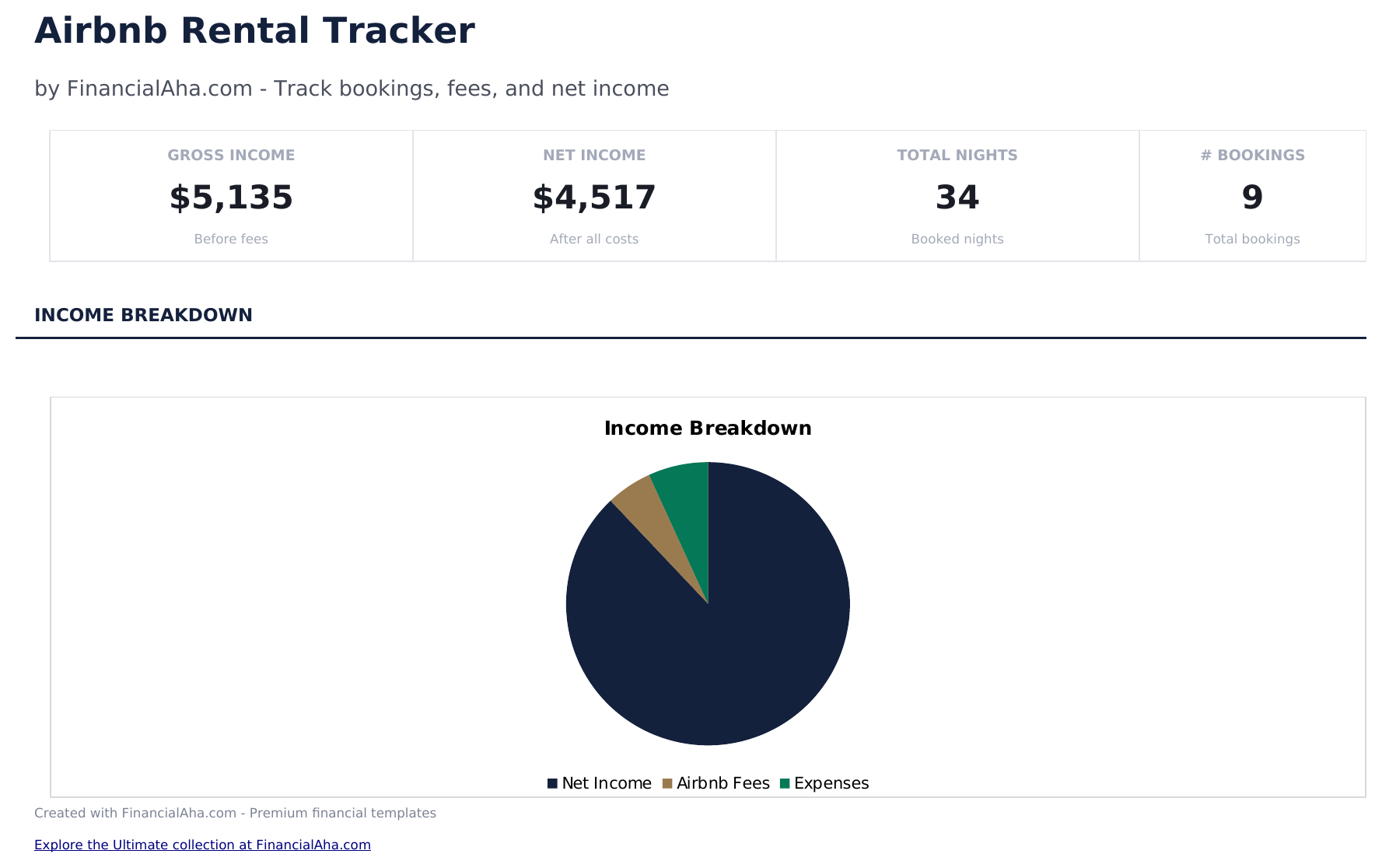
Airbnb Rental Tracker preview

包含内容

  • Dashboard with rental performance overview showing total bookings, gross income, occupancy rate, and net profit
  • Booking log with guest name, check-in, check-out, nightly rate, cleaning fee, and total booking amount columns
  • Income and expense tracking with separate entries for cleaning costs, supplies, maintenance, and platform fees
  • Occupancy rate calculations based on booked nights vs. available nights across the selected time period
  • Net income per booking with color-coded input cells (yellow) and auto-calculated performance metrics (blue)
  • Works in Microsoft Excel, Google Sheets, and LibreOffice Calc with no setup required
Ultimate Version Available

Need more from this template?

The Essentials version covers everyday tracking. Ultimate goes further with multi-entity support, scenario analysis, and ultimate-grade reporting.

Essentials - $12
  • Dashboard with rental performance overview showing total bookings, gross income, occupancy rate, and net profit
  • Booking log with guest name, check-in, check-out, nightly rate, cleaning fee, and total booking amount columns
  • Income and expense tracking with separate entries for cleaning costs, supplies, maintenance, and platform fees
  • Occupancy rate calculations based on booked nights vs. available nights across the selected time period
Ultimate - $19
  • 追踪多达5个租赁房产,包含购买价格、抵押贷款、保险、水电和房产税详情
  • 记录多达100条预订,包含入住/退房日期、房客姓名、房产分配(下拉选择)、每晚价格、清洁费、Airbnb 费用和支出
  • 仪表板包含6个关键指标卡片:总净收入、总预订数、总住宿夜数、总收入、房产数量和平均每晚净收入
  • 月度损益表显示12个月中每个房产的净收入,包含年度总计和月均值
  • 入住率分析追踪每个房产每月的预订夜数,并计算入住率(预订夜数除以30)
See what's in the Ultimate version One-time purchase. No subscription.

如何使用这个Airbnb Rental Tracker模板

1

Log each booking

Enter guest name, check-in and check-out dates, nightly rate, cleaning fee, and total booking amount for each reservation.

2

Record expenses

Add cleaning costs, supplies, maintenance, and platform fees for each booking or as monthly totals.

3

Check occupancy rate

The template calculates occupancy by dividing booked nights by available nights in the period.

4

Review the dashboard

See total bookings, gross income, expenses, net profit, and occupancy rate on the performance dashboard.

由 Claude AI 构建,经我们精心打磨。

我们使用 Claude AI 在深入研究后起草每个模板。然后由团队接手,优化布局、全面测试每个公式、修复边界情况,并打磨设计,直到达到我们自己愿意使用的标准。AI 完成了 80% 的工作,最后 20% 靠的是人工判断。

查看 Ultimate 版本 →

常见问题

How is occupancy rate calculated?

Occupancy rate equals booked nights divided by total available nights. The template calculates this automatically from your booking dates.

Does it track Airbnb host fees?

Yes. Enter the platform service fee per booking or as a percentage. The net income calculation accounts for this deduction.

Can I track multiple listings?

This template covers one property. Duplicate it for each listing to keep bookings and financials separate per property.

Does it include cleaning costs?

Yes. Record cleaning fees received from guests and your actual cleaning costs. The net difference flows into the profit calculation.

如何在 Google Sheets 中打开?

将 .xlsx 文件上传到 Google Drive,然后使用 Google Sheets 打开。所有公式和格式都会保留。

更多 Business Finance Essentials 模板

在寻找付费电子表格模板?

我们的付费模板包含高级多工作表仪表盘、原生 Excel 图表,并持续更新。

私密且安全

您的财务数据保留在您的设备上。我们永远看不到。

了解更多 →

需要帮助?

查看我们的指南或提出问题。

查看常见问题 →