Miglior valore Pacchetto Completo di Pianificazione Finanziaria
✓ Pianificazione Finanziaria✓ Tracker Patrimonio Netto✓ Budget Mensile✓ Pianificatore Budget Viaggio✓ Pianificatore Budget Annuale✓ Tracker Spese Mensili✓ Pianificatore Fiscale Annuale✓ Pianificazione Pensione
Vedi pacchetto →
Ultimate Versione Ultimate disponibile - Tracker Spese Ultimate
Modello Essentials - Excel e Google Sheets

Expense Tracker Modello Essentials

Log daily expenses and see monthly summaries by category. Focused purely on tracking spending - no budgeting targets required.

Vedi la versione Ultimate →
Expense Tracker preview

Cosa include

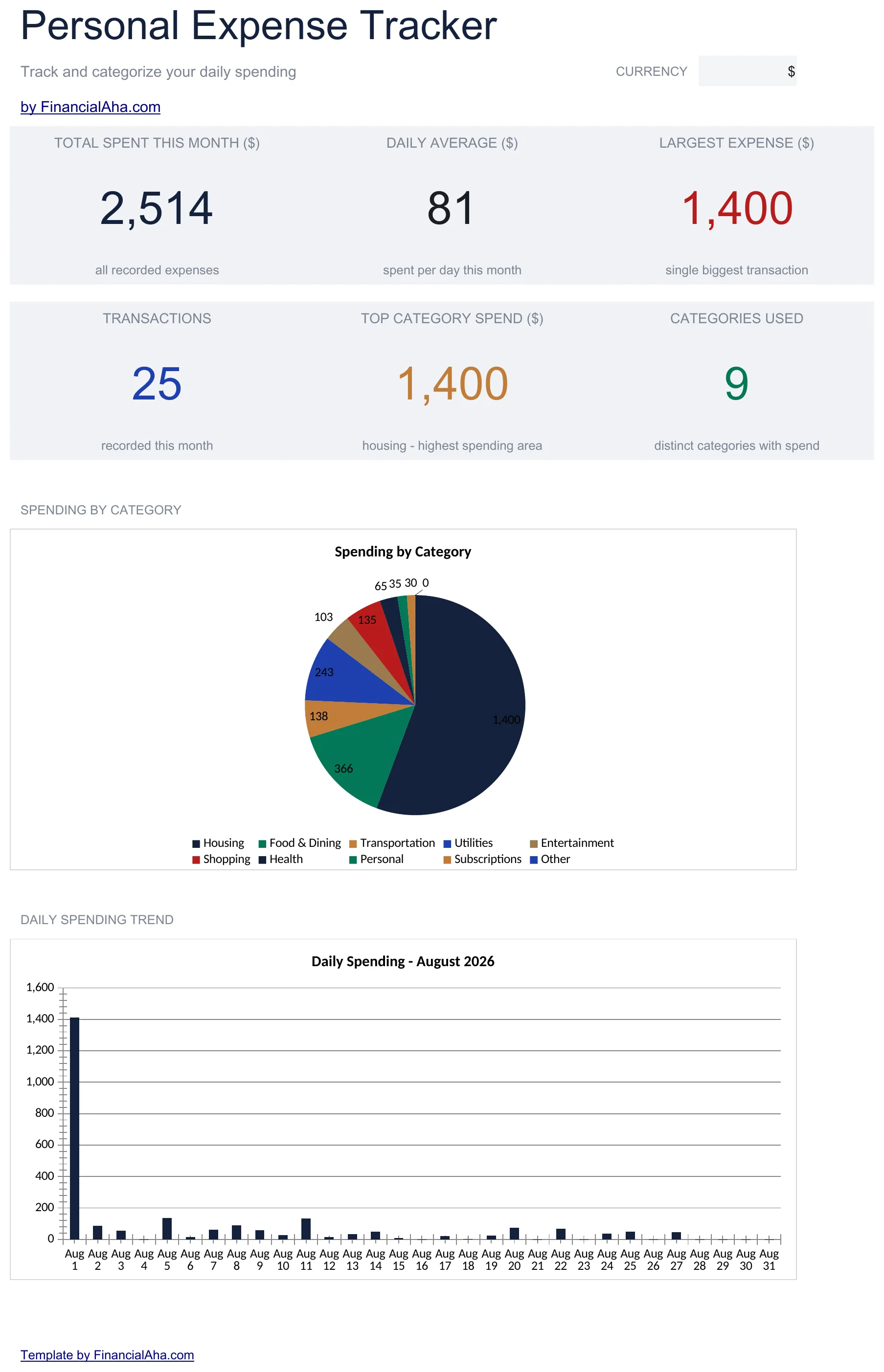
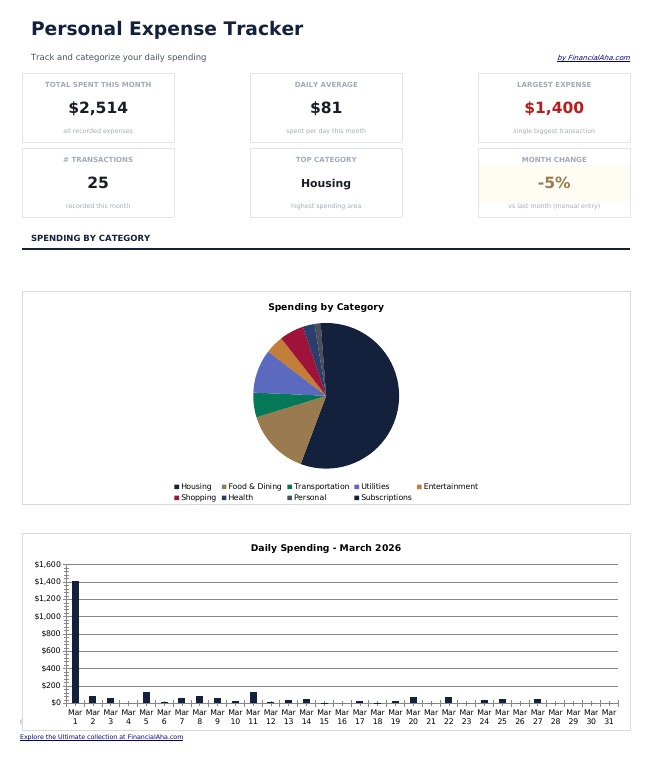
  • Dashboard with spending overview displaying total expenses, top categories, and monthly trends
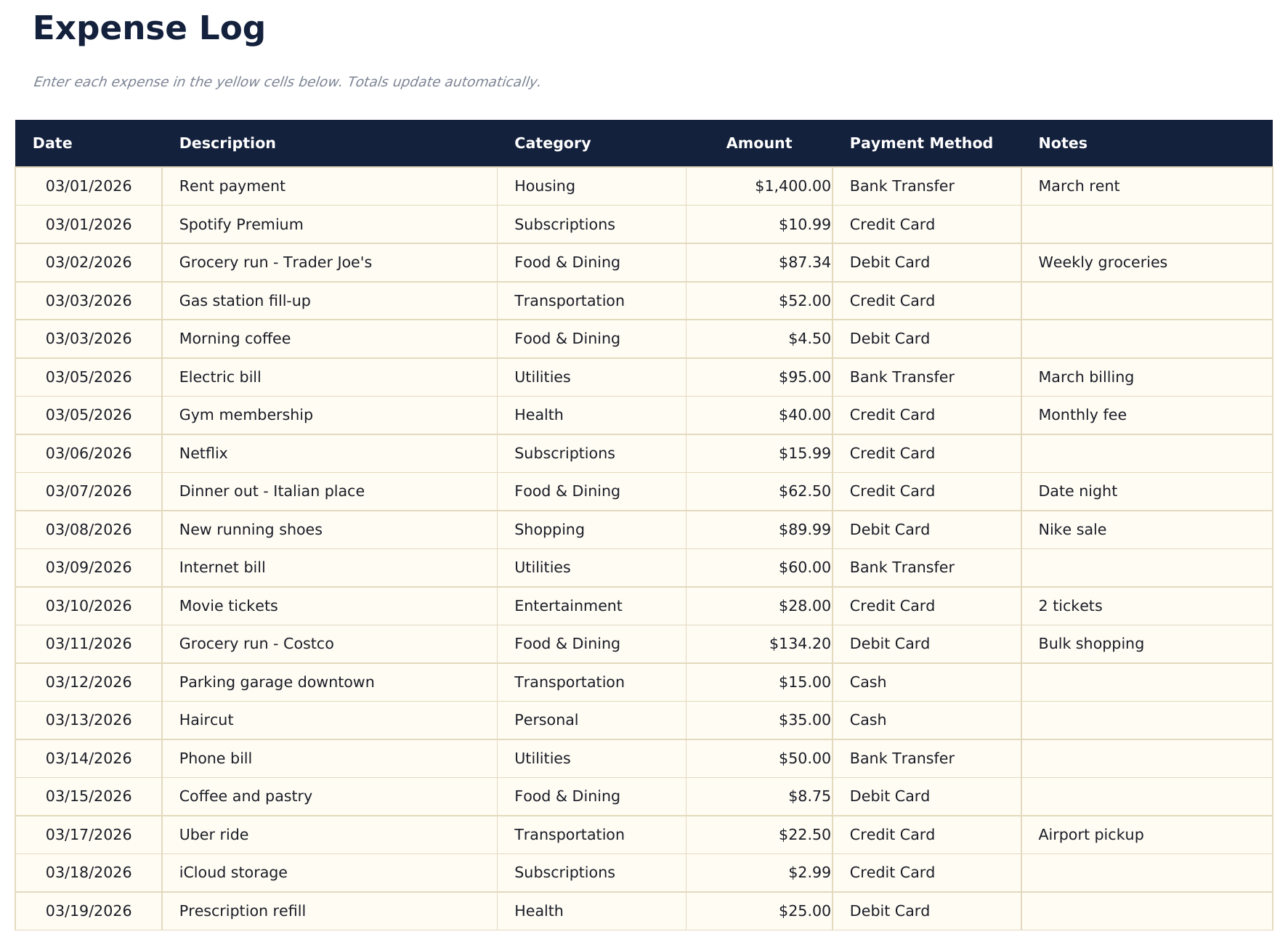
  • Detailed expense log with columns for date, description, category, payment method, and amount
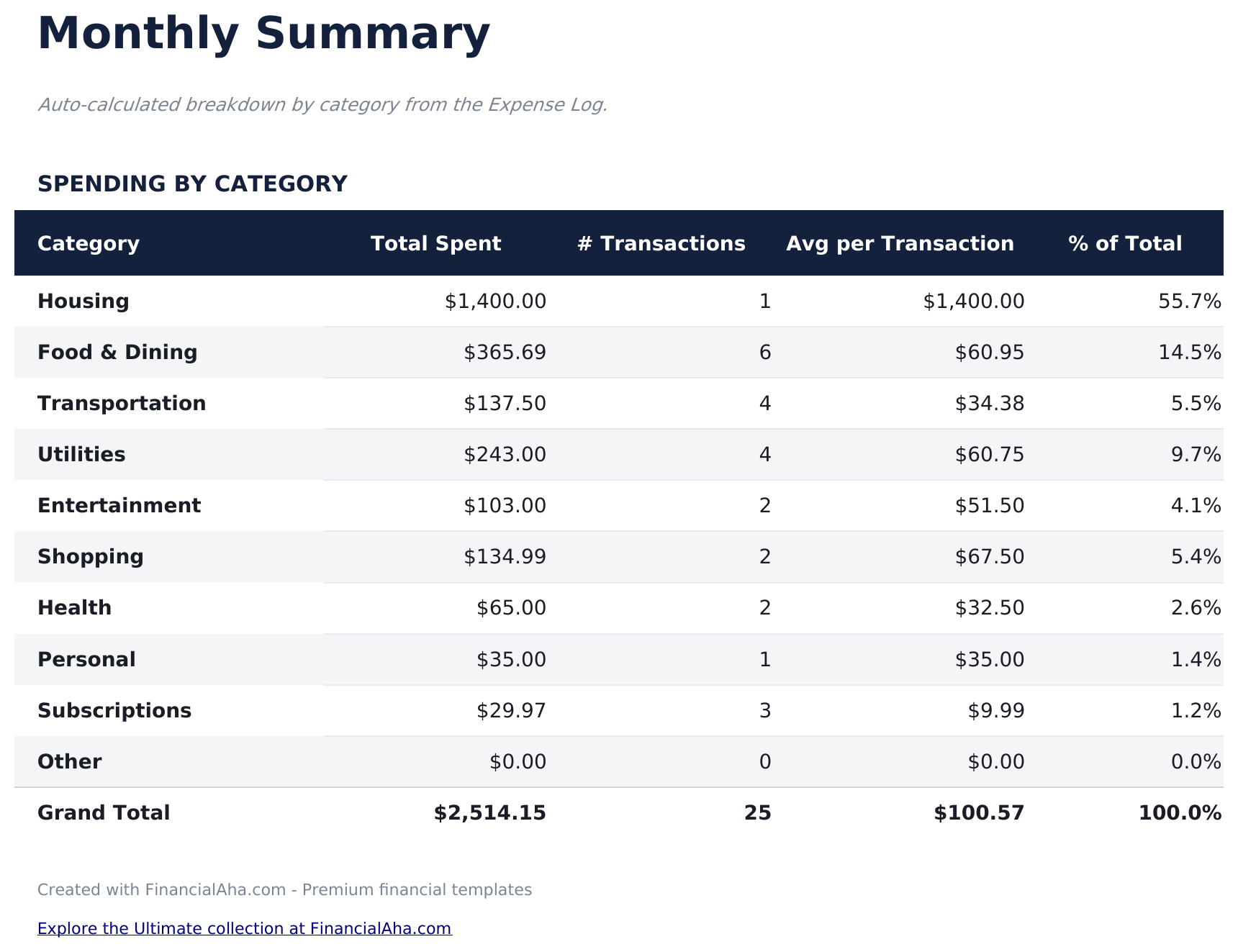
  • Monthly summary sheet that automatically groups expenses by category with subtotals and percentages
  • Date-based entry tracking that supports daily logging with automatic chronological sorting
  • Color-coded input cells (yellow) and auto-calculated summary cells (blue) for organized tracking
  • Works in Microsoft Excel, Google Sheets, and LibreOffice Calc with no setup required
Ultimate Version Available

Need more from this template?

The Essentials version covers everyday tracking. Ultimate goes further with multi-entity support, scenario analysis, and ultimate-grade reporting.

Essentials - $12
  • Dashboard with spending overview displaying total expenses, top categories, and monthly trends
  • Detailed expense log with columns for date, description, category, payment method, and amount
  • Monthly summary sheet that automatically groups expenses by category with subtotals and percentages
  • Date-based entry tracking that supports daily logging with automatic chronological sorting
Ultimate - $19
  • Registra fino a 200 expenses per month with date, description, category (13 options), amount, payment method, and notes
  • Dashboard con 6 schede KPI: total spent, daily average, largest expense, budget remaining, transaction count, and top category
  • Budget vs Effettivo variance analysis - set monthly budget targets per category and track in eccesso/in difetto spending with con codifica colore results
  • 12 mesi spending overview grid showing spending by category across all 12 mesi with annual totals and monthly averages
  • Foglio Tendenze di Spesa che classifica le categorie per spesa totale e analizza i metodi di pagamento con il conteggio delle transazioni
See what's in the Ultimate version One-time purchase. No subscription.

Come usare questo modello Expense Tracker

1

Log each expense

Enter the date, description, category, payment method, and amount for every purchase or payment you make.

2

Categorize spending

Assign each expense to a category like food, transportation, or entertainment. Consistent categorization makes summaries more useful.

3

Review monthly summaries

The monthly summary sheet groups expenses by category with subtotals and percentages, showing where the most money goes.

4

Check the dashboard

The dashboard displays total spending, top categories, and monthly trends so you can spot patterns over time.

Creati da Claude AI. Perfezionati da noi.

Utilizziamo Claude AI per creare ogni modello, dopo una ricerca approfondita. Poi interviene il nostro team. Miglioriamo il layout, testiamo ogni formula, correggiamo i casi limite e rifiniamo il design fino a ottenere qualcosa che useremmo noi stessi. L'AI ci porta all'80%. L'ultimo 20% è tutto giudizio umano.

Vedi la versione Ultimate →

Domande frequenti

How is this different from a budget template?

This template focuses purely on tracking what you spend - no budget targets or income tracking. It is for people who want to see where money goes before setting budgets.

What categories are included?

Pre-built categories include food, transportation, housing, utilities, entertainment, shopping, health, and miscellaneous. You can rename or add categories to fit your spending.

Can I track cash and card expenses together?

Yes. The payment method column lets you record cash, debit, credit, or any other method alongside each expense entry.

How far back can I log expenses?

There is no date restriction. Log as many entries as you need - the monthly summary will group them by category regardless of the time period.

Come posso aprirlo in Google Sheets?

Carica il file .xlsx su Google Drive, poi aprilo con Google Sheets. Tutte le formule e la formattazione saranno conservate.

Altri modelli Essentials Personal Budgeting

Cerchi modelli di fogli di calcolo premium?

I nostri modelli a pagamento includono dashboard multi-foglio avanzate, grafici nativi Excel e aggiornamenti continui.

Privato e sicuro

I tuoi dati finanziari restano sul tuo dispositivo. Non li vediamo mai.

Scopri di piu →

Hai bisogno di aiuto?

Consulta le nostre guide o contattaci per domande.

Vedi FAQ →